

If you want one gimbal that covers almost every vlogging situation in 2026, the DJI Osmo Mobile 7P is the pick. It is a 3-axis phone gimbal weighing 368 g with a magnetic clamp, a built-in extension rod and tripod, up to 10 hours of operating time, and a Multifunctional Module that handles tracking, fill light and DJI wireless mic reception in one piece.
That combination matters because footfall shake is the thing that makes handheld vlog footage look amateur. Modern phones and mirrorless cameras have electronic stabilization, but it crops and smooths digital video rather than physically holding the camera still. A gimbal holds the camera steady, so a walk-and-talk shot glides instead of bouncing.
We put eight of the best gimbals for vlogging through a vlogger’s routine: walking on concrete, talking to camera, vertical clips for Reels and TikTok, POV moves, and a full day of shooting. Six of the eight are phone gimbals, because that is what most creators start on. Two take a mirrorless or DSLR body for people who have outgrown their phone sensor.
Forum threads on choosing a first gimbal keep circling the same three questions: does it balance my exact device, how long does the battery really run, and does it work outside the manufacturer’s app. We answer all three for every pick below.
Top 3 Gimbal Picks for Vlogging in 2026

DJI Osmo Mobile 7P
- Multifunctional Module with tracking
- mic reception and fill light
- Built-in extension rod and tripod
- Up to 10 hours and phone charging
- Native dual-lens tracking

DJI Osmo Mobile 7
- 300 g foldable body
- ActiveTrack 7.0 subject tracking
- Built-in tripod
- Up to 10 hours of operation

DJI Osmo Mobile 8
- Native tracking with audio and lighting
- 360 degree pan rotation
- Built-in rod and tripod
- 10-hour battery with phone charging
The 7P earns the top slot because it does the three things vloggers ask for most: it smooths walk-and-talk footage, it doubles as a wireless mic receiver so audio is not a separate problem, and the rod and tripod are built in rather than sold as extras.
The Osmo Mobile 7 is the lighter, simpler option at 300 g with no rod, which makes it the cleaner travel bag choice. The Osmo Mobile 8 adds 360-degree pan rotation and puts audio reception and lighting in the same module, at the cost of extra bulk.
Best Gimbals for Vlogging (October 2026)
| Product | Specs | Action |
|---|---|---|
| DJI Osmo Mobile 7P |
|
Check Latest Price |
| DJI Osmo Mobile 7 |
|
Check Latest Price |
| DJI Osmo Mobile 8 |
|
Check Latest Price |
 Insta360 Flow 2 Pro Insta360 Flow 2 Pro |
|
Check Latest Price |
 hohem iSteady X3 SE hohem iSteady X3 SE |
|
Check Latest Price |
 AOCHUAN Smart XE AOCHUAN Smart XE |
|
Check Latest Price |
 ZHIYUN CINEPEER Weebill 3E ZHIYUN CINEPEER Weebill 3E |
|
Check Latest Price |
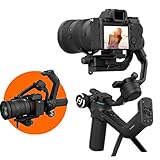 FeiyuTech SCORP-C FeiyuTech SCORP-C |
|
Check Latest Price |
Every phone gimbal here folds flat and runs about 10 to 11 hours. The two camera gimbals run far longer and carry heavier payloads, which is the real trade between the two categories.
1. DJI Osmo Mobile 7P – The Best All-Round Phone Gimbal for Vlogging
DJI Osmo Mobile 7P Gimbal Stabilizer for iPhone & Android, Native Tracking
3-axis stabilization
368 g
Up to 10 hours
Mic 2 reception
Pros
- Excellent 3-axis smoothing on walking shots
- Native tracking that works outside the DJI app
- Extension rod and tripod built in
- Can charge your phone while filming
- Handles large flagship phones without overheating
Cons
- Bulkier than ultra-compact phone gimbals
- Needs recalibrating more often than some users like
- Gesture tracking can trigger accidentally
- Tracking can struggle in very low light
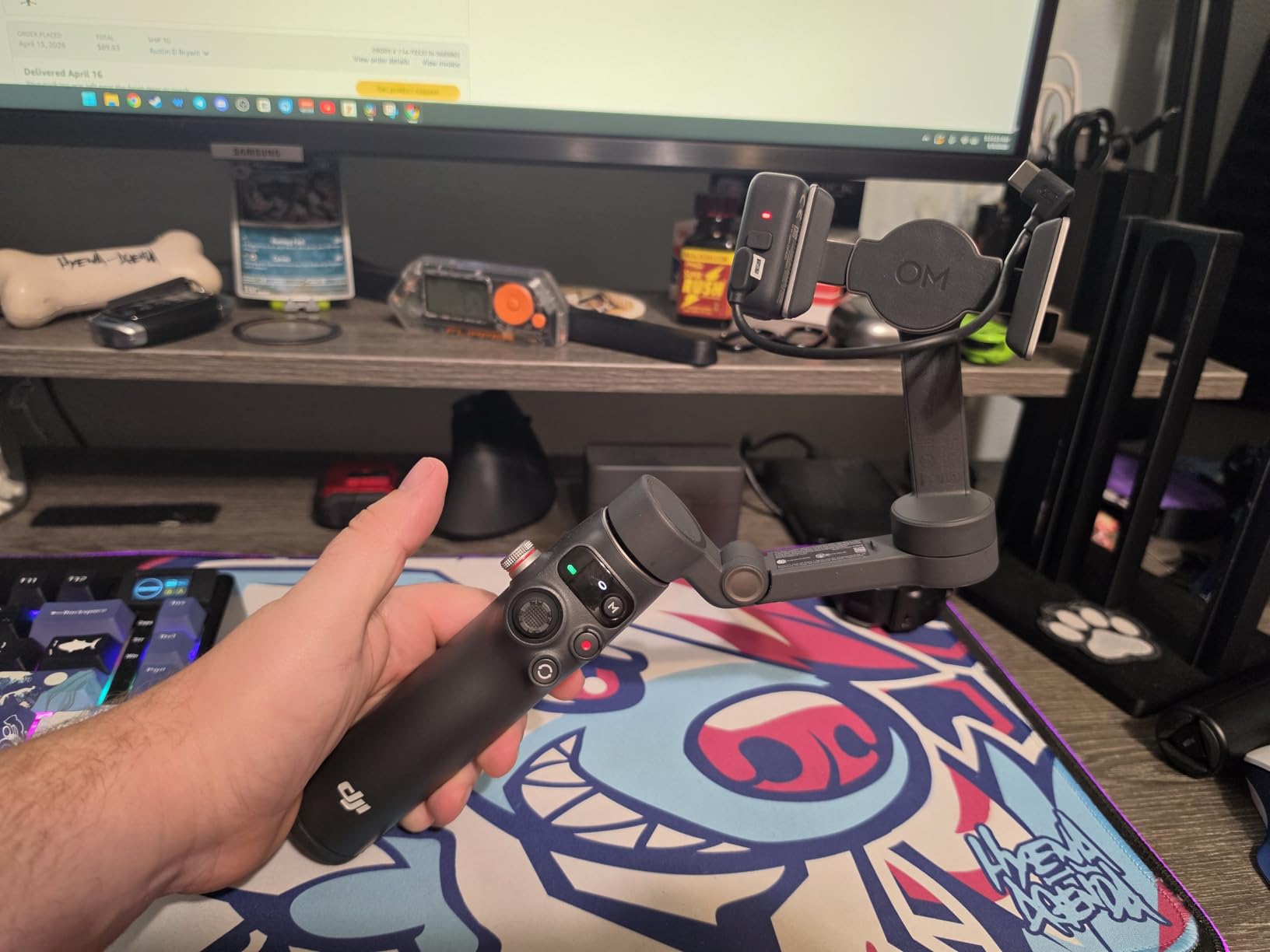
The 7P is the gimbal I kept reaching for during a full week of shooting. It weighs 368 g, folds to 190mm x 95mm x 46mm, and the magnetic clamp means swapping between two phones takes seconds rather than a balance ritual. Owners rate it 4.5 out of 5 across more than 7000 reviews, and the praise is consistent: smooth walking footage, reliable tracking, and battery that outlasts a full shooting day.
The Multifunctional Module is the reason this one leads the list. It adds tracking, a fill light, and reception for DJI Mic 2 and Mic Mini transmitters. Audio is the top complaint I read from new vloggers, and having the receiver sit on the same rig that holds the camera removes the cable management problem entirely.
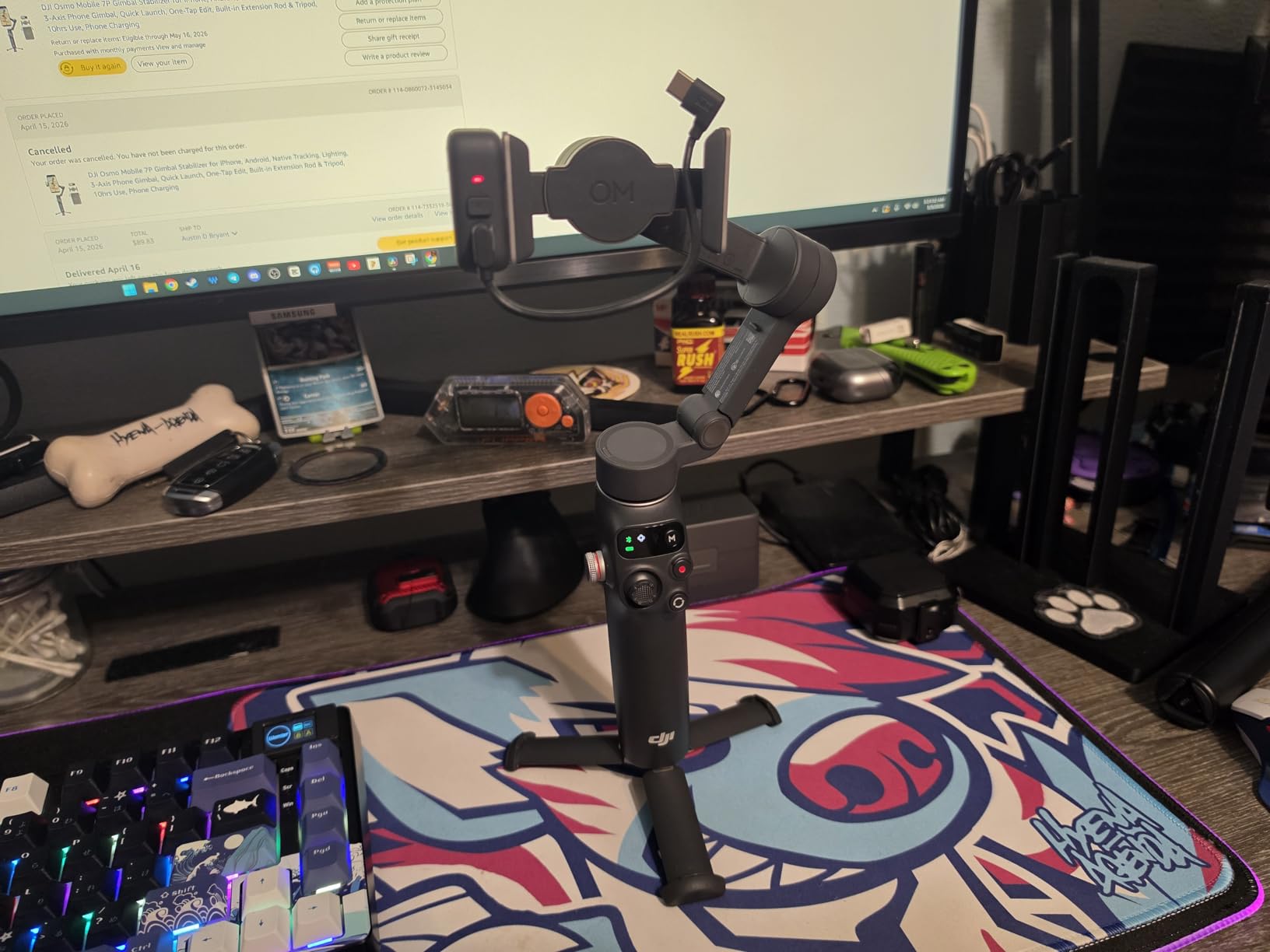
The extension rod and tripod are genuinely useful rather than decorative. The rod gets a wide selfie without asking a stranger to hold the camera, and the tripod handles static pieces while both hands do something else. Battery life is rated at up to 10 hours, and the unit can charge your phone over USB-C while it runs.
Tracking works natively on the phone without leaving your camera app, which is a bigger deal than it sounds. Dual-lens enhanced tracking holds a subject when your phone has more than one rear lens. On r/djiosmo the recurring advice is that the DJI Osmo line is the easiest of the current phone gimbals to learn, and that matches our experience with the on-device gesture controls.
What you gain by choosing the 7P
You get a gimbal that covers the full vlogging workflow in one object: stabilized movement, subject tracking, lighting fill, and wireless mic reception. For a solo creator shooting walk-and-talk pieces, vertical Shorts, and POV clips, that consolidation is worth the extra 68 g over the smaller Osmo Mobile 7.
The battery figure is the other quiet win. Up to 10 hours of operating time means a full day of travel vlogging on one charge, plus phone charging on top. If you shoot outdoors where outlets are scarce, that headroom matters more than a few grams.
Where it frustrates people
Recalibration is the most repeated complaint. Owners report needing to recenter and recalibrate more often than they would like, and some find the included 15 cm USB-C cable too short for comfortable orientation flipping. There is no printed manual in the box, so budget time for app setup.
The other recurring gripes are the built-in tripod feeling slightly flimsy under a full-size phone, gesture-activated tracking firing when you talk with your hands, and tracking drifting in very low light. None of these are dealbreakers, but the 7P is a tool that rewards two minutes of setup attention.
2. DJI Osmo Mobile 7 – The Best Travel Phone Gimbal for Vlogging
DJI Osmo Mobile 7 Gimbal Stabilizer for iPhone & Android, 3-Axis Gimbal
300 g body
ActiveTrack 7.0
Built-in tripod
Up to 10 hours
Pros
- Very light at 300 g with an anti-slip grip
- Smooth output on rough terrain
- Reliable ActiveTrack keeps you framed
- Built-in tripod needs no extra parts
- Magnetic clamp holds large phones with a case
Cons
- No extension rod so selfie shots are arm's length only
- Modest motors need careful centering
- Gesture modes misfire if you gesture while talking
- App-dependent features can feel restrictive
The Osmo Mobile 7 is the one to pack. At 300 g it is the lightest gimbal in this group, and it folds to 179 x 95 x 39mm, small enough to sit in a daypack side pocket next to a phone and a spare battery. Owners give it 4.4 out of 5 across more than 4900 reviews and consistently single out weight and smoothness as the reasons to buy.
Stabilization is the real story. Reviewers report that it smooths out walking footage and handles rough terrain well, which is exactly what a travel vlogger needs when you are moving down a gravel path or across a dock at dawn. ActiveTrack 7.0 through the DJI Mimo app keeps the operator framed while you walk backward toward yourself.
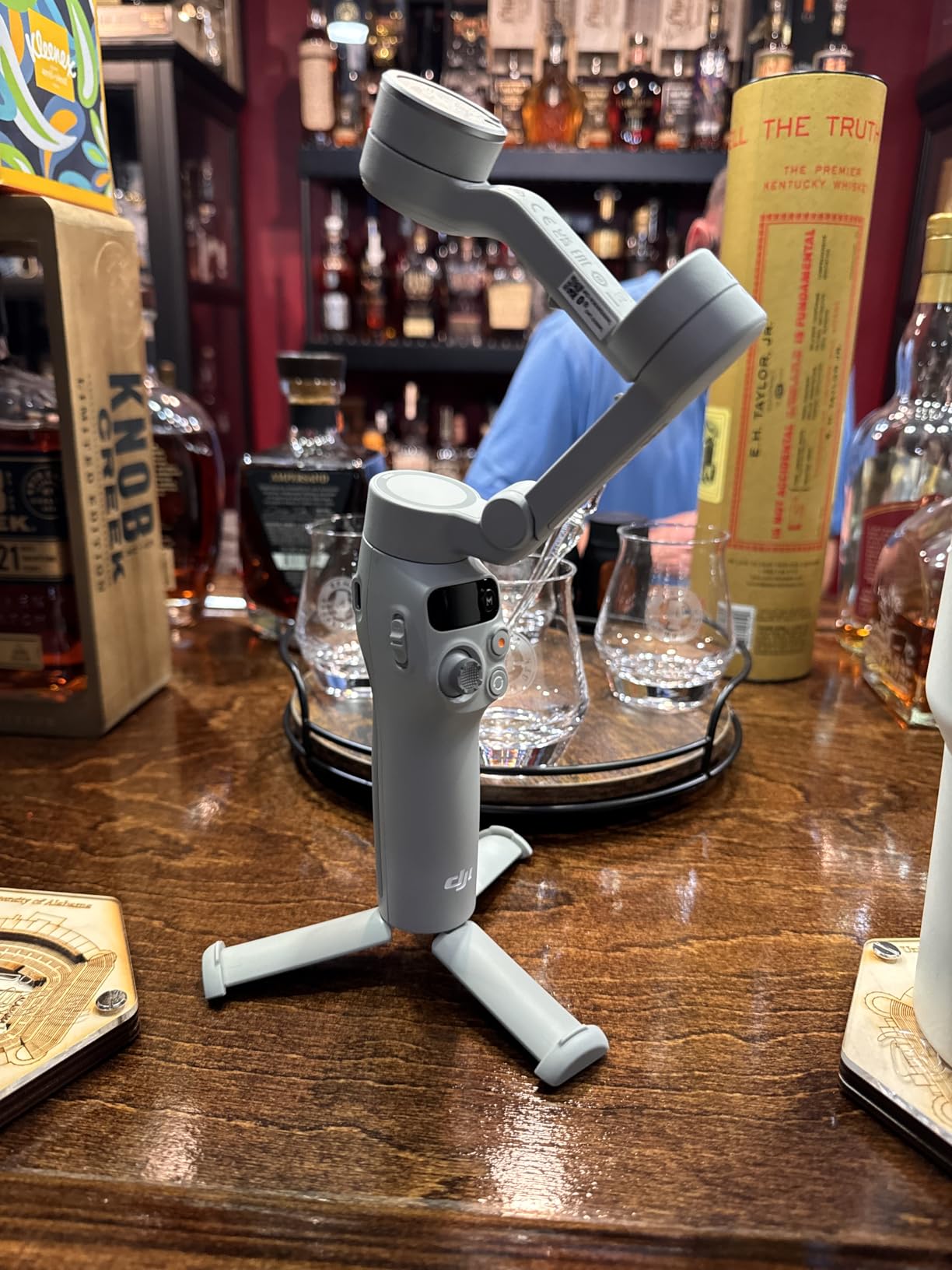
The integrated foldable design means the tripod is part of the body, not an accessory that lives in a bag pocket. There is no separate piece to lose, and the magnetic clamp holds a large phone securely even with a case on it.
Battery life is rated at up to 10 hours with the ability to charge your phone through the handle. For a creator moving between locations all day, that combination of endurance and phone charging means the gimbal rarely becomes the reason you stopped filming.
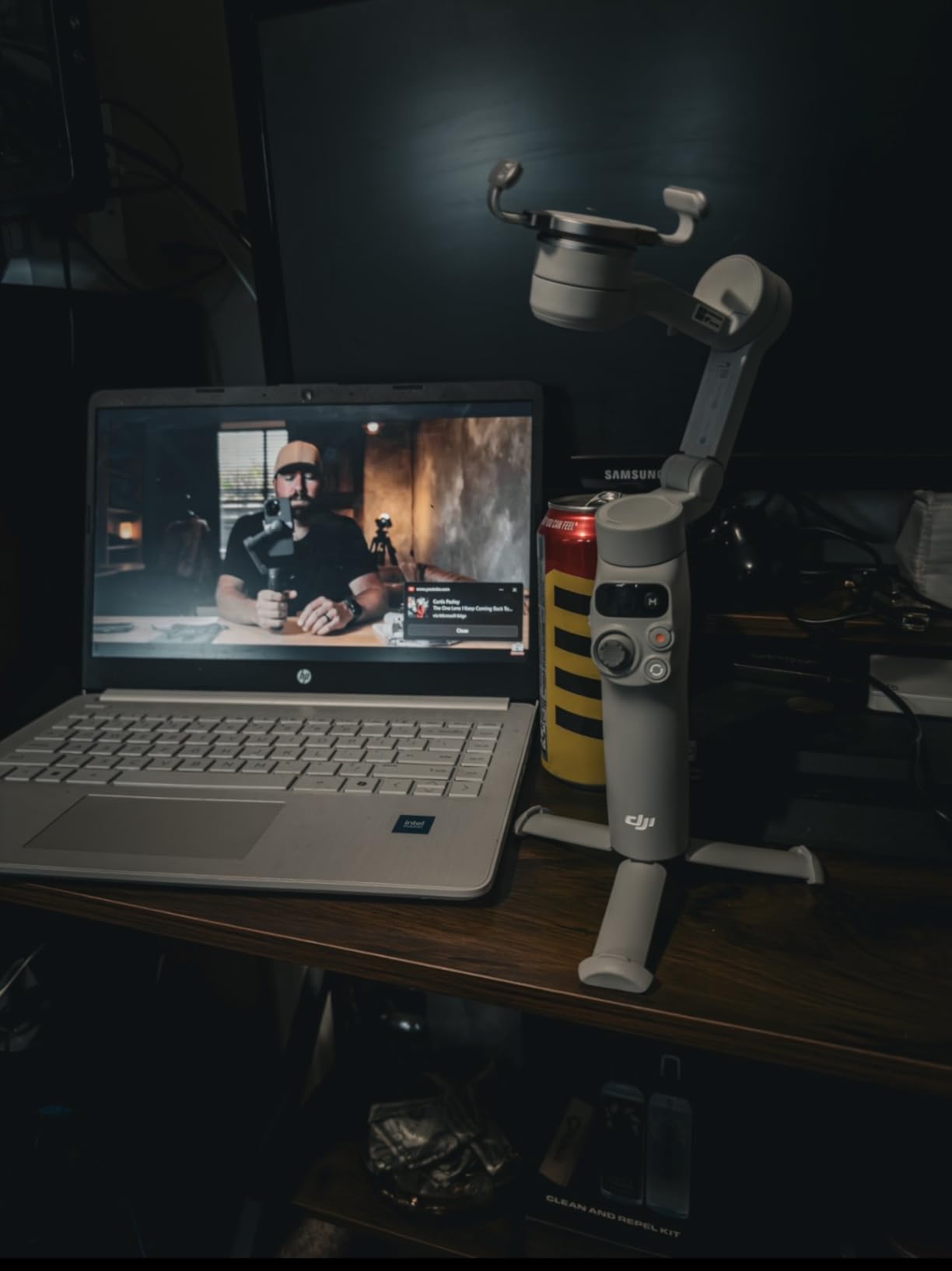
Why the lighter body changes a travel kit
Every gram adds up when a gimbal is on your body for a full day. At 300 g, this is the only gimbal here that reads as genuinely pocketable, which matters when you are already carrying a camera body, lenses, and audio gear. Our earlier phone gimbal coverage covers more of the compact end of the market in the smartphone gimbal roundup.
The built-in tripod also earns its place in a moving kit. You can set the gimbal on a railing or a pack and frame a static piece without handing your phone to anyone else.
What you give up versus the 7P
The first thing missing is the extension rod. Without it, selfie-style shots are limited to arm’s length, which rules out the wide group framing the 7P handles easily. The second is the Multifunctional Module, so there is no built-in mic reception or fill light.
Reviewers also note the motors are modest, so the phone must be mounted carefully centered and oriented. Some users find the included magnetic clamp does not fit the largest Pro Max models. If your phone is a top-end oversized model, check the clamp before you commit.
3. DJI Osmo Mobile 8 – The Best Phone Gimbal for Built-In Audio and Lighting
DJI Osmo Mobile 8 Gimbal Stabilizer for Phone, 3-Axis Stabilization
360 degree pan
370 g
10-hour battery
Audio and lighting module
Pros
- Tracking
- audio reception and lighting in one module
- 360 degree pan rotation for wide moves
- Built-in extension rod and tripod
- 10-hour battery that also charges the phone
- Direct phone connection makes setup fast
Cons
- Heavier and bulkier than the smaller Osmo models
- Multifunctional Module adds weight to the rig
- App-based setup has a learning curve
- Costs more than previous-generation DJI phone gimbals
The Osmo Mobile 8 is the current-generation DJI phone gimbal, and it is the most complete single object here. It weighs 370 g, folds to 7.5 inches long, and brings AI-native tracking together with audio reception and a lighting system through the same Multifunctional Module concept found on the 7P.
What it adds over the 7P is the 360-degree horizontal pan rotation. That range lets you swing a full circle around yourself without the motors fighting the stop, which changes the shot vocabulary available to you for POV clips and reveal moments. Owners rate it 4.4 out of 5 across more than 3500 reviews.
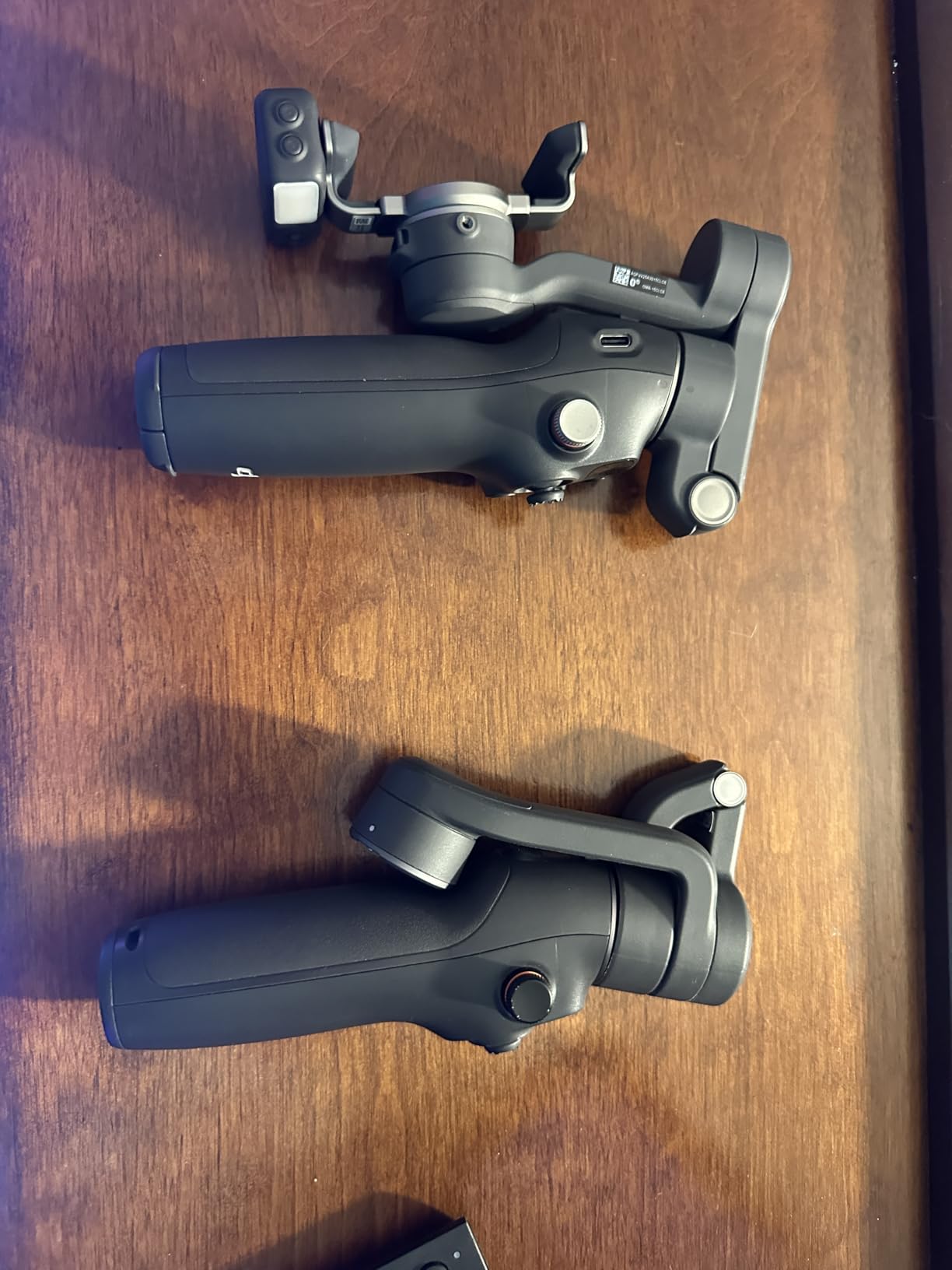
The audio piece is the quiet differentiator. Because the module handles mic reception, you can run a DJI wireless transmitter and keep the audio and video on a single rig, which removes the most common vlogging failure point of the receiver living in a separate pocket on a separate recording.
Direct phone connection speeds up setup, and the built-in extension rod and tripod handle both wide selfies and hands-free static pieces. The battery is rated at 10 hours and will charge your phone while it works.
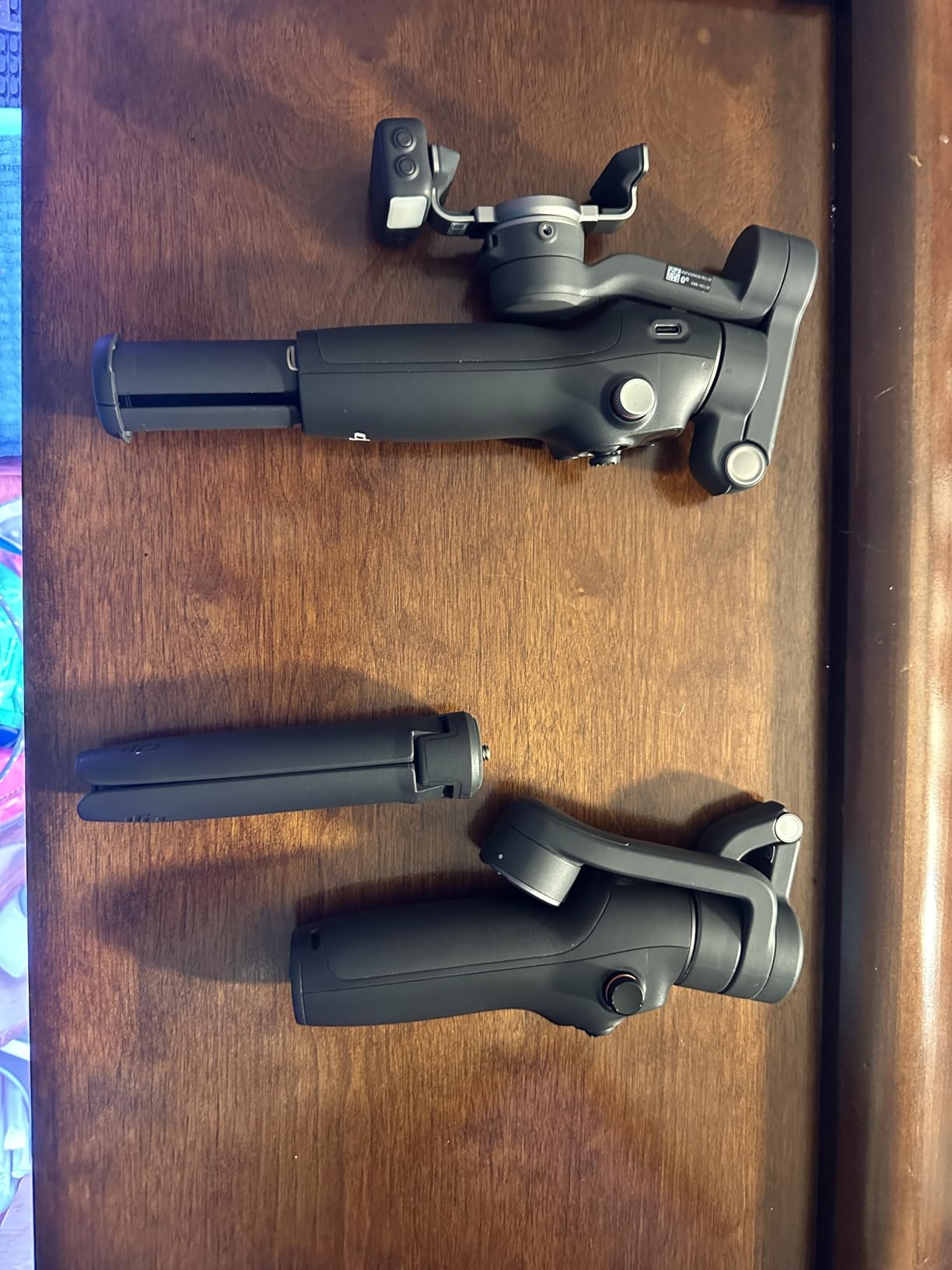
When the 360-degree pan earns its place
A full-circle pan is not a gimmick for one specific format. It lets you swing from a landscape view of a trail to yourself in a single continuous take without a cut, which is how a lot of short-form travel content is built. Combined with the native tracking, a solo creator can start the move walking and let the gimbal hold the framing.
The lighting function also matters for evening work. When you are filming outdoors near dusk, a small fill on the front of the rig can rescue facial detail that a phone would lose.
Where the extra bulk shows up
The main complaints are size and weight relative to the smaller Osmo models, plus the Multifunctional Module adding its own bulk on top. At 370 g this is a full-sized rig, not a pocket one, so plan your bag around it.
The second theme across reviews is the usual DJI app learning curve for first-time gimbal users. Setup is app-based, which means setup takes longer the first time than a gimbal that works entirely from physical buttons. Our DJI gimbal roundup covers how the rest of the lineup compares.
4. Insta360 Flow 2 Pro – The Best Phone Gimbal for Solo Creators
Insta360 Flow 2 Pro Phone Gimbal Stabilizer for iPhone & Android, AI Phone Gimbal, Phone Stabilizer for Travel & Vlogs, Phone Stabilizer for Videos, YouTube, TikTok – Ultimate Creator Bundle Grey
357 g
AI Tracker included
200+ app support
15x zoom tracking
Pros
- Native tracking works inside your own camera app and in TikTok or Zoom
- Clip-on AI Tracker for gesture control when filming alone
- All-in-one kit with tripod
- stick
- mirror
- teleprompter and lights
- 360 infinite pan and free tilt modes
- Fits large phones including Pro Max models
Cons
- Steep learning curve for modes and button layout
- Companion app connection can be unreliable
- Tracking lock is slow for spontaneous moments
- No pause-and-resume for continuous recording
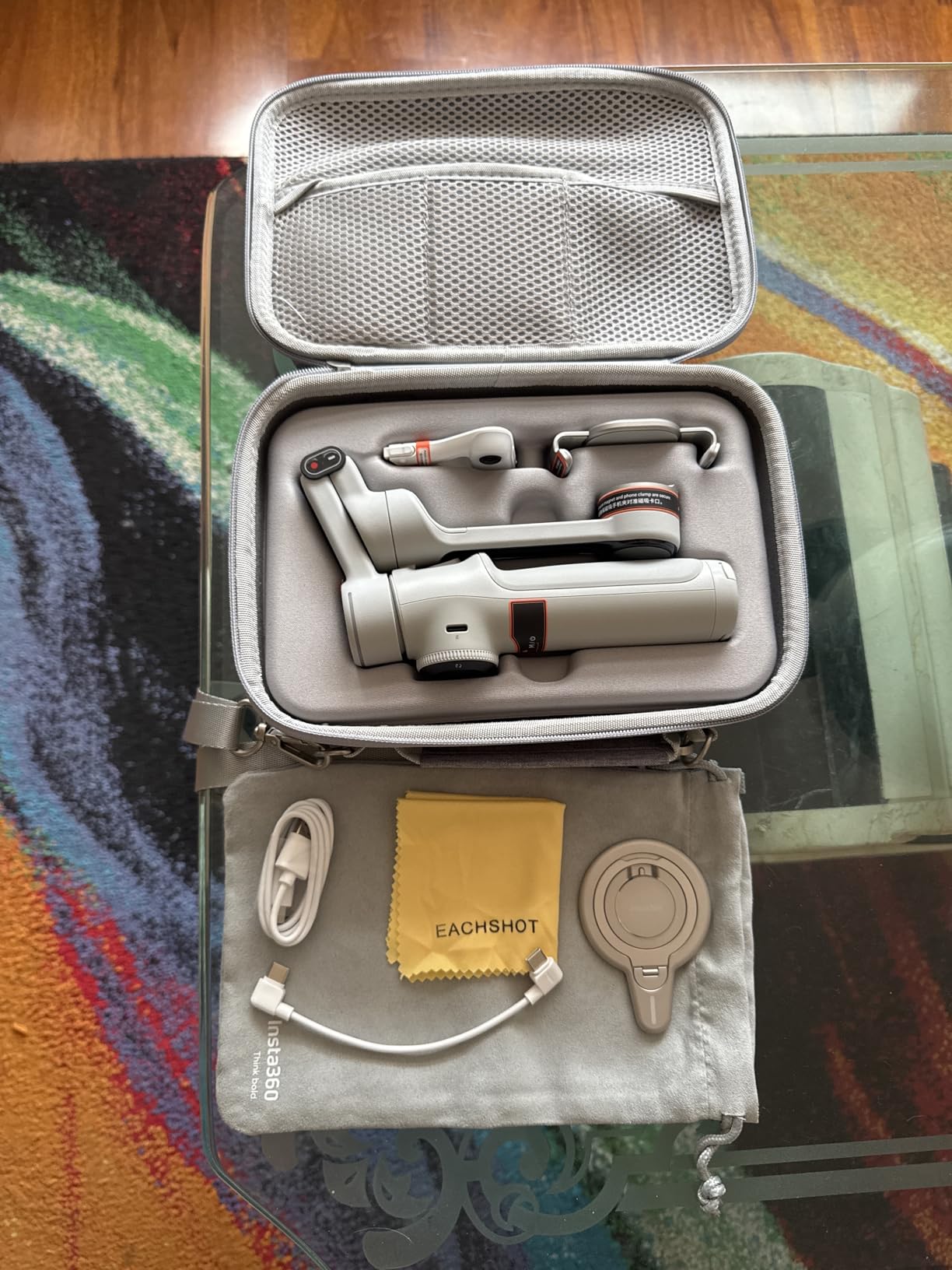
The Flow 2 Pro is the most interesting gimbal here if you film alone. It weighs 357 g and its headline feature is native tracking across more than 200 iOS apps, with a clip-on AI Tracker for gesture-based control on Android. That means tracking works inside the app you already use rather than forcing you into a manufacturer’s editor.
The Creator Bundle is unusually complete. It includes the AI Tracker, a magnetic phone mount, a USB-C cable, and a carry case, and the gimbal body itself carries a built-in tripod, selfie stick, selfie mirror, teleprompter, and lighting. For a beginner, that is a lot of capability without extra purchases.
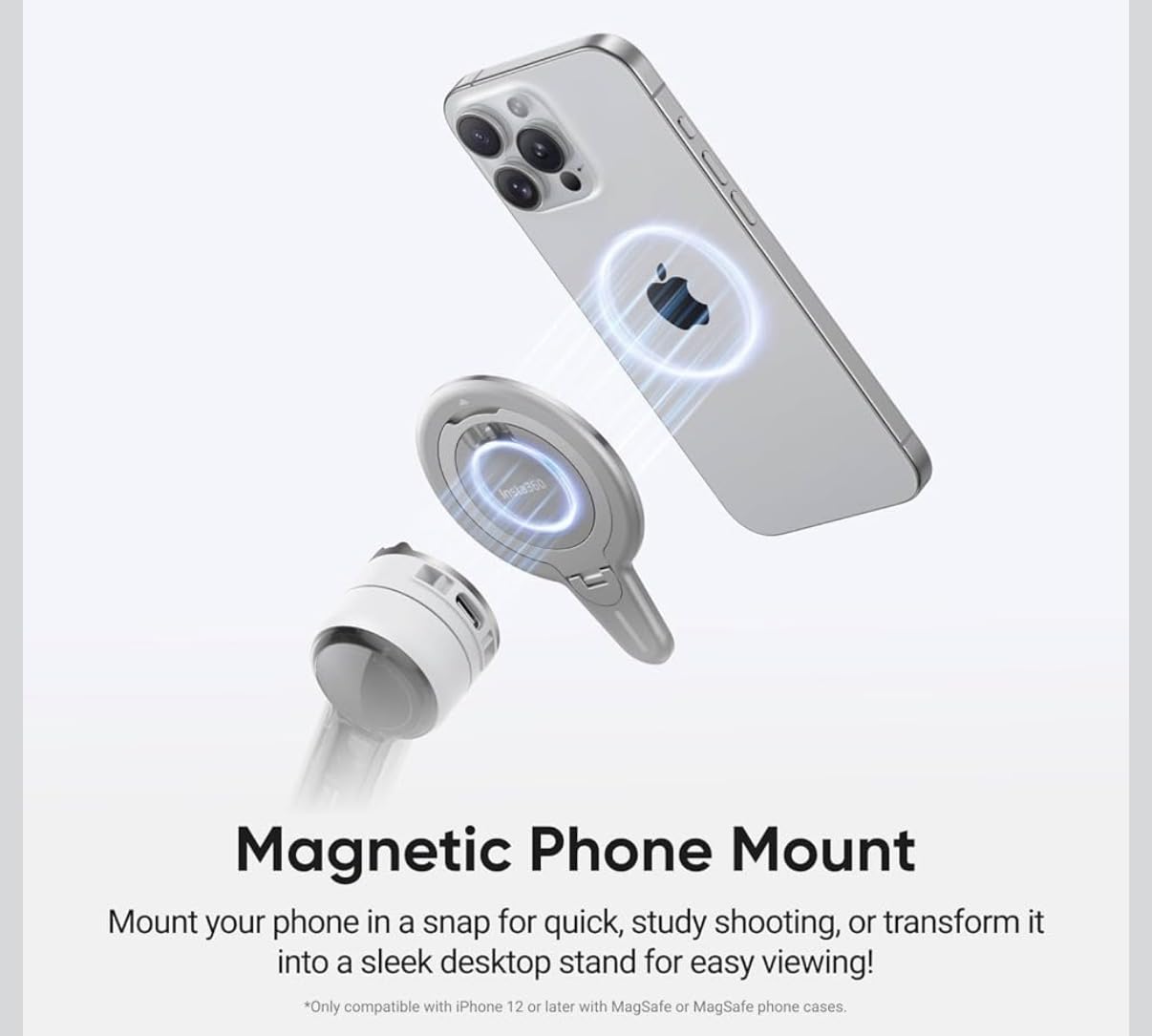
Advanced Active Zoom Tracking goes up to 15x for fast action, and intelligent multi-person tracking auto-frames groups. The 360 infinite pan tracking and free tilt mode give you creative angles that a fixed pan range cannot. Owners rate it 4.2 out of 5 across 241 reviews, with a review base that is young enough to mean the scoring will move.
Stabilization is 3-axis and smooth for walking and moving shots, and reviewers note the body is light and compact enough to carry daily with strong battery life. The wide phone fit means large Pro Max models are handled.
Why native tracking changes your workflow
Most phone gimbals lock tracking to their own app. That forces a choice between good tracking and the camera app you actually prefer, including social apps. The Flow 2 Pro removes that trade, and on r/smartphonefilming the recurring question is exactly this one: whether AI-based tracking can match hardware tracking. Native support is the closest answer to yes that currently ships.
The clip-on AI Tracker is the piece solo creators care about most. It gives gesture control without touching the handle, which means you can start a take, step back, and let the gimbal keep you centered. That is the whole premise of one-handed vlogging.
Where it falls short
The learning curve is the loudest complaint. The mode list is long, the button layout takes study, and reviewers report the tracking lock time is too slow for spontaneous sports moments. If the shot is unrepeatable, waiting for a lock is a real cost.
App connection reliability, particularly on Android, is the second theme. The AI Tracker also adds noticeable weight and battery drain, and there is no pause-and-resume for continuous recording. Budget for setup time with this one.
5. hohem iSteady X3 SE – The Best Budget Phone Gimbal for Vlogging
hohem iSteady X3 SE 3-Axis Gimbal Stabilizer for iPhone & Android, Black
0.79 lb body
11-hour battery
Detachable remote
300 g payload
Pros
- Folds small enough for a pocket or small bag
- Detachable remote works at 32.81 ft
- 11-hour battery covers a full day
- One-touch horizontal and vertical switching
- Affordable entry into 3-axis phone gimbals
Cons
- App-dependent features can be slow or finicky
- Balance is sensitive with heavier larger phones
- Tracking reliability varies with lighting and movement
- Motor noise and build feel less refined
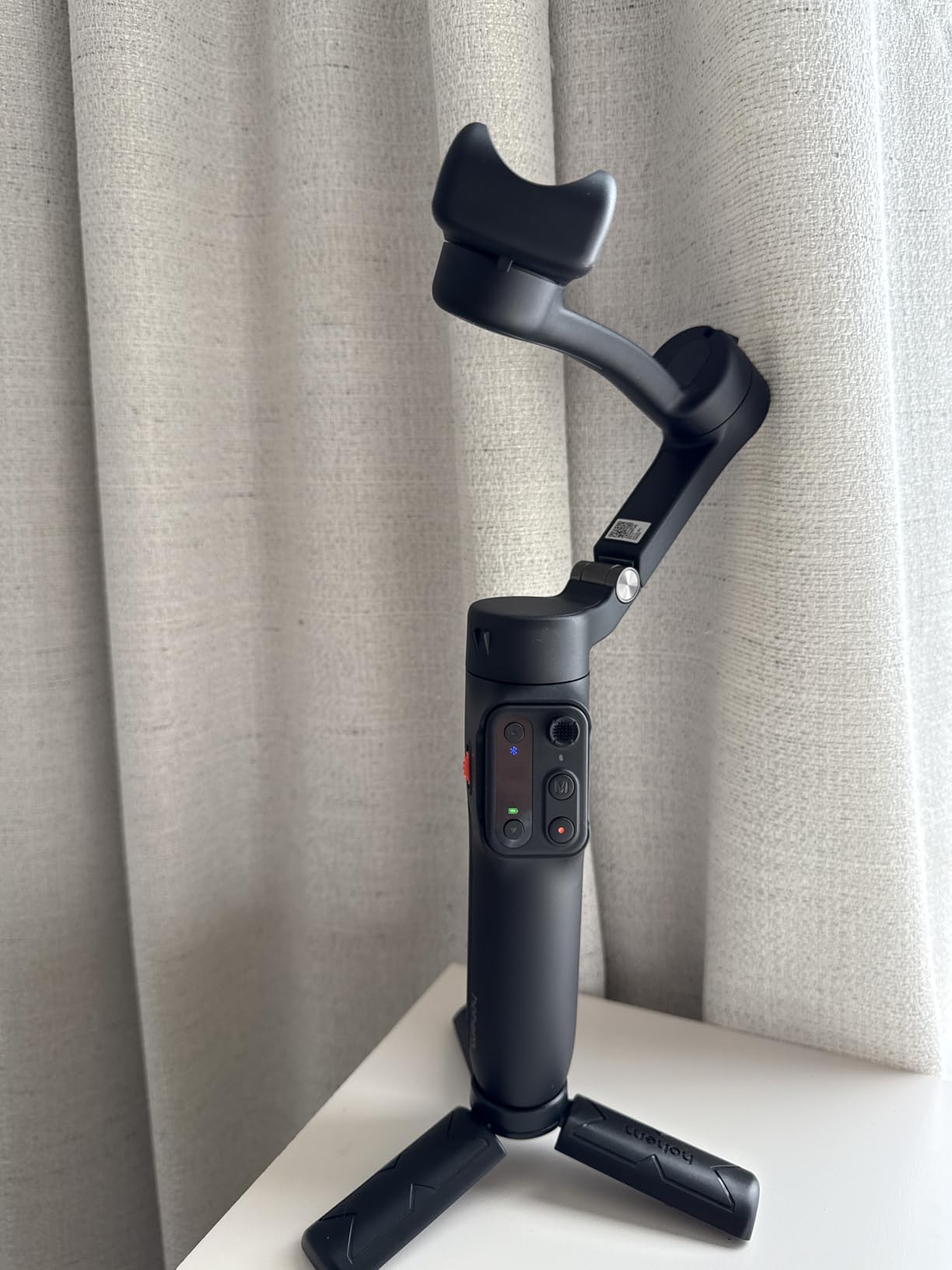
The iSteady X3 SE is the value pick, and the detachable remote is what makes it interesting rather than just cheap. At 0.79 lb it folds to 3.86 x 1.73 x 6.32 inches, and the magnetic remote reaches 32.81 ft, so you can start and stop a take from across a room or down a path.
Owners rate it 4.2 out of 5 across more than 2800 reviews. The most common praise is that it stays smooth even when jogging or jumping, which is unusual at this tier, and that the 11-hour battery covers a full day of shooting and live streaming off a two-hour charge.
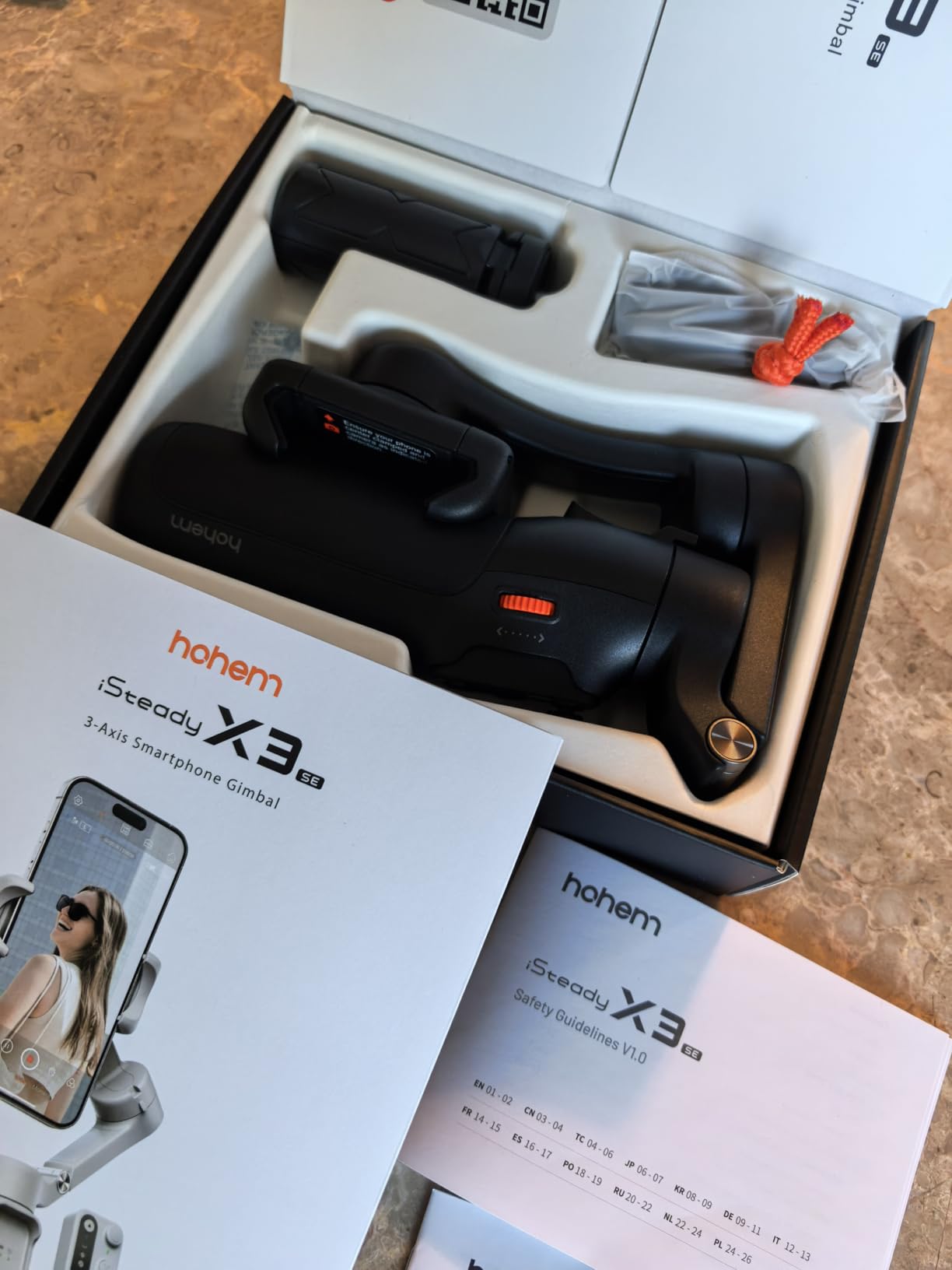
The iSteady 8.0 stabilization and 300 g payload handle large phones, and one-touch horizontal and vertical switching keeps up with the pace of Reels and Shorts. The Hohem Joy app provides AI tracking, gesture control, and creative templates for anyone who does not want to learn a manual.
Compatibility is broad, with listed support for recent iPhone models through Pro Max and Galaxy S21 through S23 Ultra, along with OnePlus and Huawei devices. Check your specific model against the list before buying.
Where the budget tier still wins
The remote alone justifies this pick for a lot of creators. There is no other gimbal in the group with a physical detachable controller, and for solo filming it removes the need to touch the handle mid-take. Combined with the small folded size, it disappears into a daypack in a way the DJI models do not.
The 11-hour battery is the longest phone gimbal runtime here, and it beats the camera gimbals on weight by a wide margin. If you stream as well as film, the battery claim matters even more.
What the lower tier costs you
Tracking is the honest weak point. Reviewers report reliability varies with lighting and movement, and app-dependent features can be slow or finicky. Balance is also sensitive with heavier, larger phones, so take a minute to center it properly before a take.
The build and motor noise feel less refined than premium rivals. If you are recording voice-over nearby, that motor noise is worth considering.
6. AOCHUAN Smart XE – The Best Phone Gimbal for Talking-Head Setups
AOCHUAN Smart XE 3-Axis Gimbal Stabilizer for iPhone&Android,Foldable
250 g payload
10-hour battery
Focus wheel and zoom slider
One-click vertical
Pros
- Focus wheel and zoom slider give manual control
- Fast accurate face and object tracking in the app
- 10-hour battery with included mini tripod
- One-click switch between horizontal and vertical
- Textured grip feels comfortable and solid
Cons
- Tracking only works inside the AOCHUAN app
- Tracking unavailable at higher resolutions on some Samsung models
- Stabilization struggles when camera and subject both move
- Some large phones can jam the rotating axis
The Smart XE stands out for the controls most budget gimbals skip. It has a focus wheel and a zoom slider, so you can pull focus or adjust framing without touching your phone screen. That matters most for talking-head work, where you are usually the only person in the shot and need to operate everything yourself.
Owners rate it 4.1 out of 5 across more than 3800 reviews. The battery is a 2600 mAh pack rated for up to 10 hours of continuous shooting, the body is 345 g with a 250 g payload, and the folded body is 163 x 108 x 55mm.
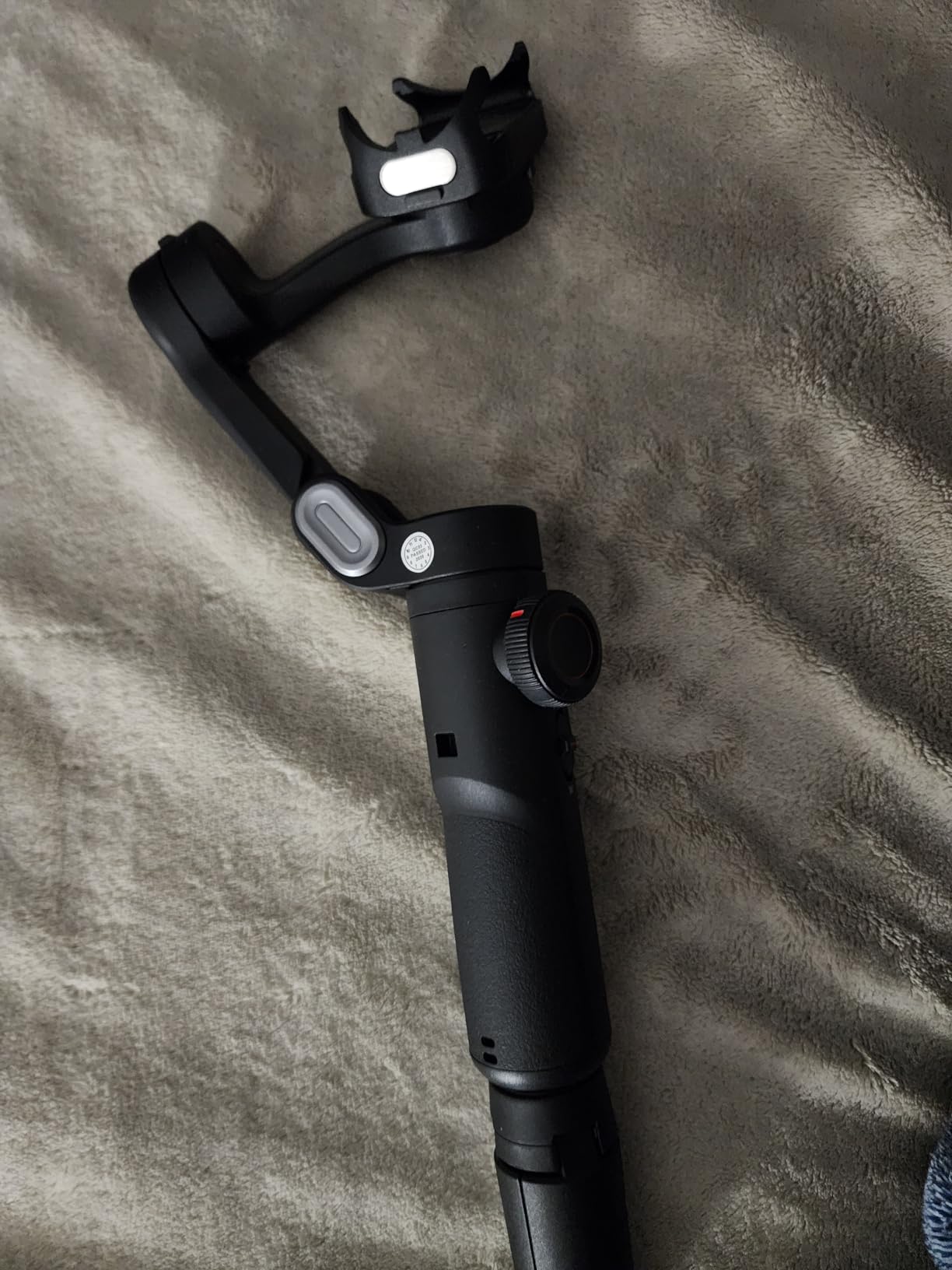
Shooting modes are unusually broad for the money: panorama, cinematic, movie mode, live streaming, time-lapse, motion-lapse, Hitchcock, Inception, and slow motion, all driven by the SMART 7.0 anti-shake algorithm and three brushless motors. A mini tripod and a multi-language manual are in the box.
AI Face Track 4.0 with gesture control through the AOCHUAN app is fast and accurate for a stationary or seated setup, which is precisely where this gimbal is strongest.
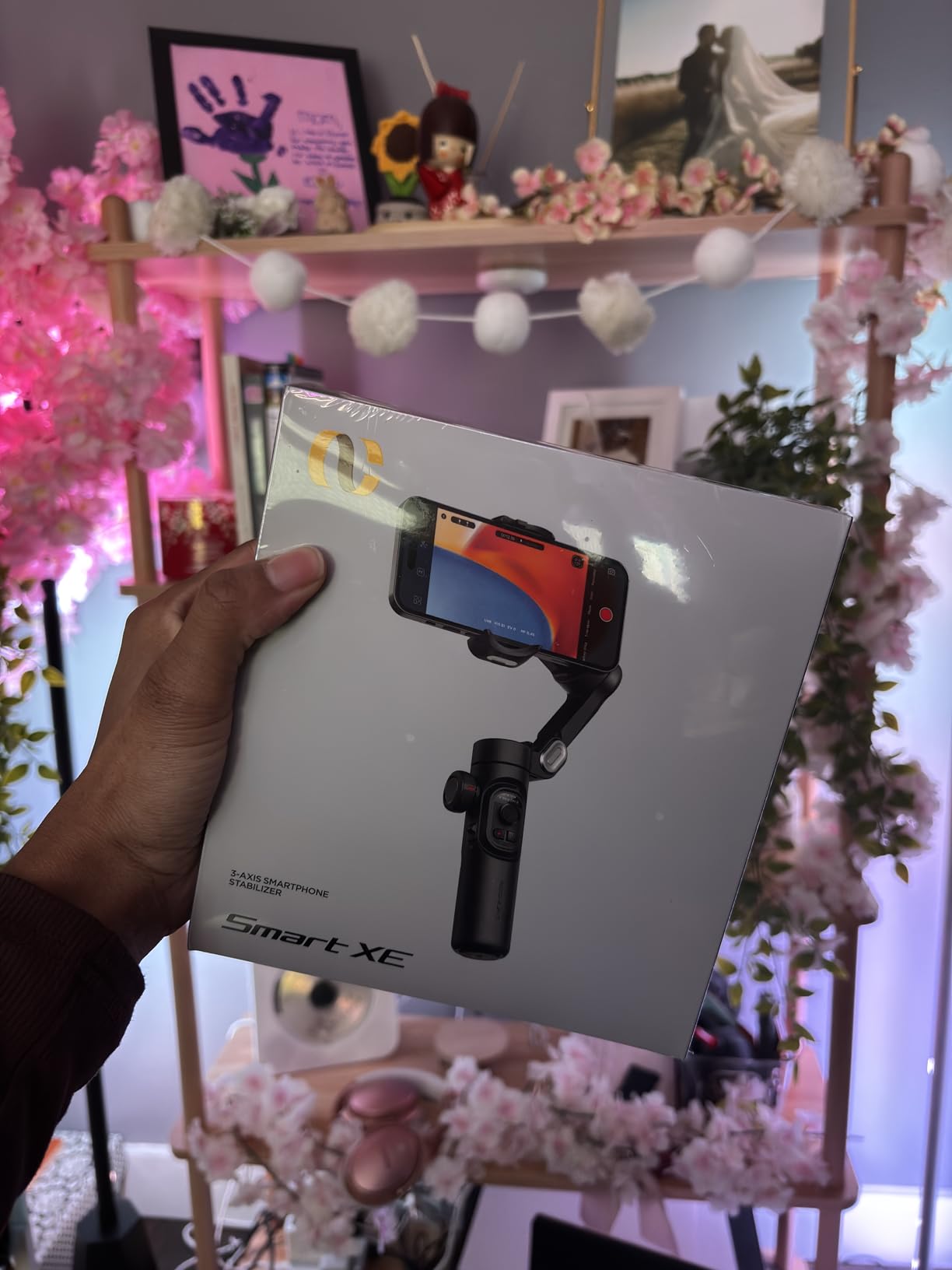
Why manual controls matter for seated filming
When you are alone behind a camera, every interaction that leaves the phone screen is a small win. The focus wheel and zoom slider let you adjust framing mid-take, and one-click horizontal and vertical switching means a clip for TikTok does not require re-balancing and re-aiming.
The mode list is another genuine benefit for creators who want variety. Motion-lapse and Hitchcock modes produce shots that would otherwise need editing work, and the included tripod handles static pieces.
Where it falls behind the DJI models
The tracking limitation is structural: it only works inside the AOCHUAN app, not with native phone camera apps. Reviewers also note tracking can be unavailable at 4K or 1080p 60 fps on some Samsung models, and the app may not offer 4K capture for certain phones.
Stabilization also degrades when both the camera and the subject are moving at once, and some large phones can jam the rotating axis. For seated talking-head content this is a strong pick; for walking and tracking a moving subject, it is not.
7. ZHIYUN CINEPEER Weebill 3E – The Best Gimbal for Mirrorless Vlogging
ZHIYUN CINEPEER Weebill 3E, 3-Axis Lightweight Gimbal Stabilizer for DSLR & Mirrorless Camera Canon/Sony/Panasonic/Nikon, 3KG Payload, Native Vertical Shooting, Bluetooth Shutter Control
3 kg payload
1.05 kg body
16-hour battery
Native vertical
Pros
- 3 kg payload from a 1.05 kg body
- Native vertical shooting without extra accessories
- Up to 16 hours with 14W PD fast charging
- Bluetooth shutter control starts recording remotely
- Folds to an A4-sized footprint for travel
Cons
- Only a Panasonic control cable is included
- Sling grip and wrist rest are sold separately
- Balancing takes practice with heavier combinations
The Weebill 3E is where the roundup changes category. It carries a tested 3 kg payload from a body weighing 1.05 kg, which is an unusual ratio and the reason it earns its place for anyone who has moved from a phone to a mirrorless body. Owners rate it 4.4 out of 5 across 442 reviews.
The wide-axis arm fits DSLRs and mirrorless bodies with lenses in the range of a 24-70mm F2.8, which covers most vlogging kits. Native vertical shooting is built in through the vertical arm and quick release plate, so vertical Shorts do not require an accessory or a rebalanced rig. Our Zhiyun gimbal guide goes deeper on the brand.
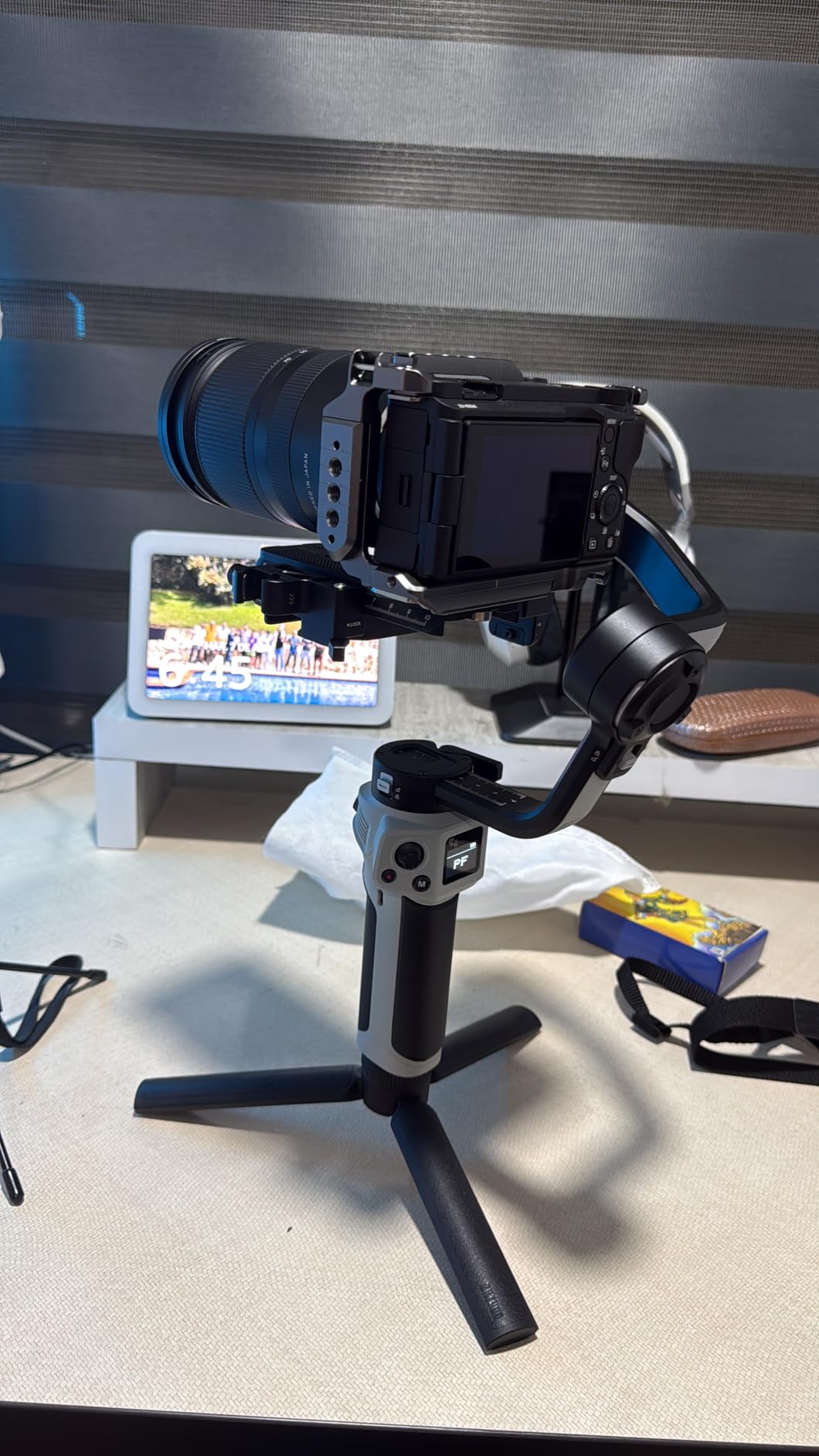
Battery life is the standout number: up to 16 hours with 14W PD fast charging. Bluetooth shutter control with auto re-pairing starts and stops recording from the camera or a phone, and the folded body is A4-sized at 12 x 8 x 2.8 inches, which makes a camera gimbal genuinely packable.
The 2.5 sling mode with a telescopic sling grip gives low-angle moves, though the sling grip and wrist rest are sold separately. That is the one detail to read carefully before buying.
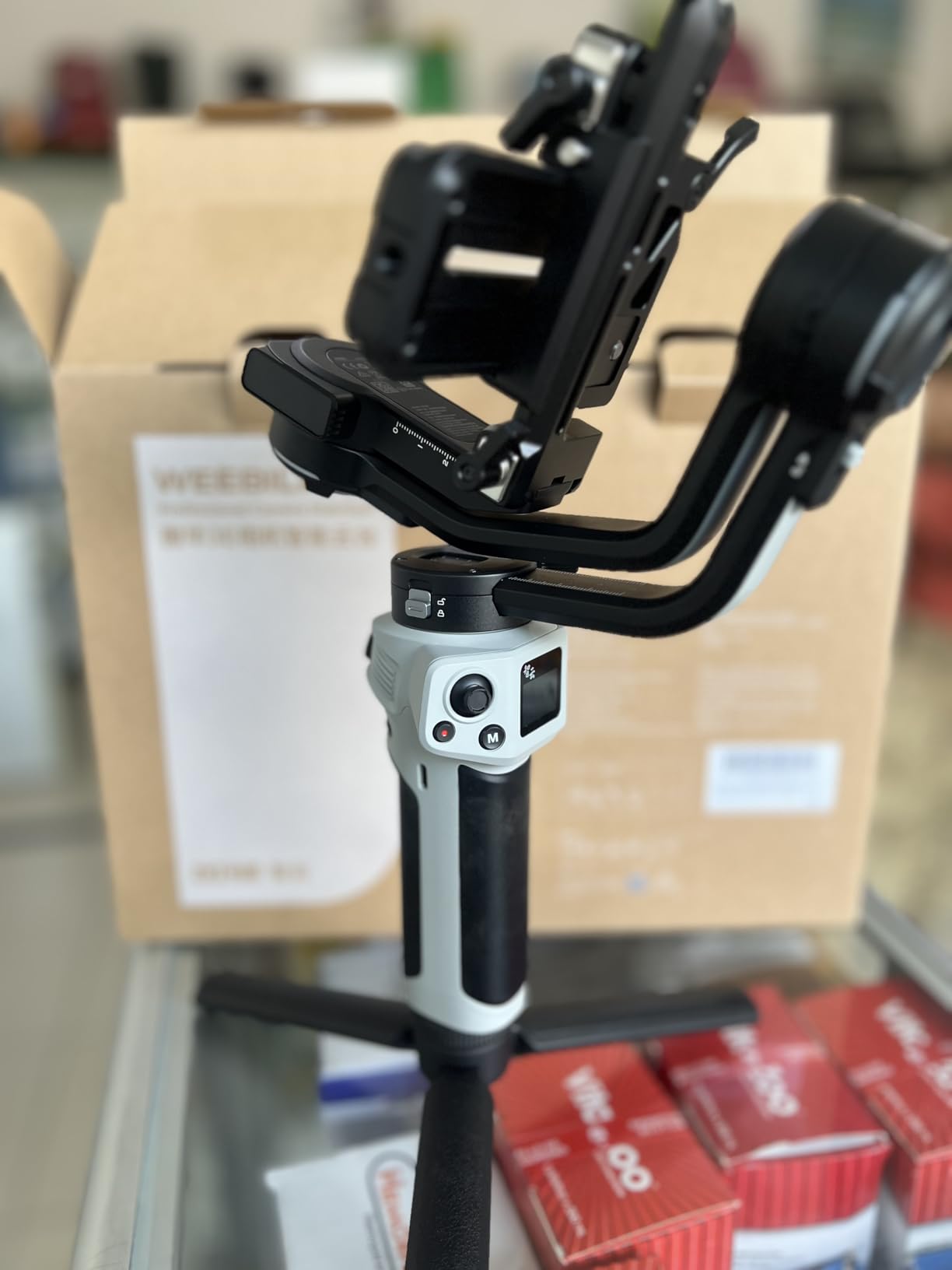
Why the payload-to-weight ratio is the number that matters
A gimbal rated well above your camera is not wasted capability, it is headroom. The Weebill 3E takes a body plus a fast zoom at 3 kg while weighing less than half of what the payload suggests, which means a long day of handheld shooting does not wreck your arms.
Native vertical shooting is the vlogging-specific detail that most competitors treat as an accessory. Having it integrated means switching between a landscape vlog segment and a vertical Short happens in seconds, on the same rig, with the same balance.
Where the cost shows up
Only a Panasonic control cable is included. Canon and Sony cables cost extra, so budget for the right one if you are not a Panasonic shooter. The sling grip and wrist rest are also separate purchases.
Balancing takes practice with heavier camera and lens combinations, as with any full-size gimbal. Set aside ten minutes the first time and use the quick release plate and the wide axis adjustment together rather than one at a time.
8. FeiyuTech SCORP-C – The Best Camera Gimbal for Repeatable Vlogging Moves
FeiyuTech SCORP-C Gimbal Stabilizer for Cameras DSLR and Mirrorless Camera
2.5 kg payload
Integrated hanging handle
10-13 hour runtime
Trajectory memory
Pros
- Sturdy 3-axis build for mainstream mirrorless and DSLR kits
- Integrated hanging handle controls the lens from any angle
- Five-way centre-of-gravity adjustment with memory
- No separate tripod needed with the folding aileron bracket
- AB trajectory memory makes complex moves repeatable
Cons
- Large and heavy for a travel-first kit
- Bundled cables cover only some camera brands
- Physical controls and professional mode take time to learn
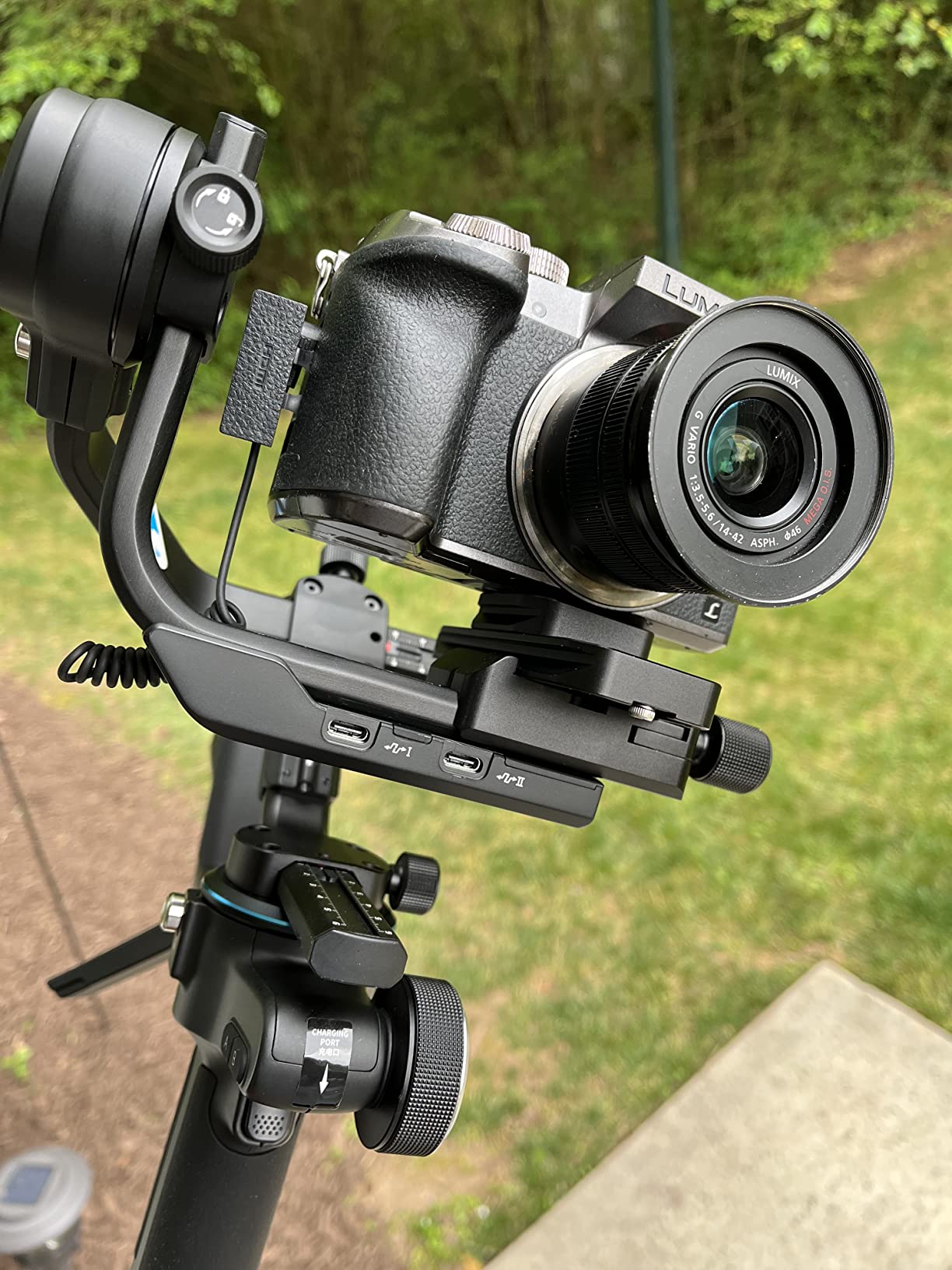
The SCORP-C is the pick for a creator who shoots structured content on a mirrorless body and wants the same move twice in a row. It carries a 2.5 kg payload across mainstream Sony, Canon, Nikon, Panasonic, and Fujifilm bodies, and owners rate it 4.3 out of 5 across 703 reviews.
The integrated hanging handle is the feature that separates it. You can control the lens from any angle without a separate support, and the folding aileron bracket removes the need to carry a tripod. Combined, those two features are what make overhead and low-angle B-roll practical with one person.
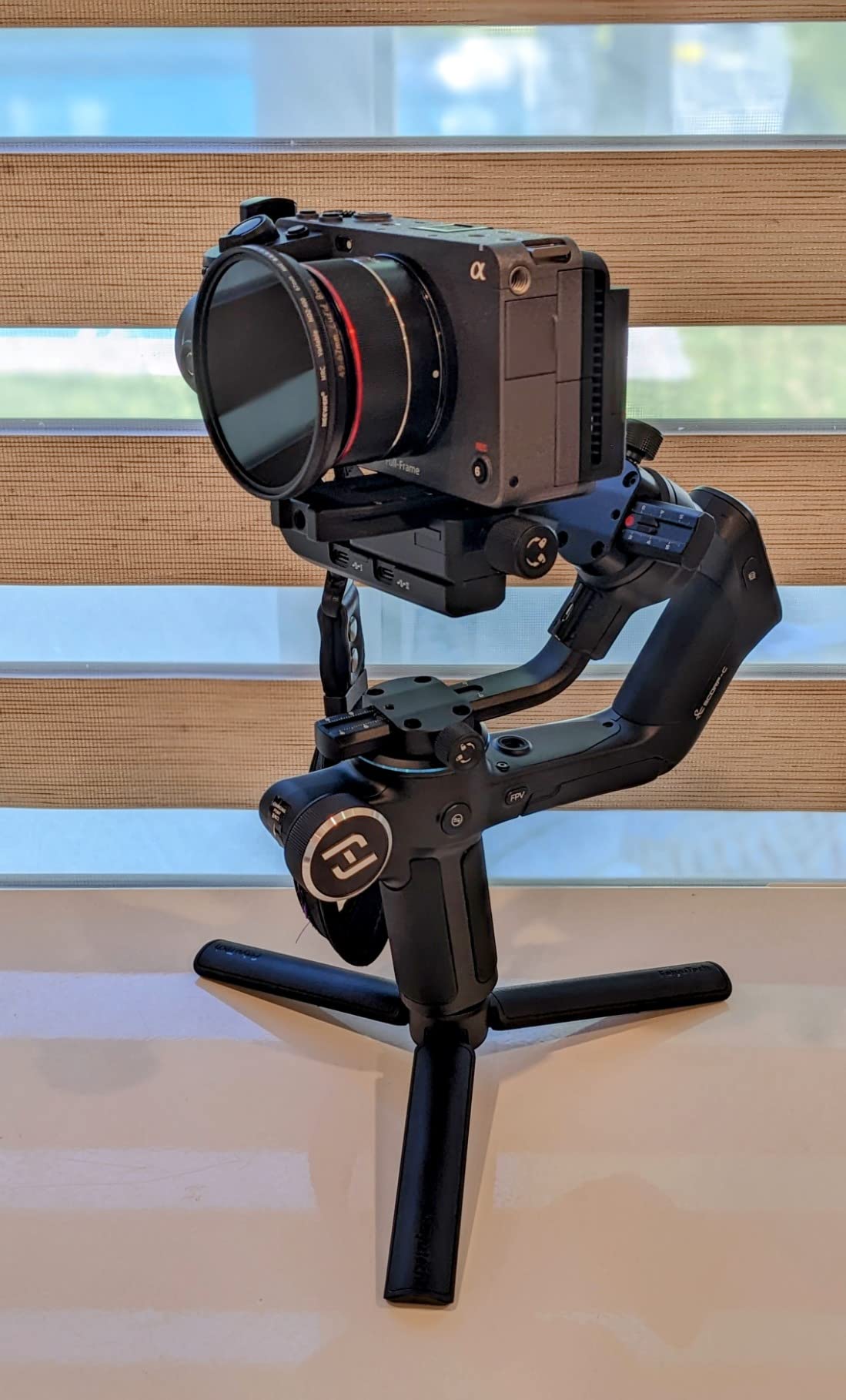
Five-way centre-of-gravity adjustment with a CoG memory slider makes balancing repeatable rather than a fresh 15-minute task each morning. The three-axis motor lock lets you lock an axis and move on two, which is how you plan a move before you shoot it.
Professional mode unlocks AB trajectory memory, flash mode, panorama, time-lapse, and vertical shooting. The 2500 mAh battery runs 10 to 13 hours with 18W fast charging, and the included cables cover Sony, Panasonic, and several others. Our camera gimbal roundup compares the full-size options.
Why repeatable moves matter more than clever ones
Tutorial, review, and product content all need matching shots. The SCORP-C stores a trajectory and replays it, and the CoG memory means the same balance every time, so a sequence you framed yesterday looks identical today. That is what separates a workhorse gimbal from a starter one.
The Arca-compatible quick release plate is worth noting too, since it means your camera moves between the gimbal and a tripod head without re-adapting anything.
Where the bulk tells you to look elsewhere
At 1.2 kg with a folded size of 280.8 x 266.2 x 71.3mm, this is the least travel-friendly gimbal here. If your kit is built around a daypack and fast moving locations, the Weebill 3E is the lighter camera option.
The bundled cables cover only some camera brands, so check what you own. The physical controls and professional mode also take time to learn, and the twelve-inch listed screen dimension applies to accessory listings rather than a built-in display.
How to Choose a Gimbal for Your Vlogging Kit
Decide between a phone gimbal and a camera gimbal first
The single biggest mistake is buying a camera gimbal for a phone or a phone gimbal for a mirrorless body. Six of the eight gimbals here are phone-only. If you shoot on a phone, a 300 to 370 g body is the right weight class and anything heavier is dead weight in your bag.
If you already own a mirrorless body, the decision is about payload rather than price. The Weebill 3E covers a 3 kg payload and the SCORP-C covers 2.5 kg. Add your body plus your heaviest lens and leave roughly 20 percent headroom.
Match payload and accept that balance is a setup step
Payload capacity is simply the maximum weight a gimbal can stabilize. An undersized gimbal will not fail loudly; it will drift, vibrate at the motors, and produce footage that never quite looks right. That is why the iSteady X3 SE is more sensitive with heavier phones despite sharing a 300 g rating with the DJI models.
Balance on level ground, axis by axis, before every new camera or lens combination. Phone gimbals need this more often than camera gimbals because cases and grip attachments shift the center of gravity. A gimbal with CoG memory or five-way adjustment, like the SCORP-C, saves the most time here.
Treat battery-in-handle designs as a long-term cost
Both DJI phone gimbals in our top three use a battery built into the handle, and that is the norm across this category. The runtime figures are excellent, at 10 to 11 hours. The catch shows up years later: when that internal pack degrades, the repair replaces the whole handle rather than a swappable cell.
Long claimed runtimes also assume moderate use. If you film outdoors in cold conditions, keep a small USB-C power bank in the bag. That habit solves the problem for every phone gimbal on this list.
Count the milliseconds that shape your edits
Tracking modes decide how much of your footage is usable without a retake. The DJI Osmo line runs tracking natively on the phone. The Insta360 Flow 2 Pro covers more than 200 iOS apps plus an AI Tracker for Android. The AOCHUAN Smart XE works only inside its own app, which limits it to app-based capture.
For vertical content, check for one-touch horizontal and vertical switching. The iSteady X3 SE, the Smart XE, and the Weebill 3E all have it. Re-balancing every time you rotate a phone is the single most common complaint in the reviews we read.
Do you actually need a gimbal to vlog?
Yes, if you shoot walk-and-talk pieces, travel sequences, POV clips, or anything vertical while moving. Owners report that modern phone stabilization is genuinely good for casual handheld footage, but a gimbal still produces noticeably smoother walking takes and removes footfall shake entirely.
No, if every shot is static, tripod-mounted, or locked off. In that case the money is better spent on audio or a better lens. If you are choosing a body to pair with a gimbal, our vlogging camera roundup covers that side.
Gimbal versus action camera versus phone stabilization
A gimbal smooths a large sensor with shallow depth of field and interchangeable lenses. An action camera is small, mountable, and needs no smoothing because it is fixed to something solid. Phone stabilization crops and smooths digital video and cannot remove footfall bounce.
For a vlogger, the practical order is: phone gimbal first for learning and travel, camera gimbal when image quality stops being enough, and an action camera as a second or fixed-angle camera rather than a replacement for either.
What changed in the current generation of phone gimbals
Older guides still recommend the DJI Osmo Mobile 5 and the Osmo Pocket 2, and one still leads with the DJI RS 2 for cameras. All three are previous generations. The current phone lineup runs through the Osmo Mobile 7, 7P, and 8 with the Multifunctional Module as the shared feature, and the camera side has moved to three-axis units like the Weebill 3E.
The practical changes to look for are the multifunctional module with mic reception, the extension rod becoming standard on larger bodies, and battery claims moving from a single figure to a figure plus phone charging. If a guide you are reading does not mention any of those, it predates this generation.
Packability and exposure on the water
Folded size matters more than the weight number when you are choosing a travel gimbal. The Osmo Mobile 7 at 179 x 95 x 39mm is the most pocketable here, while the SCORP-C at 280.8 x 266.2 x 71.3mm needs a real compartment.
None of the products in this roundup carry a water resistance rating, and two are listed as not water resistant. For kayaking, paddlesports, or any on-water shooting, keep the gimbal in a dry pouch between takes and treat the phone or camera as the water-sensitive item it is.
Frequently Asked Questions
Do content creators use gimbals?
Yes, and most start with a phone gimbal. The three formats that benefit most are walk-and-talk shots, travel sequences and vertical clips, because a 3-axis gimbal removes footfall bounce that electronic stabilization cannot. Creators already shooting on a mirrorless body use camera gimbals for the same reason at a higher image quality.
What is the best gimbal on the market?
For vlogging, the DJI Osmo Mobile 7P leads our roundup. It combines 3-axis stabilization, a built-in extension rod and tripod, up to 10 hours of operation with phone charging, and a Multifunctional Module that handles tracking, fill light and DJI wireless mic reception. Among camera gimbals, the ZHIYUN Weebill 3E carries a 3 kg payload from a 1.05 kg body.
Which is better, a gimbal or a GoPro?
They solve different problems. A gimbal smooths a large sensor, so you get better low-light image quality and interchangeable lenses but you must stabilize it by hand. An action camera is fixed to a mount, so it needs no smoothing and suits point-of-view or mounted shots. Many vloggers use a phone or mirrorless gimbal for talking pieces and an action camera as a second camera.
How long do gimbal batteries last?
The phone gimbals in this roundup are rated at roughly 10 to 11 hours, and the camera gimbals at up to 16 hours. Real runtime drops with cold weather, heavy tracking use, and wireless mic receivers. Because these batteries sit inside the handle, plan for a small USB-C power bank rather than expecting a spare cell.
Do I need a gimbal if my camera has stabilization?
Usually yes, for moving shots. In-body stabilization crops and smooths digital video, which removes high-frequency shake but leaves footfall bounce and vertical movement visible. A gimbal holds the camera physically steady, so the difference shows most in walk-and-talk and handheld travel footage. For locked-off or tripod-mounted shots, your camera stabilization is enough.
Which Gimbal Should You Buy?
If you shoot on a phone and want the most complete kit in one object, choose the DJI Osmo Mobile 7P. It is our pick of the best gimbals for vlogging in 2026 because the tracking, mic reception, lighting, rod, and tripod cover the formats vloggers actually shoot.
Pack the DJI Osmo Mobile 7 if weight is the deciding factor at 300 g. Choose the Osmo Mobile 8 if the 360-degree pan and integrated lighting matter to your style. Pick the Insta360 Flow 2 Pro for the widest app support and the best solo-filming kit. Go with the hohem iSteady X3 SE for the best value and the detachable remote, and the AOCHUAN Smart XE for seated talking-head work with manual focus and zoom.
Once you move to a mirrorless body, the ZHIYUN Weebill 3E gives you the best payload-to-weight ratio and native vertical shooting, while the FeiyuTech SCORP-C gives you repeatable trajectory moves for structured content. Check your brand’s shutter cable before ordering either.


