

Learning to DJ changed everything for me. What started as messing around with a cheap controller in my bedroom turned into house parties, then small gigs, and eventually a real passion for mixing music. If you are reading this, you are probably standing where I was a few years ago, staring at dozens of DJ controllers wondering which one actually makes sense for a beginner.
A DJ controller is a hardware device that combines jog wheels, a mixer section, performance pads, and various controls into one unit. You connect it to a laptop, phone, or tablet running DJ software like rekordbox, Serato DJ Lite, or DJUCED. The controller sends signals to the software, letting you mix tracks, trigger effects, scratch, and perform transitions with your hands instead of a mouse and keyboard. Think of it as your instrument and the software as your band.
Our team spent months testing the best DJ controllers for beginners across every budget and skill level. We focused on the things that actually matter when you are just starting out: ease of setup, software compatibility, build quality, and whether the controller gives you room to grow. We also looked at what real beginners on Reddit and DJ forums are saying about their experiences, because long-term user feedback tells you things a quick unboxing video never will. If you want to eventually explore options beyond entry-level gear, check our guide to the best DJ controllers overall for a wider range of picks.
Top 3 Picks for Best DJ Controllers for Beginners

Pioneer DJ DDJ-FLX4
- Smart Fader & Smart CFX
- Rekordbox & Serato compatible
- USB-C plug-and-play
- Club-standard layout

AlphaTheta DDJ-FLX2
- Works with phone & tablet
- 4 app compatibility
- Smart Fader included
- Ultra-compact design

Hercules Inpulse 200 MK3
- Beatmatch Guide LEDs
- Stem separation
- Under $120
- DJ Academy tutorials
These three controllers cover the full spectrum of what a beginner might need. The Pioneer DDJ-FLX4 wins on overall polish and software flexibility. The AlphaTheta DDJ-FLX2 is perfect if you want to DJ from your phone or tablet without a laptop. And the Hercules Inpulse 200 MK3 gives you incredible value for under $120 with learning tools built right in.
Best DJ Controllers for Beginners in 2026
| Product | Specs | Action |
|---|---|---|
| Pioneer DJ DDJ-FLX4 |
|
Check Latest Price |
| AlphaTheta DDJ-FLX2 |
|
Check Latest Price |
| Hercules Inpulse 200 MK3 |
|
Check Latest Price |
 Numark Mixtrack Pro FX Numark Mixtrack Pro FX |
|
Check Latest Price |
 Numark Mixtrack Platinum FX Numark Mixtrack Platinum FX |
|
Check Latest Price |
 Hercules DJControl Starlight Hercules DJControl Starlight |
|
Check Latest Price |
 Hercules DJLearning Kit MK II Hercules DJLearning Kit MK II |
|
Check Latest Price |
 Hercules Inpulse 300 MK2 Hercules Inpulse 300 MK2 |
|
Check Latest Price |
 Pioneer DJ DDJ-REV1 Pioneer DJ DDJ-REV1 |
|
Check Latest Price |
 Hercules DJControl Inpulse 500 Hercules DJControl Inpulse 500 |
|
Check Latest Price |
Each controller on this list targets a slightly different type of beginner. Some prioritize learning tools and tutorials. Others focus on software flexibility or build quality. Below, I break down exactly what each one does well and where it falls short based on real testing and verified buyer feedback.
1. Pioneer DJ DDJ-FLX4 – Best Overall Beginner Controller
Pioneer DJ DDJ-FLX4 2-Channel DJ Controller, 16 Pads, Graphite
2-channel controller
Rekordbox + Serato DJ Lite
USB-C connectivity
RCA outputs
Smart Fader & Smart CFX
Pros
- Easy plug-and-play setup
- Compatible with both Rekordbox and Serato DJ Lite
- Smart Fader and Smart CFX help beginners transition smoothly
- Club-standard Pioneer layout builds transferable skills
- Excellent sound quality for the price
Cons
- Only 2 channels - no 4-deck mixing
- Plastic construction despite solid feel
- No balanced XLR outputs
- FX toggling between decks is less intuitive than paddles
I picked up the Pioneer DDJ-FLX4 when a friend recommended it as the closest thing to practicing on actual club gear without spending thousands. After three months of regular use, I can confirm it lives up to the hype. The layout mirrors Pioneer’s professional CDJs and DJM mixers, which means every hour you spend practicing on the FLX4 translates directly to skills you will use on professional equipment later.
The Smart Fader and Smart CFX features are genuinely helpful for beginners. Smart Fader automatically handles BPM matching, volume levels, and bass frequencies when you move the fader, so your transitions sound clean even on day one. Smart CFX adds professional-sounding effects that trigger at the right moment. Some experienced DJs call these features gimmicks, but I think they are brilliant training wheels that help you understand what a good transition sounds like before you learn to do it manually.
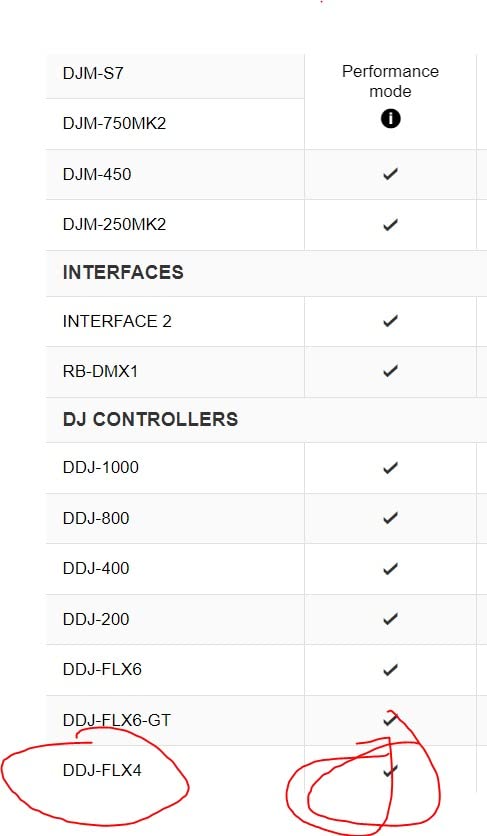
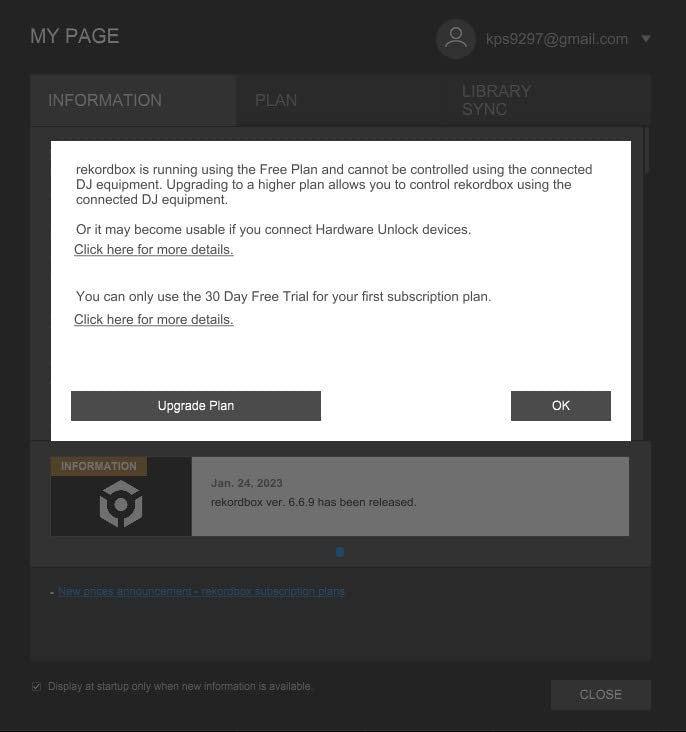
Setup was genuinely plug-and-play on both Mac and Windows. I connected the USB-C cable, opened rekordbox, and the controller was recognized instantly. Serato DJ Lite worked the same way. The controller is lightweight at about 6.2 pounds but feels sturdy enough for regular transport to friend’s houses for parties. Streaming support covers TIDAL, Beatport, SoundCloud Go+, and Beatsource, so you can mix from streaming libraries instead of buying every track upfront.
The jog wheels are responsive and satisfying with the right amount of resistance for scratching practice. Performance pads feel tactile and give good feedback. The only real complaint I have is the lack of XLR outputs, which means you are limited to RCA connections for speakers. For bedroom practice and house parties, this is a non-issue. If you ever need to plug into a professional PA system, you will need adapters.
Who Should Buy This
The DDJ-FLX4 is ideal for anyone who wants to eventually play in clubs or at professional events. Because Pioneer DJ gear is the industry standard in over 80% of clubs worldwide, learning on a Pioneer controller gives you a massive head start. It is also great for beginners who want flexibility between rekordbox and Serato, since it works with both out of the box.
What to Watch Out For
The 2-channel limitation means you cannot mix with four decks simultaneously. Most beginners will not need this for a long time, but if you know you want to get into complex layering and multi-deck mixing early, you might outgrow this controller faster than expected. The plastic build is durable but does not have the premium feel of metal-faceplate controllers like the Hercules Inpulse 500.
2. AlphaTheta DDJ-FLX2 – Best for Phone and Tablet DJing
AlphaTheta DDJ-FLX2 Compact 2-Channel DJ Controller – Streaming-Ready, Smart Fader & Smart CFX – Works with rekordbox, djay & Serato DJ Lite – Phone, Tablet & PC/Mac – Free Course Included
2-channel controller
Works with phone, tablet & PC
Bluetooth + USB-C
Rekordbox, djay, Serato Lite, Traktor Play
Smart Fader & Smart CFX
Pros
- Most compact controller in AlphaTheta lineup
- Works with 4 different DJ apps including djay and Traktor Play
- Streaming support from Apple Music
- Spotify
- TIDAL
- SoundCloud
- USB-C bus-powered - no external adapter needed
- Smart Fader helps beginners make clean transitions
Cons
- Bluetooth connectivity can have compatibility issues
- Limited to 2 channels
- Serato DJ Pro not fully recognized
- Smaller jog wheels than full-size controllers
The AlphaTheta DDJ-FLX2 caught my attention because it is the first beginner controller I have tested that genuinely works well without a laptop. I connected it to my iPad via Bluetooth, opened the rekordbox app, and was mixing within two minutes. That kind of frictionless setup is exactly what someone brand new to DJing needs. No drivers, no software downloads, no complicated configuration.
At just 2.65 pounds and measuring about 15 inches wide, this is the most portable controller in the AlphaTheta lineup. It fits in a backpack alongside a tablet and leaves plenty of room. I took it to a friend’s barbecue and mixed from my phone using Spotify streaming through the djay app. Everyone thought it was the coolest thing, and honestly, it felt like the future of casual DJing.
The Smart Fader and Smart CFX features carry over from the FLX4, which is great. You get the same beginner-friendly transition assistance that makes the Pioneer ecosystem so appealing. The controller works with four different DJ apps, which is more software flexibility than anything else at this price. Rekordbox, djay, Serato DJ Lite, and Traktor Play are all supported, so you can try different platforms and find the one that clicks for you.
The main tradeoff is the smaller form factor means smaller jog wheels and fewer physical controls than the FLX4. If you are serious about learning scratching techniques or want a layout that mirrors club gear, the FLX4 is the better choice. But if portability and phone-based DJing are your priorities, the FLX2 is hard to beat. Some users have reported Bluetooth connectivity hiccups, so I recommend using the USB-C connection when possible for the most reliable performance.
Who Should Buy This
The DDJ-FLX2 is perfect for casual DJs who want to mix from their phone or tablet at parties, on vacation, or anywhere a laptop is impractical. It is also great for absolute beginners who want the simplest possible entry point into DJing without investing in a full laptop-based setup.
What to Watch Out For
Serato DJ Pro users should note that the FLX2 is not fully recognized by the Pro version of Serato. If you are already invested in the Serato ecosystem and plan to upgrade to Pro, you may want to consider a Serato-native controller instead. The Bluetooth mode, while convenient, can occasionally drop connection during long sessions.
3. Hercules DJControl Inpulse 200 MK3 – Best Budget Pick
Hercules DJControl Inpulse 200 MK3 – Ideal DJ Controller with Serato Lite
2-channel controller
Beatmatch Guide LEDs
Stem separation
DJ Academy tutorials
Built-in virtual sound card
djay Pro compatible
Pros
- Incredible value under $120 with features found on pricier controllers
- Beatmatch Guide LEDs teach you proper beatmatching visually
- Intelligent Music Assistant suggests next tracks by BPM and energy
- Stem separation for isolating vocals or instruments
- Built-in virtual sound card for streaming
- Compact and backpack-portable
Cons
- Plastic build quality feels cheap
- Not compatible with Serato DJ Pro - works with djay and DJUCED
- Dedicated non-removable USB cable could be a failure point
- Low review count as a newer product
- Some software bugs reported in DJUCED
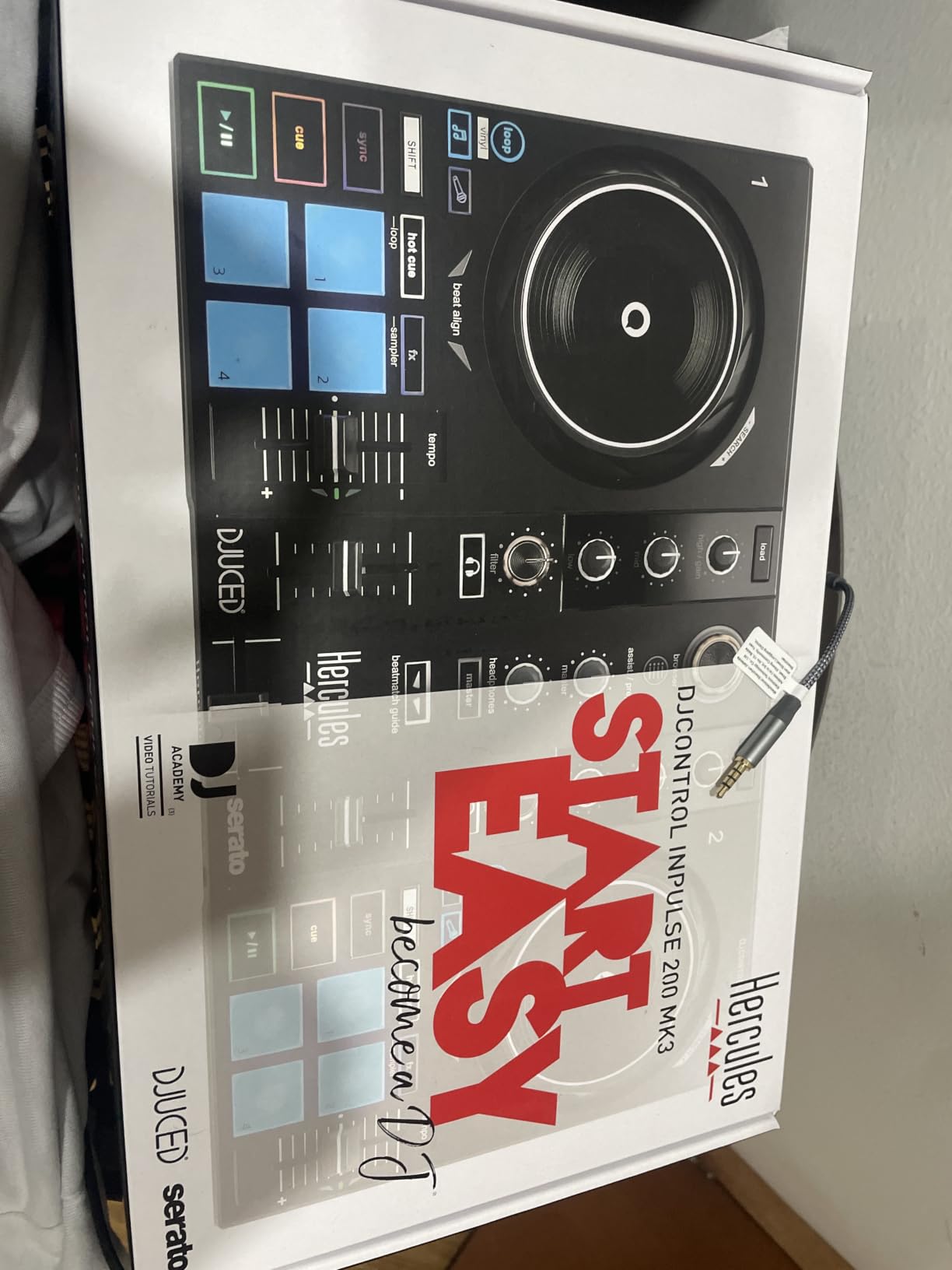
When I first saw the price tag on the Hercules Inpulse 200 MK3, I was skeptical. A DJ controller with stem separation, learning guides, and streaming support for under $120 seemed too good to be true. After testing it for two weeks, I am genuinely impressed by what Hercules has packed into this little device. It is not perfect, but for the price, it is remarkable.
The standout feature for beginners is the Beatmatch Guide. There are LED strips next to each jog wheel that light up to show you whether your tracks are in sync. When the LEDs align, your beats are matched. It is the most intuitive visual learning tool I have seen on any controller at any price. Hercules pairs this with their DJ Academy tutorials built into the software, which walk you through everything from your first transition to more advanced techniques.
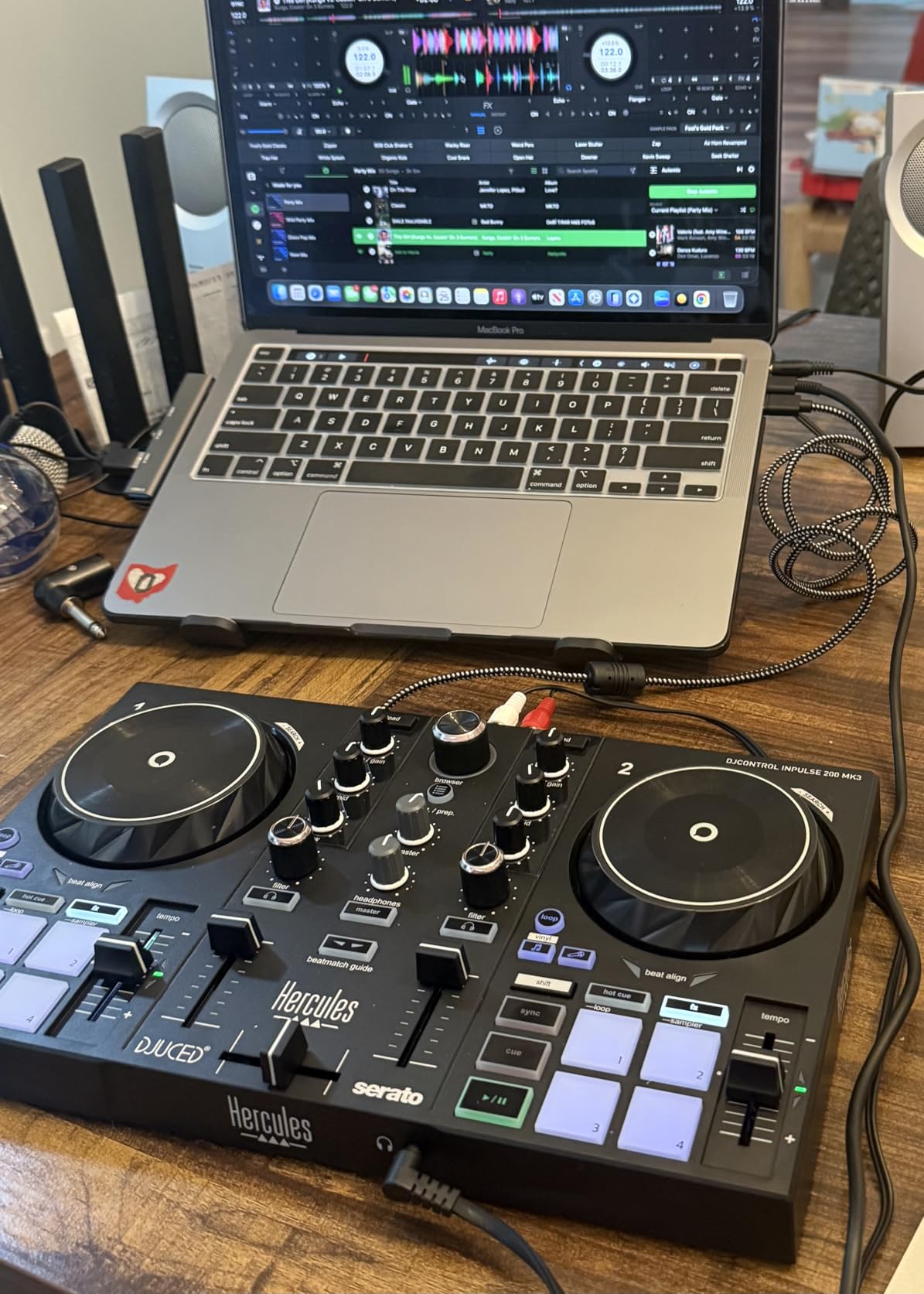
Stem separation is the headline feature that surprised me most. This lets you isolate vocals, drums, or instruments from any track in real time. You can create instrumental versions, acapella transitions, or drum-only drops on the fly. This is a feature that was exclusive to high-end software just a couple of years ago, and having it on a $120 controller is a sign of how fast DJ technology is moving.
The built-in virtual sound card means you can stream your mixes directly to platforms like Twitch or YouTube without extra hardware. I tested this and it worked flawlessly. Streaming support covers Spotify, Apple Music, Beatport, SoundCloud Go+, TIDAL, and Beatsource, giving you access to millions of tracks without buying individual songs. The Intelligent Music Assistant even suggests which track to play next based on BPM and energy level.
Who Should Buy This
This is the best option for absolute beginners on a tight budget who still want modern features like stem separation and streaming. It is also great for younger aspiring DJs or anyone who wants to test whether DJing is a hobby worth investing in before spending more. The learning tools make it genuinely educational, not just functional.
What to Watch Out For
The plastic build quality is the obvious cost-cutting measure. It does not feel like it would survive being tossed into a gig bag night after night. The controller works with djay Pro and DJUCED but not Serato DJ Pro, so if you are set on the Serato ecosystem, this is not the right pick. The non-removable USB cable is also a concern, as cable damage would require sending the whole unit in for repair.
4. Numark Mixtrack Pro FX – Best for Serato DJ Learners
Numark Mixtrack Pro FX DJ Controller
2-channel Serato controller
6-inch capacitive jog wheels
6 FX paddle triggers
Built-in 24-bit audio interface
Mic input
RCA outputs
Pros
- Large 6-inch capacitive-touch jog wheels feel like real turntables
- Dual paddle FX triggers for instant effect activation
- Built-in 24-bit audio interface eliminates need for external sound card
- Microphone input for live announcements
- Excellent streaming support across 6 platforms
- USB bus powered for portability
Cons
- Crossfader is not replaceable when it wears out
- Buttons can feel stiff with slight delay during fast operations
- Microphone cannot be routed through DJ software for podcasting
- Requires Serato subscription for full streaming features
The Numark Mixtrack Pro FX was the first controller I recommended to a friend who specifically wanted to learn Serato DJ. After watching him progress from total beginner to confident bedroom DJ over six months, I am confident in saying this is one of the best Serato-focused learning tools on the market. The combination of large jog wheels, paddle FX, and a built-in audio interface gives you everything you need without hidden costs.
The 6-inch capacitive-touch jog wheels are a standout feature. They are the largest jog wheels in this price range, and they respond to touch the same way real vinyl does. When I tested scratching on them, the response was smooth and accurate. The paddle-style FX triggers are another feature borrowed from professional gear. Instead of pressing buttons to activate effects, you flick paddles up or down. This feels much more natural during live mixing and lets you apply and release effects without thinking about it.
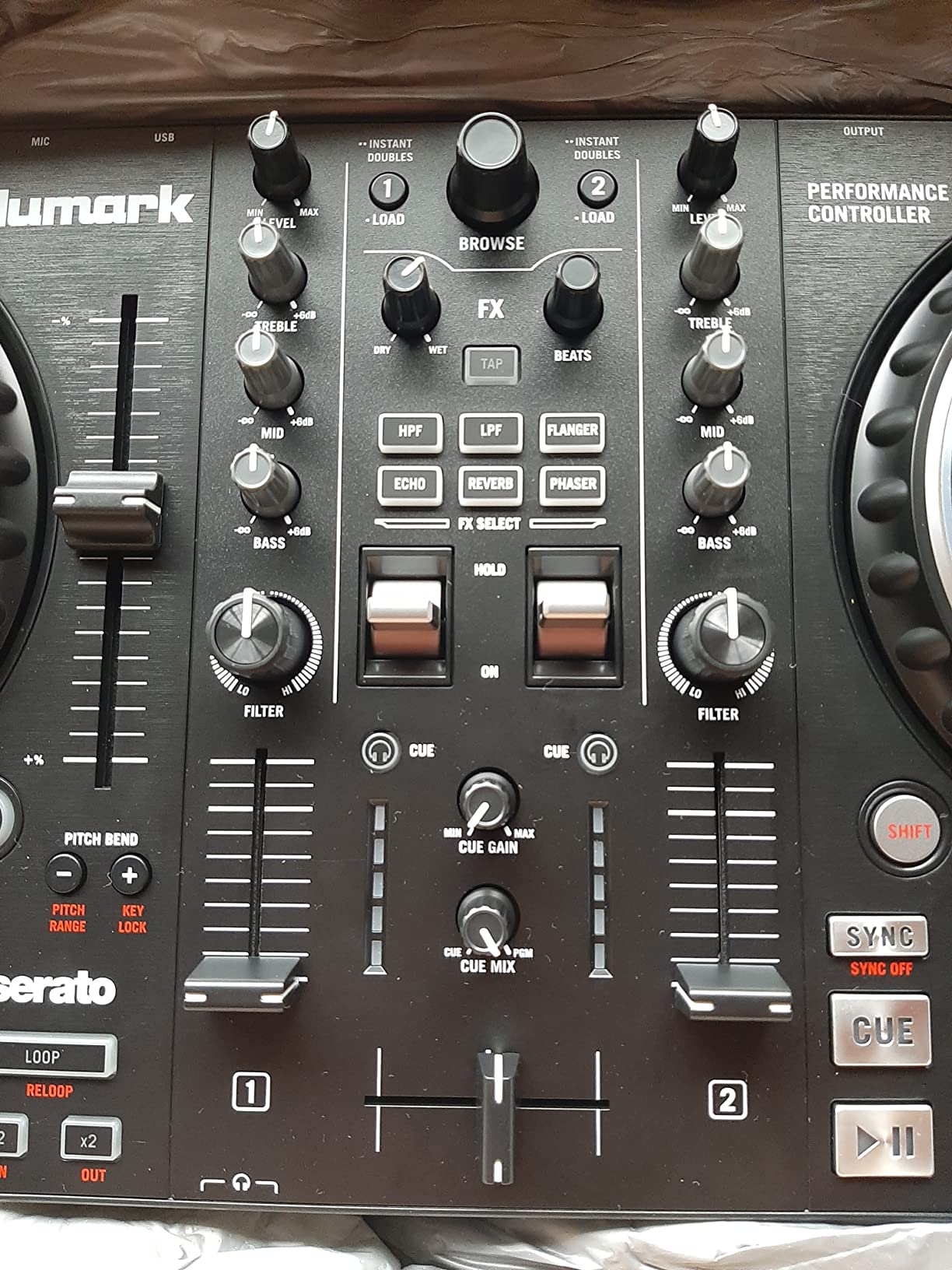
The built-in 24-bit audio interface is a bigger deal than it sounds. Many beginner controllers require you to buy a separate audio interface to get clean sound output to speakers. The Mixtrack Pro FX handles this internally, which means better sound quality and one less thing to buy. There is also a microphone input, which I tested for making announcements during a house party setup.
Streaming support is extensive, covering Apple Music, TIDAL, Spotify, SoundCloud, Beatport Link, and Beatsource Link. Just be aware that full streaming features in Serato DJ Pro require a subscription. Serato DJ Lite is included free and covers all the basics, but if you want streaming and advanced features, budget for the Serato Play subscription. This is one of those hidden costs that catches beginners off guard.
Who Should Buy This
The Mixtrack Pro FX is the best choice for beginners who know they want to learn Serato DJ specifically. It is also great for aspiring mobile or party DJs who need a microphone input and clean audio output for events. The large jog wheels make it particularly appealing for anyone interested in learning scratching techniques.
What to Watch Out For
The non-replaceable crossfader is a real limitation for scratch DJs. When it eventually wears out after months of heavy scratching, you cannot swap in an upgraded fader. Some users on DJ forums have reported crossfader issues after 6 to 8 months of daily use. The buttons can also feel slightly stiff compared to the mushy-but-fast pads on Pioneer controllers.
5. Numark Mixtrack Platinum FX – Best 4-Deck Controller for Beginners
Numark Mixtrack Platinum FX DJ Controller
4-deck Serato controller
Jog wheel color displays
6 FX paddle triggers
Built-in 24-bit audio
Mic + AUX input
RCA outputs
Pros
- 4-deck control is extremely rare at this price point
- High-res color displays on jog wheels show BPM
- pitch
- key
- and position
- Paddle FX triggers for professional-style effect control
- Built-in 24-bit audio interface and AUX input
- Excellent streaming support across major platforms
- Massive value for features offered
Cons
- Deck switching requires awkward Shift plus Scratch combination
- Buttons and sliders can miss inputs during fast operations
- FX buttons are not customizable
- Crossfader feels cheap with plastic cover
- 4-deck mixing adds complexity for absolute beginners
The Numark Mixtrack Platinum FX is the controller I recommend when someone says they want room to grow. It is one of the very few beginner-priced controllers that offers 4-deck control, meaning you can have four tracks loaded and ready to mix simultaneously. This is a feature normally reserved for controllers costing twice as much, and it gives you a clear upgrade path as your skills improve.
The jog wheel displays are the feature that sold me. Each 6-inch jog wheel has a built-in color screen that shows BPM, track position, pitch percentage, and key information. This means you do not have to keep looking at your laptop screen to check where you are in a track or what tempo you are working with. After using controllers with jog displays, going back to plain jog wheels feels like a step backward.
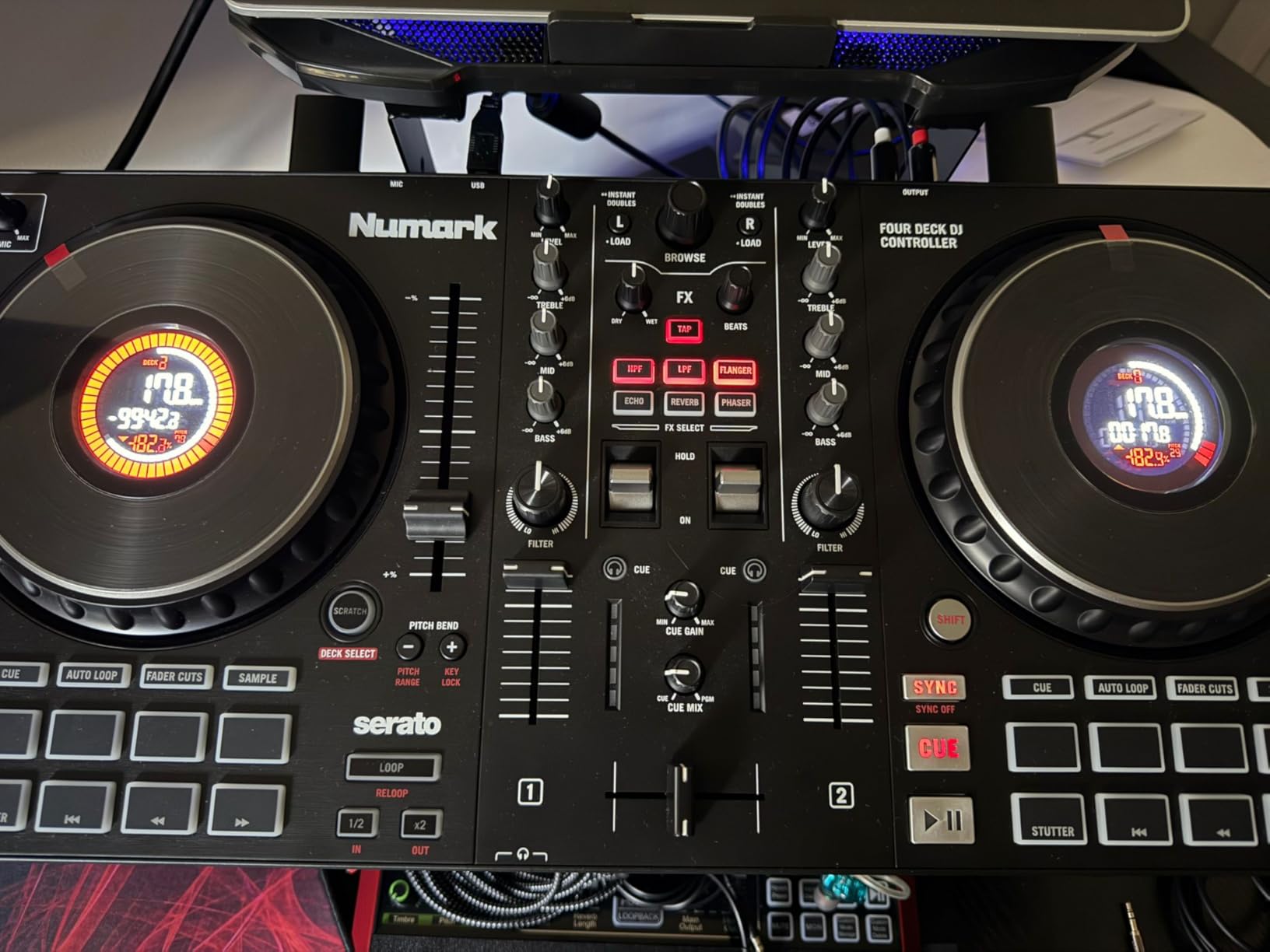
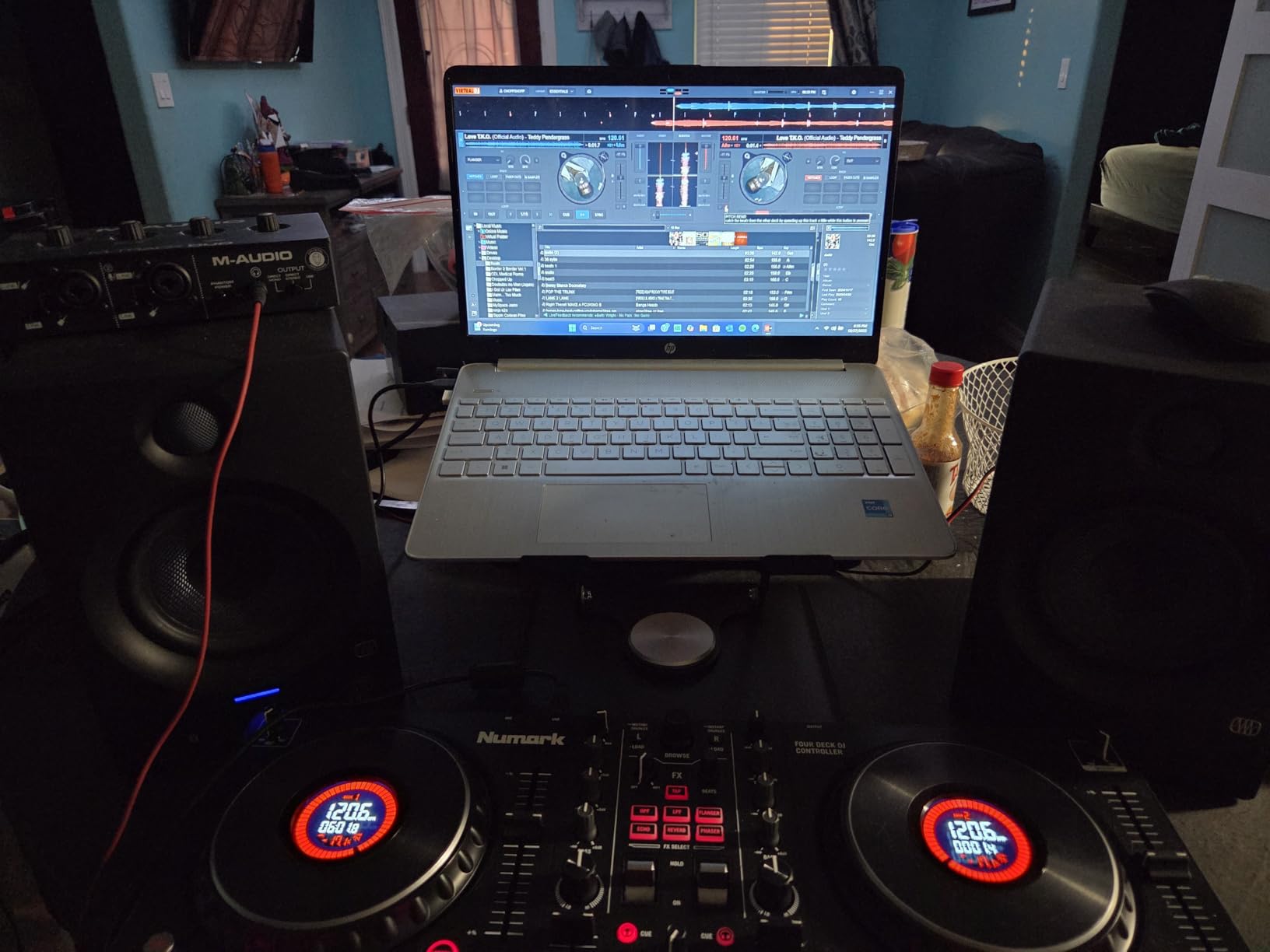
I tested the 4-deck functionality during a longer mixing session and found it genuinely useful for creating layered mixes. Loading a drum loop on deck 3 while mixing between decks 1 and 2, then bringing in an acapella on deck 4, opens up creative possibilities that 2-deck controllers simply cannot match. The AUX input on the back lets you connect an external device like a drum machine or sampler, which is a nice touch for producers who want to integrate other gear.
However, I need to be honest about the downsides. Switching between decks 1 and 3 or 2 and 4 requires holding Shift and pressing the Scratch button, which is awkward mid-mix. I missed the timing more than once during transitions. The crossfader has a cheap plastic cover that does not inspire confidence for aggressive scratching. And during fast pad routines, some button presses did not register, which is frustrating when you are trying to nail a performance.
Who Should Buy This
The Mixtrack Platinum FX is ideal for beginners who already know they want to get into complex, multi-layered mixing. It is also great for intermediate DJs upgrading from a basic 2-deck controller who want 4-deck capability without spending $500 or more. The jog wheel displays make it especially appealing for DJs who want to spend less time looking at their laptop.
What to Watch Out For
If you are an absolute beginner, 4-deck mixing adds a layer of complexity that can feel overwhelming. I recommend starting on 2 decks and expanding to 4 only once you are comfortable with basic transitions. The build quality issues with the crossfader and occasional missed button inputs mean this controller is better for bedroom practice than heavy gigging.
6. Hercules DJControl Starlight – Most Portable Pocket Controller
Hercules DJControl Starlight | Pocket USB DJ Controller with Serato DJ Lite, Touch-Sensitive Jog Wheels, Built-in Sound Card and Built-in Light Show
Pocket-sized USB controller
1.1 lbs ultra-light
Touch-sensitive jog wheels
Built-in 4-channel sound card
RGB LED light show
Serato DJ Lite included
Pros
- Extremely portable at just 1.1 pounds - fits in any bag
- Touch-sensitive pressure jog wheels with excellent micro-movement control
- Built-in sound card with headphone and speaker outputs
- RGB LED light show syncs to rhythm for visual flair
- Compatible with Mixxx and other open-source DJ software
- Very affordable entry point
- Standard MIDI compatibility for long-term support
Cons
- Plastic build quality feels cheap
- Limited knobs and controls with only 6 software knobs
- Only 2 decks and no microphone input
- Mini-USB connector is less durable than USB-C
- Requires separate Serato DJ Pro license purchase
- Audio output can buzz at high volumes
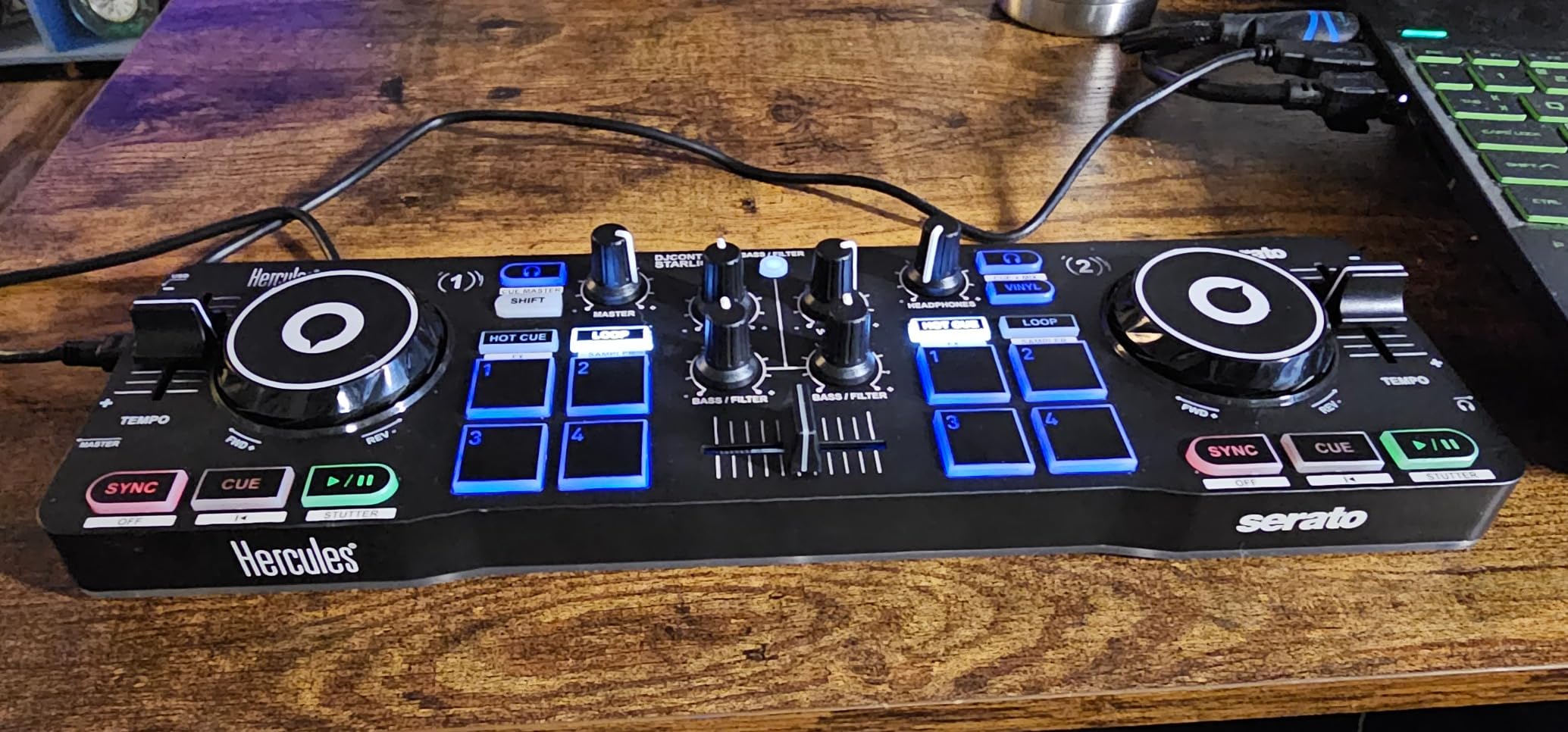
The Hercules DJControl Starlight is the controller I throw in my bag when I am traveling and want something to practice with. At 1.1 pounds, it is lighter than most laptops. It is not a controller I would use for a serious gig, but for practicing transitions on a plane, in a hotel room, or warming up before an event, it is genuinely useful and surprisingly capable.
The touch-sensitive jog wheels impressed me more than I expected. Despite being small, they respond to pressure and micro-movements with precision that rivals larger jog wheels. I was able to practice scratching patterns and beatmatching drills with accuracy. The built-in 4-channel sound card means you get clean audio output to headphones and speakers without needing an external interface.
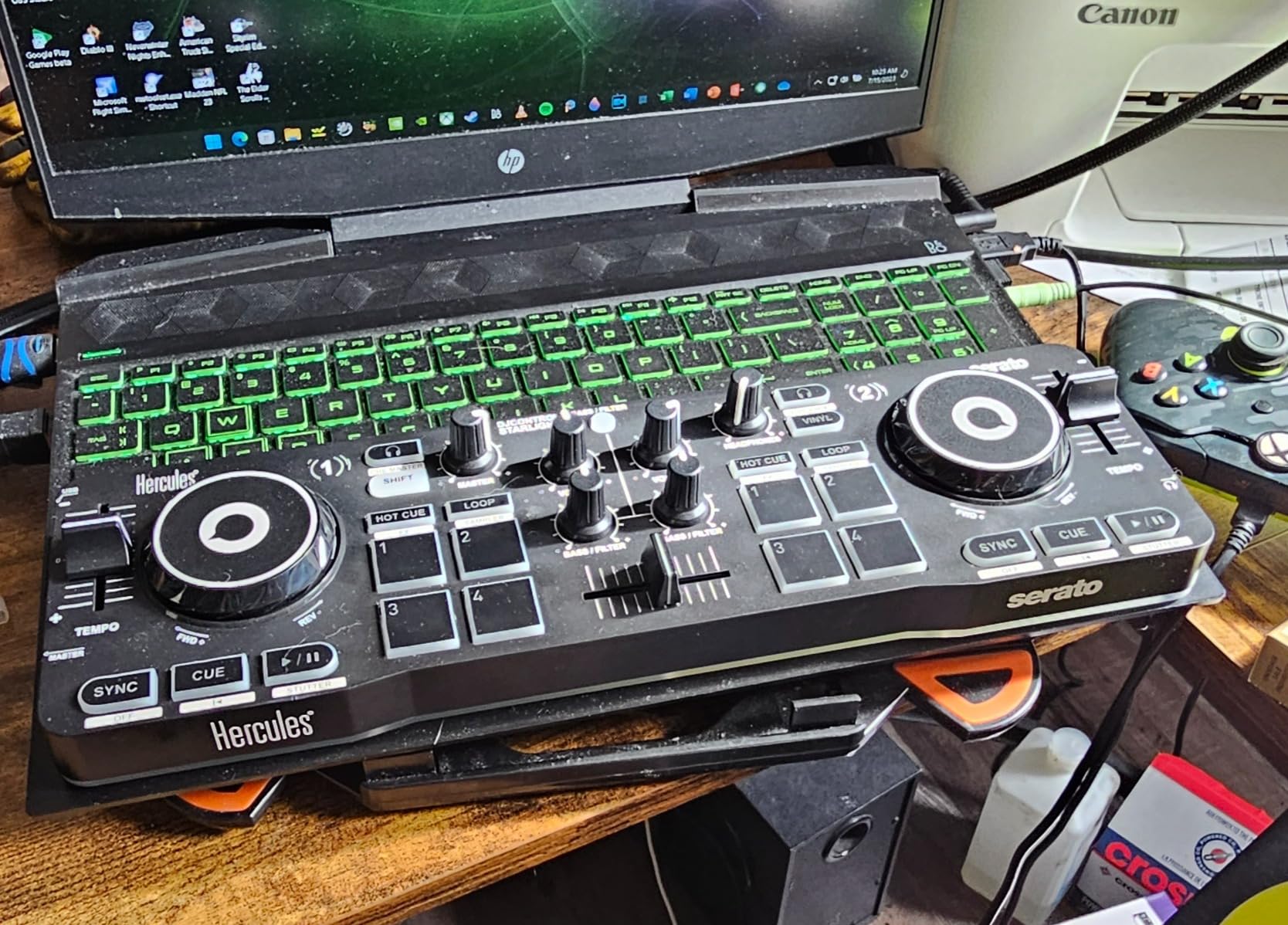
The RGB LED light show is a fun touch that syncs to the rhythm of your music. I tested it at a small gathering and people loved the visual element. You can turn it off if you find it distracting, which I did after the novelty wore off. The Starlight includes Serato DJ Lite and works with Mixxx, an open-source DJ program that is completely free with no subscription requirements.
The limitations are real, though. With only 6 software knobs and a limited number of pads, you will be using the Shift button constantly to access secondary functions. There is no microphone input, so this is not suitable for party or event DJing where you need to make announcements. The mini-USB connection is also a concern, as this older connector type is less durable than USB-C and more prone to connection issues over time.
Who Should Buy This
The Starlight is perfect for DJs who already own a full-size controller and want something ultra-portable for travel and practice. It is also a good option for absolute beginners on the tightest possible budget who want to try DJing without committing to a larger investment. Several professional DJs on Reddit recommend it as a backup controller for travel.
What to Watch Out For
If you already own a Serato DJ Pro license, be aware that you may need to purchase an additional license specifically for the Starlight. Some users have reported this frustrating limitation. The basic sound card quality is comparable to a smartphone dongle, so do not expect audiophile-grade output. Audio buzzing at high volumes has been reported, especially with noisy power sources.
7. Hercules DJLearning Kit MK II – Best All-in-One Starter Kit
Hercules DJLearning Kit MK II, DJ Controller with Speakers and Headphones, Beginner DJ Set with Jog Wheels, 2 Deck DJ Mixer Controller, Portable DJ Equipment for Beginners, Compatible with PC
Controller + speakers + headphones
DJControl Inpulse 200 MK2
DJMonitor 32 speakers
DJ headphones
Serato DJ Lite + DJUCED
Pros
- Everything you need to start DJing in one box
- Includes quality monitoring speakers and DJ headphones
- No need to buy additional gear or accessories
- Great value as a complete starter package
- Stainless steel construction for durability
- Includes both Serato DJ Lite and DJUCED software
Cons
- Heavier at 14.3 pounds due to included speakers
- Limited review count for long-term confidence
- Speakers are entry-level quality
- Newer product with less community feedback
The Hercules DJLearning Kit MK II solves a problem I see constantly on beginner DJ forums: people buy a controller and then realize they also need speakers, headphones, cables, and stands. This kit includes the DJControl Inpulse 200 MK2 controller, DJMonitor 32 monitoring speakers, and a pair of DJ headphones all in one package. For someone starting from zero, this eliminates the guesswork entirely.
I set this up for a friend’s teenager who wanted to learn DJing, and the experience was refreshingly simple. Unbox everything, plug the speakers into the controller, connect the controller to the laptop, put on the headphones, and start mixing. Within 30 minutes, she was doing basic transitions using the Beatmatch Guide LEDs. The included DJUCED software has built-in tutorials that walk you through fundamentals step by step.
The DJControl Inpulse 200 MK2 controller included in this kit is a solid beginner unit. It has 16 performance pads, touch-sensitive jog wheels, a built-in sound card, and the Beatmatch Guide learning system. It is not as feature-rich as standalone controllers like the FLX4, but it covers all the essentials. The stainless steel construction gives it a more premium feel than the plastic Inpulse 200 MK3.
The DJMonitor 32 speakers are compact monitoring speakers that are fine for bedroom practice. They will not fill a large room with sound, but they are perfectly adequate for learning and practice sessions. The included headphones provide decent isolation for cueing tracks, which is the most important feature for DJ headphones. Overall, the kit represents good value when you add up what each component would cost separately.
Who Should Buy This
This kit is ideal for absolute beginners who have none of the supporting gear and want a one-stop solution. It is also great as a gift for a teenager or young adult interested in exploring DJing. If you already own DJ headphones or speakers, you would be better off buying a standalone controller and using your existing gear.
What to Watch Out For
With only 89 reviews, there is less long-term reliability data compared to controllers with thousands of reviews. The included speakers are entry-level and you will likely want to upgrade them eventually as your ear develops. The total weight of 14.3 pounds makes this less portable than standalone controllers, since you are carrying speakers too.
8. Hercules DJControl Inpulse 300 MK2 – Best for Learning Beatmatching
Hercules DJControl Inpulse 300 MK2-2 Deck DJ Controller Serato & DJUCED
2-deck USB controller
16 performance pads
Beatmatch Guide light guides
Built-in sound card
Serato DJ Lite + DJUCED
3-band EQ
Pros
- Beatmatch Guide with light guides is the best visual learning tool available
- 16 performance pads for hot cues
- loops
- and stems
- Includes both Serato DJ Lite and DJUCED software
- Responsive jog wheels good for scratching practice
- Built-in sound card with plug-and-play setup
- Works with Linux Mint and Mixxx
- Decent crossfader and tempo faders for the price
Cons
- Filter effect is not as dramatic as some users expect
- Tempo fader range is short for manual beatmatching practice
- Some issues saving loops on individual hot cues
- Cable included is somewhat short
- Limited back inputs besides RCA
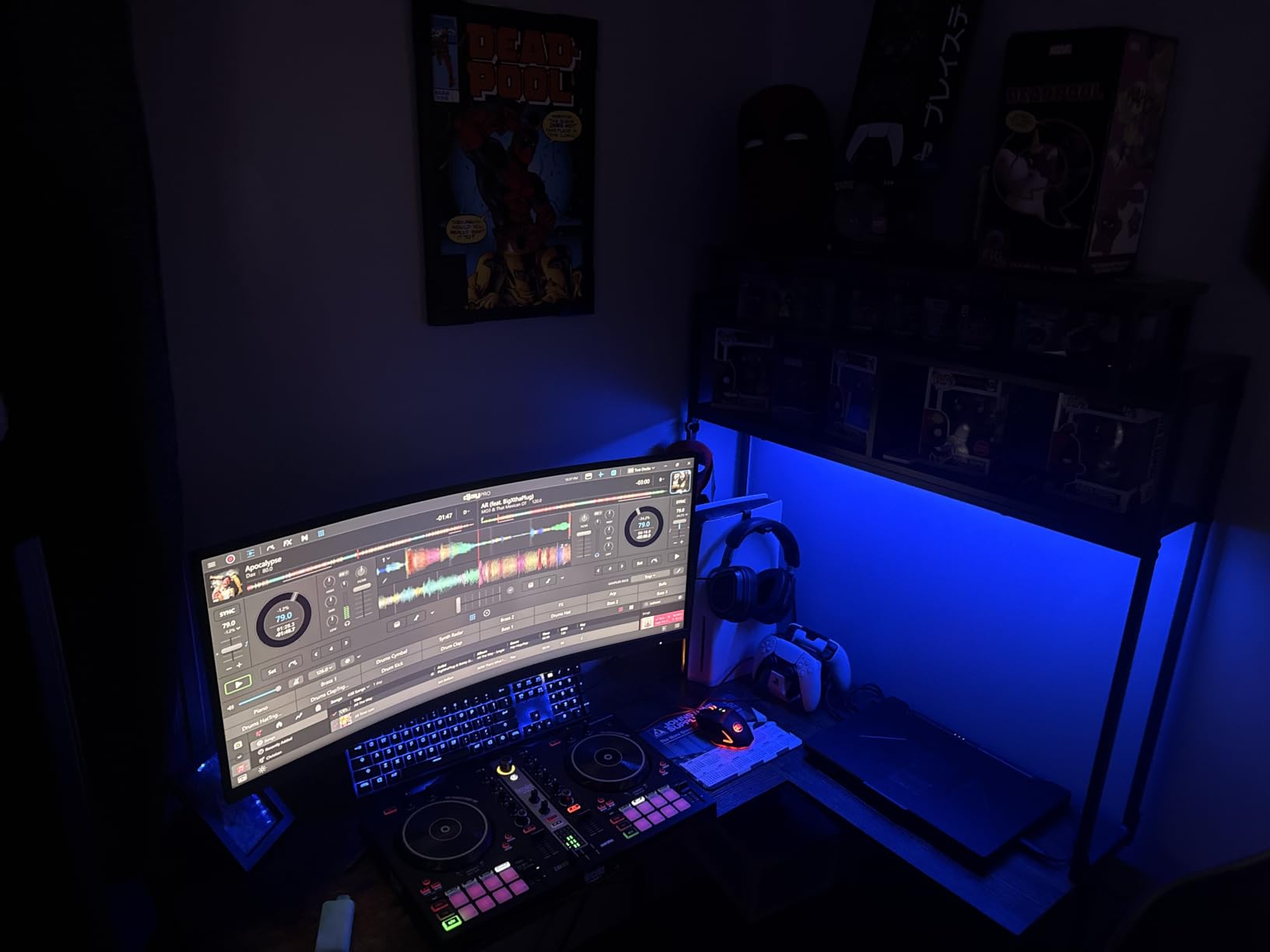
The Hercules DJControl Inpulse 300 MK2 is the controller I wish I had when I was learning to beatmatch. The Beatmatch Guide system uses LED light guides next to the jog wheels that show you whether your tracks are speeding up or slowing down relative to each other. When the lights align and hold steady, your tracks are beatmatched. It is the most effective visual teaching tool for beatmatching I have encountered on any controller.
I tested this controller extensively with both Serato DJ Lite and DJUCED, and it works well with both platforms. Having two software options included is valuable because different DJs prefer different workflows. DJUCED includes the DJ Academy tutorial system, which I found genuinely helpful for structured learning. The tutorials cover everything from basic transitions to more advanced techniques like using loops and effects.
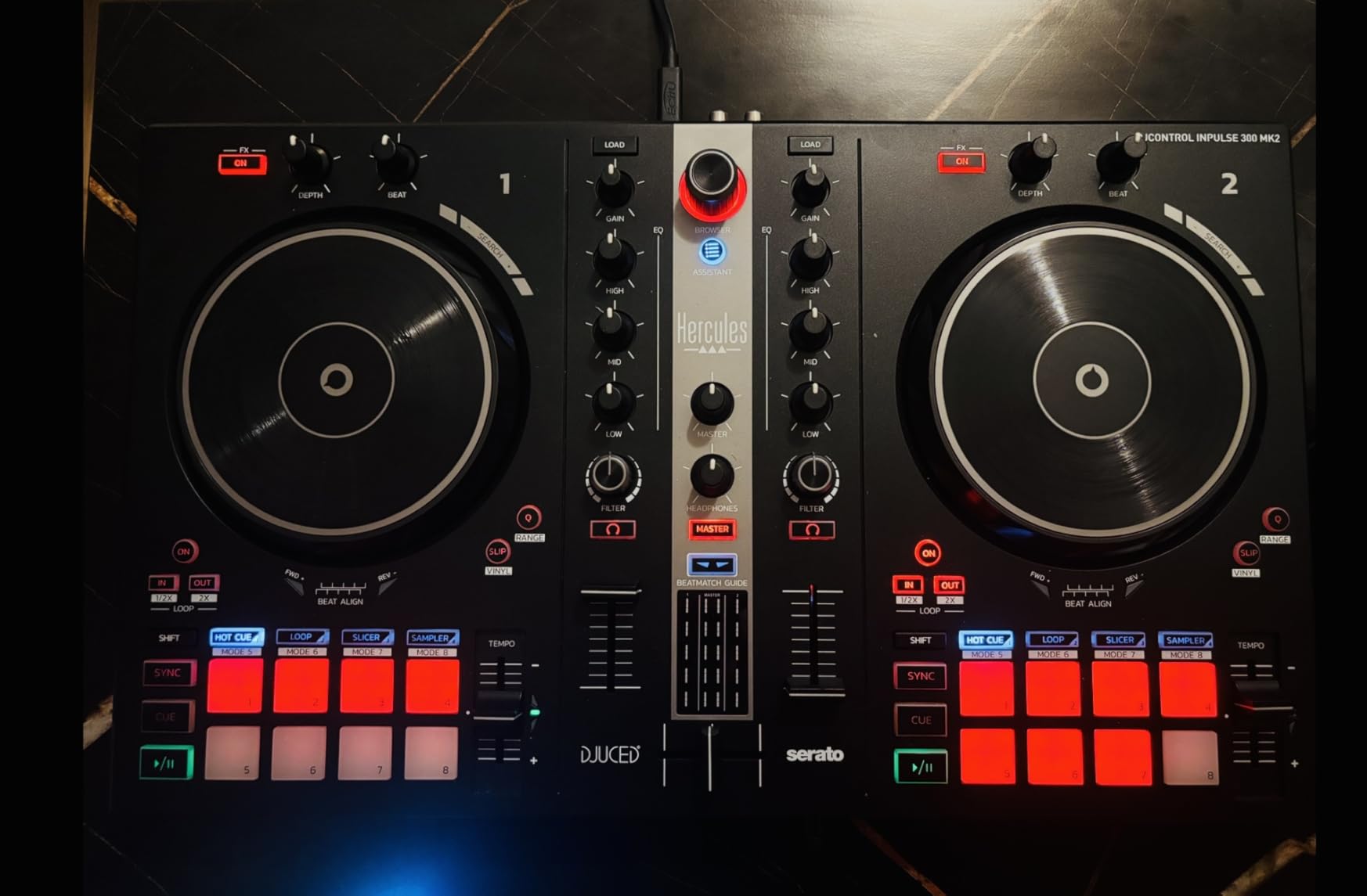
The 16 performance pads (8 per deck) are responsive and satisfying to use. They cover hot cues, loops, stem separation, and sampler functions. The jog wheels are touch-sensitive and work well for scratching practice, though they are not as large as the 6-inch wheels on the Numark Mixtrack series. The built-in sound card means clean audio output without any extra hardware.
One thing I particularly appreciate is that this controller works with Linux and Mixxx, an open-source DJ program. This is unusual in the DJ controller world, where most manufacturers only support Mac and Windows. If you are running Linux or want to avoid subscription-based DJ software entirely, the Inpulse 300 MK2 plus Mixxx gives you a completely free DJing setup with no recurring costs.
Who Should Buy This
The Inpulse 300 MK2 is the best choice for beginners who specifically want to learn manual beatmatching. The light guide system teaches you the skill visually before you develop the ear for it. It is also great for Linux users or anyone who wants to use free, open-source DJ software instead of paying for subscriptions.
What to Watch Out For
The tempo fader range is shorter than on professional controllers, which makes fine adjustments during manual beatmatching more difficult. If your goal is to eventually transition to vinyl or CDJs where beatmatching is done entirely by ear and fader precision matters, you may want a controller with longer throw faders. The included USB cable is also shorter than ideal, which can limit your physical setup options.
9. Pioneer DJ DDJ-REV1 – Best Battle-Style Controller for Scratching
Pioneer DJ DDJ-REV1 2-deck Serato DJ Controller, Black
2-deck Serato controller
Battle-style layout
Tracking Scratch feature
Scratch Bank pads
Mic input
DJM-S style mixer section
Pros
- Battle-style layout mirrors professional scratch setups
- Tracking Scratch feature improves scratching performance
- Scratch Bank pad mode for loading dedicated scratch samples
- Microphone input for adding voice to master audio
- Classic Pioneer DJ design aesthetic
- Plug-and-play with Serato DJ Lite
- Beginner-friendly while offering scratch-specific features
Cons
- Jog wheels are small for vinyl turntablists
- No analog thru capability on mixer section
- Some users report missing USB cable in box
- Limited to 2 decks
The Pioneer DJ DDJ-REV1 is the controller I recommend to beginners who know they want to focus on scratching and turntablism. The battle-style layout places the jog wheels at the top and the mixer section in the center, mirroring the setup that scratch DJs use in competitions and clubs. This is different from the standard club layout of the DDJ-FLX4, and it matters if scratching is your primary interest.
The Tracking Scratch feature is specifically designed to improve how the jog wheels respond to scratch movements. I tested various scratch techniques including babies, chirps, flares, and transforms, and the response was consistently accurate. The Scratch Bank pad mode lets you load dedicated scratch samples and battle records directly from the pads, which speeds up your workflow significantly during practice sessions.
Design-wise, the DDJ-REV1 has a classic Pioneer aesthetic with stainless steel construction that feels premium. The mixer section is inspired by the DJM-S series, which is Pioneer’s professional scratch mixer line. This means the EQ, crossfader, and channel faders are positioned and weighted for scratch-style mixing. The microphone input lets you add voice to your master output, which is useful for hip-hop DJs who want to combine scratching with MCing.
The main limitation is the jog wheel size. While they are responsive and accurate for scratching, they are smaller than actual vinyl turntables, which means the feel is not identical to real vinyl. If your ultimate goal is to transition to actual turntablism on vinyl, you will need to adjust to the larger platter size later. Pioneer makes excellent full-size motorized controllers for that purpose, but they cost significantly more.
Who Should Buy This
The DDJ-REV1 is the best beginner controller for aspiring scratch DJs, hip-hop DJs, and turntablists. The battle-style layout and scratch-specific features make it the natural starting point for anyone whose DJing style revolves around cutting, scratching, and juggling. If you eventually want to explore vinyl turntablism, our guide to the best DJ turntables covers the next step in that journey.
What to Watch Out For
The small jog wheels may frustrate DJs with large hands or those accustomed to full-size vinyl. The lack of analog thru means you cannot use the mixer section independently of the software. A few users have reported missing USB cables in the box, so verify all components are included when your unit arrives. The 2-deck limitation is also worth noting if you eventually want to expand to 4-deck mixing.
10. Hercules DJControl Inpulse 500 – Best Build Quality Under $300
Hercules DJControl Inpulse 500: 2-deck USB DJ controller for Serato DJ and DJUCED (included)
2-deck USB controller
Metal faceplate construction
Balanced XLR outputs
Hardware input mixer
16 RGB performance pads
Retractable feet
Beatmatch Guide
Pros
- Solid metal faceplate and stainless steel build quality
- Balanced XLR outputs are extremely rare at this price
- Hardware input mixer for external audio sources
- Full-size jog wheels with touch detection
- 16 backlit RGB performance pads
- Retractable feet protect against spills and table damage
- Compatible with both Serato DJ and DJUCED
Cons
- No standalone mixer functionality without a computer
- Limited to 2 decks
- Not compatible with rekordbox software
- Pitch faders feel somewhat loose
- Software grid detection issues with certain genres
The Hercules DJControl Inpulse 500 is the controller I recommend when build quality is the top priority. The moment you pick it up, the metal faceplate and solid construction tell you this is a step above the plastic-bodied controllers that dominate the beginner market. At 11.6 pounds, it has real heft and feels like professional gear that happens to be priced for beginners.
The balanced XLR outputs are the feature that genuinely surprised me. XLR outputs deliver cleaner, noise-free audio over longer cable runs, which matters when you are connecting to professional PA systems at events. Almost no controller in this price range includes XLR outputs. This feature alone makes the Inpulse 500 suitable for small gigs and events, not just bedroom practice. Combined with the hardware input mixer, you can connect external audio sources like phones or instruments directly to the controller.
The 16 backlit RGB performance pads are bright, responsive, and cover hot cues, loops, stems, and sampler functions. The full-size jog wheels have touch detection for scratching and feel more substantial than the jog wheels on the Inpulse 300 MK2. The retractable feet are a thoughtful design touch that lifts the controller slightly to protect it from spills and table damage during events.
The Beatmatch Guide carries over from the Inpulse 300 MK2 and remains one of the best beginner learning tools available. Compatibility with both Serato DJ and DJUCED gives you software flexibility, though notably this controller does not work with rekordbox. If you are committed to the Pioneer rekordbox ecosystem, you will need to look at Pioneer-branded controllers instead.
Who Should Buy This
The Inpulse 500 is ideal for beginners who want a controller that feels professional and will last for years. The metal construction and XLR outputs make it suitable for DJs who plan to do small events and parties, not just bedroom practice. It is also a strong choice for intermediate DJs who want a durable secondary controller for gigs.
What to Watch Out For
The lack of rekordbox compatibility is a dealbreaker if you are invested in the Pioneer ecosystem or plan to play in clubs that use Pioneer CDJs. The controller also requires a computer to function, with no standalone mixer mode. If the software crashes during a gig, your audio stops. The pitch faders feel slightly loose compared to the tight, precise faders on more expensive controllers.
How to Choose the Right DJ Controller for Beginners
Choosing your first DJ controller comes down to understanding what matters most for your specific situation. After testing all 10 controllers on this list and reading hundreds of user reviews on DJ forums, I have identified the key factors that should drive your decision.
Software Compatibility: rekordbox vs Serato vs DJUCED vs djay
The software that comes with your controller shapes your entire learning experience. Rekordbox is Pioneer’s platform and is the industry standard for club DJs. If your goal is to eventually play in clubs, learning rekordbox gives you the best foundation. Serato DJ is the other major platform, widely used by hip-hop and scratch DJs. DJUCED is Hercules’ software that includes excellent built-in tutorials through DJ Academy. Algoriddim djay works great with streaming services like Spotify and Apple Music.
Most beginner controllers include a free version of their software (Serato DJ Lite, rekordbox Free, etc.). These free versions cover all the basics. Full-featured versions typically require a subscription, which is a hidden cost many beginners do not anticipate. Check what software comes free with your controller and what you would need to pay for to unlock advanced features.
Channels: 2-Deck vs 4-Deck Controllers
Most beginner controllers are 2-deck, meaning you can mix between two tracks at a time. This is plenty for learning and covers most DJ styles. 4-deck controllers like the Numark Mixtrack Platinum FX let you mix with four tracks simultaneously, which is useful for layering loops, acapellas, and drum patterns over your main mix. However, 4-deck mixing adds complexity that can overwhelm absolute beginners. Start with 2 decks and upgrade when you feel ready.
Jog Wheels and Build Quality
Jog wheels are your primary interface for controlling playback and scratching. Larger jog wheels (6 inches or more) feel more like real turntables and give you better control. Touch-sensitive jog wheels respond to pressure, which is essential for scratching. Build quality varies dramatically in the beginner price range. Plastic controllers are lighter and cheaper but less durable. Metal-faceplate controllers like the Hercules Inpulse 500 feel more professional and last longer, but cost more.
Budget Ranges and Hidden Costs
Entry-level controllers range from about $100 to $350. Controllers under $150 (like the Hercules Starlight and Inpulse 200 MK3) are great for testing the waters but have plastic builds and limited features. The $150 to $250 range (Numark Mixtrack Pro FX, Hercules Inpulse 300 MK2) offers the best balance of features and value. Controllers from $250 to $350 (Pioneer DDJ-FLX4, DDJ-REV1, Inpulse 500) give you professional features and better build quality.
Factor in hidden costs beyond the controller itself. You may need DJ headphones ($50 to $150), speakers for practice ($100 to $300), a Serato DJ Pro subscription ($15 per month or $250 lifetime), and a laptop stand. The Hercules DJLearning Kit MK II bundles most of these accessories, which is why it is such good value for complete beginners.
Portability and Connectivity
If you plan to DJ at friends’ houses or small events, portability matters. Controllers like the AlphaTheta DDJ-FLX2 and Hercules Starlight are designed for travel. USB-C connectivity is becoming the standard and is more reliable than older mini-USB or micro-USB connections. Bluetooth connectivity (on the FLX2) lets you connect wirelessly to phones and tablets, though a wired connection is always more reliable for live performance.
What Happens When You Outgrow Your First Controller
Every beginner controller on this list will eventually feel limiting as your skills improve. This is normal and expected. The good news is that beginner controllers hold their resale value reasonably well if you keep them in good condition. Many Reddit users report selling their first controller for 50 to 70 percent of what they paid after a year of use. When you are ready to upgrade, look for 4-deck controllers with motorized platters, or consider transitioning to standalone DJ systems that do not require a laptop. You can explore more advanced options in our guide to the best DJ controllers across all levels.
Common Mistakes Beginners Make (and How to Avoid Them)
After years of hanging out on DJ forums and watching friends learn to mix, I have seen the same mistakes repeated over and over. Avoiding these will save you time, money, and frustration.
Relying on beat sync instead of learning beatmatching. Beat sync is a great tool, but if you never learn to beatmatch manually, you will struggle when sync fails or when you move to gear without it. Spend your first few weeks learning to beatmatch by ear before leaning on sync. Controllers with Beatmatch Guide LEDs like the Hercules Inpulse series make this transition easier.
Buying the cheapest controller and expecting professional features. Ultra-cheap controllers under $100 can teach you the basics, but they often lack the responsive jog wheels, sturdy crossfaders, and software compatibility that make learning enjoyable. If you can stretch your budget to the $150 to $250 range, you will get a controller that lasts much longer and teaches better habits.
Ignoring software subscription costs. Many beginners are surprised to learn that advanced features in Serato DJ Pro, streaming integration, and some effects require paid subscriptions. Read the fine print on what software comes free with your controller and budget accordingly. Rekordbox and DJUCED offer more features in their free versions than Serato DJ Lite.
Not buying proper DJ headphones. Regular consumer headphones do not isolate outside noise well enough for proper cueing. You need DJ headphones with good isolation and a closed-back design. This is not a place to cut corners, as proper cueing is fundamental to DJing.
Skipping the fundamentals to learn tricks. It is tempting to jump straight into fancy effects, loops, and complex transitions. But without solid fundamentals like beatmatching, phrasing, and gain staging, your mixes will sound amateur no matter how many effects you add. Master the basics first.
FAQs
Is $100 an hour good for a DJ?
Yes, $100 per hour is a reasonable starting rate for beginner DJs performing at private events, birthday parties, and small gatherings. Experienced club DJs typically charge $200 to $500 per hour, while celebrity DJs can command $10,000 or more. As a beginner, focus on building your portfolio and skills before raising your rates.
What is the best DJ setup for a beginner?
The best DJ setup for a beginner includes a 2-channel DJ controller like the Pioneer DDJ-FLX4 or Hercules Inpulse 300 MK2, free DJ software included with the controller (rekordbox, Serato DJ Lite, or DJUCED), a pair of closed-back DJ headphones for cueing, a laptop or tablet to run the software, and speakers or monitoring monitors for practice. The Hercules DJLearning Kit MK II bundles all of this in one package.
What is the best DJ mixer for a beginner?
Most beginners should start with an all-in-one DJ controller that has a built-in mixer rather than buying a separate standalone mixer. Controllers like the Pioneer DDJ-FLX4 and Hercules Inpulse 500 include a full 2-channel mixer with EQ, crossfader, and effects. Standalone mixers are only necessary if you already own CDJs or turntables.
What controller do most DJs use?
Most professional DJs use Pioneer DJ controllers, particularly the DDJ-FLX4 for beginners and the DDJ-REV5 or DDJ-SX3 for advanced use. Pioneer DJ is the industry standard because their controllers mirror the layout of club-standard CDJs, making the transition from practice to performance seamless. Over 80 percent of clubs worldwide use Pioneer CDJs.
Do I need a laptop for a DJ controller?
Most DJ controllers require a laptop or computer to run DJ software, but some modern controllers work with phones and tablets. The AlphaTheta DDJ-FLX2 connects to phones and tablets via Bluetooth or USB-C and works with mobile DJ apps like rekordbox for iOS and Algoriddim djay. Standalone controllers like the Numark Mixstream Pro+ include their own operating system and need no external device.
Can you learn DJing on a cheap controller?
Yes, you can absolutely learn the fundamentals of DJing on a budget controller. The core skills of beatmatching, phrasing, EQ mixing, and using effects transfer across all controllers regardless of price. Budget controllers like the Hercules Inpulse 200 MK3 and DJControl Starlight include learning features and software that teach proper technique. The main tradeoffs with cheaper controllers are build quality, jog wheel size, and software compatibility.
Final Verdict
After testing all 10 of these controllers, the Pioneer DJ DDJ-FLX4 remains our top pick for best DJ controller for beginners in 2026. Its combination of Smart Fader assistance, dual software compatibility, club-standard layout, and plug-and-play simplicity makes it the easiest controller to learn on and the one that gives you the most room to grow. No other beginner controller matches its balance of features, build quality, and educational value.
For budget-conscious beginners, the Hercules DJControl Inpulse 200 MK3 at under $120 is an extraordinary value with features like stem separation and Beatmatch Guide LEDs that were unavailable at any price just two years ago. And for DJs who want phone and tablet compatibility, the AlphaTheta DDJ-FLX2 opens up a whole new way to DJ without needing a laptop. Whatever your budget or goals, there is a controller on this list that will help you start your DJing journey on the right foot.
Ready to see what else is out there? Browse our complete guide to the best DJ controllers across all skill levels and price ranges to find the perfect match for your mixing style.


