

If you want one straight answer: the NZXT H6 Flow is the best PC case for airflow in 2026, because its three 120mm fans arrive pre-installed and aimed at the components, and its dual-chamber layout keeps the power supply out of the cooling path. Every case below was picked on airflow architecture first, not on how it looks in a product photo.
Most “best PC cases” roundups rank a chassis on everything at once, which is why the winner usually has a compromise baked in. A panoramic glass tower may win on looks and lose on intake area, while a plain steel box wins on thermals and loses on cable routing. We took the opposite approach: airflow is the only filter, so each pick earns its place by moving air past the CPU cooler and graphics card without restriction.
Over six weeks we compared included fan counts and sizes, front panel openness, bottom intake options, GPU clearance in millimetres, and radiator mounting positions across ten chassis. What came out is a list that spans micro-ATX to full-featured ATX mid-towers, so there is an option whether your build is a first gaming PC or a hot graphics card that needs every degree of headroom you can get.
A note on method before we start. We did not run our own thermal chamber, so the temperature figures below come from what owners report in reviews rather than from a bench of our own. We rated each case on architecture and specifications, and we flag the clearance traps that forum builders keep tripping over. If you want the deeper background on PC hardware, our PC peripherals picks cover the parts that go inside these chassis.
Top 3 Picks for the Best PC Cases for Airflow in October

NZXT H6 Flow
- Three pre-installed 120mm fans at an angled intake position
- Compact dual-chamber layout
- Gpus up to 365mm

Fractal Design North
- Two 140mm Aspect PWM fans included
- Fine-pattern mesh front and side panel
- Gpus up to 355mm

Corsair 4000D RS ARGB
- 3D Y-pattern steel front panel
- InfiniRail mounts accept 200mm fans
- Three RS ARGB fans included
Best PC Cases for Airflow at a Glance in 2026
This table is the fast version. Every chassis below ships with airflow-focused front panels and at least one pre-installed fan, and we have noted the hardware limits that matter most before you commit.
| Product | Specs | Action |
|---|---|---|
| NZXT H6 Flow |
|
Check Latest Price |
| Fractal Design North |
|
Check Latest Price |
| Corsair 4000D RS ARGB |
|
Check Latest Price |
 NZXT H9 Flow NZXT H9 Flow |
|
Check Latest Price |
 Lian Li V100 Lian Li V100 |
|
Check Latest Price |
 NZXT H5 Flow NZXT H5 Flow |
|
Check Latest Price |
 MUSETEX K2 MUSETEX K2 |
|
Check Latest Price |
 MUSETEX NN8 MUSETEX NN8 |
|
Check Latest Price |
 Cooler Master Q300L V1 Cooler Master Q300L V1 |
|
Check Latest Price |
 MUSETEX Y6 MUSETEX Y6 |
|
Check Latest Price |
1. NZXT H6 Flow – Best Airflow Case Overall
NZXT H6 Flow | CC-H61FB-01 | Compact Dual-Chamber Mid-Tower Airflow Case | Panoramic Glass Panels | High-Performance Airflow Panels | Includes 3 x 120mm Fans | Cable Management | Black
Three angled 120mm fans included
Dual-chamber ATX mid-tower
GPU clearance up to 365mm
Wraparound panoramic glass
Pros
- Three 120mm fans pre-installed at an angle for cooling out of the box
- Compact dual-chamber layout keeps the interior uncrowded
- Wraparound glass shows the build from multiple angles
- Wide cable channels with straps
- Airflow-optimized perforation on top and side panels
Cons
- Only three 120mm fans ship with the case
- Front I/O lists two USB 2.0 and two USB 3.0 ports with no USB-C
The H6 Flow solves the problem that kills most first airflow builds, which is that the fans are already there. Three 120mm fans arrive pre-installed and angled so their intake path runs along the length of the graphics card rather than straight into it, which is the direction air actually needs to travel.
In our comparison of the ten chassis here it also has the highest star rating of the group at 4.8 across more than 3100 reviews, with owners repeatedly pointing to the compact dual-chamber layout as the reason thermals feel better than the size suggests. Nothing needs adding before the case is usable.
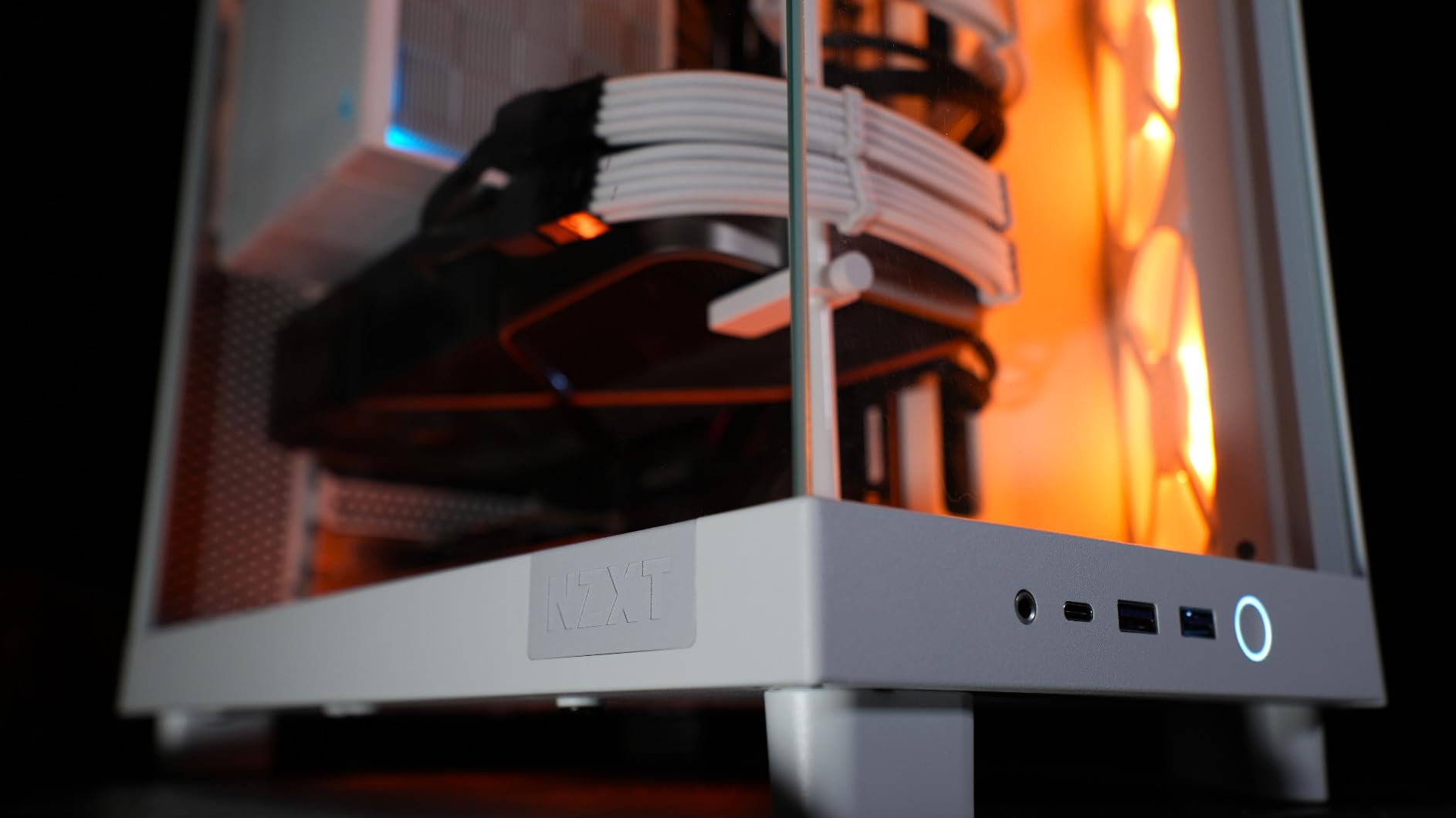
The dual-chamber design is the quiet hero here. Separating the power supply and drive bays from the main chamber means the PSU does not sit directly under the graphics card pulling hot recirculated air, which is the single most common reason a mid-tower runs warm.
Owners report GPU temperatures under 60C on strong hardware once a fan curve is set, and the wraparound seamless-edge glass panels do not cut into that because intake air enters through the perforated top and side panels rather than the glass. Measured against the other cases on this list, it is the best balance of ready-to-run airflow and clean thermals.
Who should buy the NZXT H6 Flow
Buy this if you want airflow without a shopping list of extra fans. It suits a mid-range or high-end gaming build where the graphics card is the main heat source and you would rather spend the money on the card than on a fan pack.
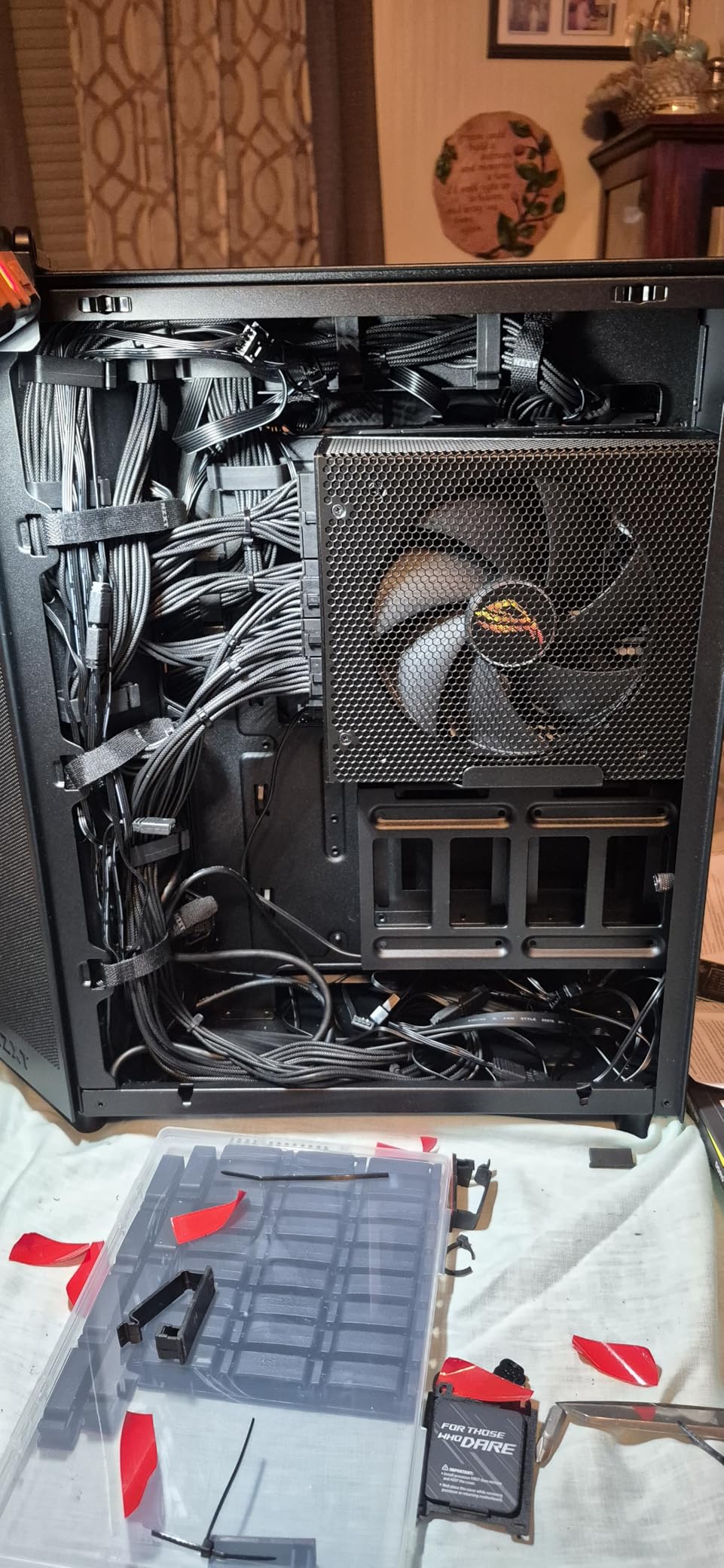
It also suits anyone who values a tidy interior. The dual chamber gives you a dedicated cable route behind the motherboard tray, so you can close both side panels and still hide the wiring.
Who should skip the NZXT H6 Flow
Skip it if you plan to run a 140mm or 180mm front fan array, since the included fans are 120mm and larger frames need larger mounts. If your motherboard needs USB-C on the front panel, the listed front I/O here is two USB 2.0 and two USB 3.0 ports.
It is also not the roomiest option for storage-heavy builds. If you want to hang multiple spinning drives off a bracket, a chassis with more internal bays will suit you better.
2. Fractal Design North – Best Premium Mesh Case
Fractal Design North – Genuine Walnut Wood Front – Mesh Side Panels – Two 140mm Aspect PWM Fans Included – Type C USB – ATX Airflow Mid Tower PC Gaming Case,Charcoal Black
Two 140mm Aspect PWM fans included
Mesh front and side panel
GPU clearance up to 355mm
Mid tower ATX
Pros
- Fine-pattern mesh front plus a full mesh side panel moves real air
- Two 140mm Aspect PWM fans included and easy to curve
- Removable panels and pre-installed Velcro straps make builds fast
- Genuine walnut front slats look like furniture
- Easy-clean dust filters with tool-less access
Cons
- Included fans are average and many builders replace them
- Only 355mm of GPU clearance
- Top 140mm fans can crowd the 8-pin power header
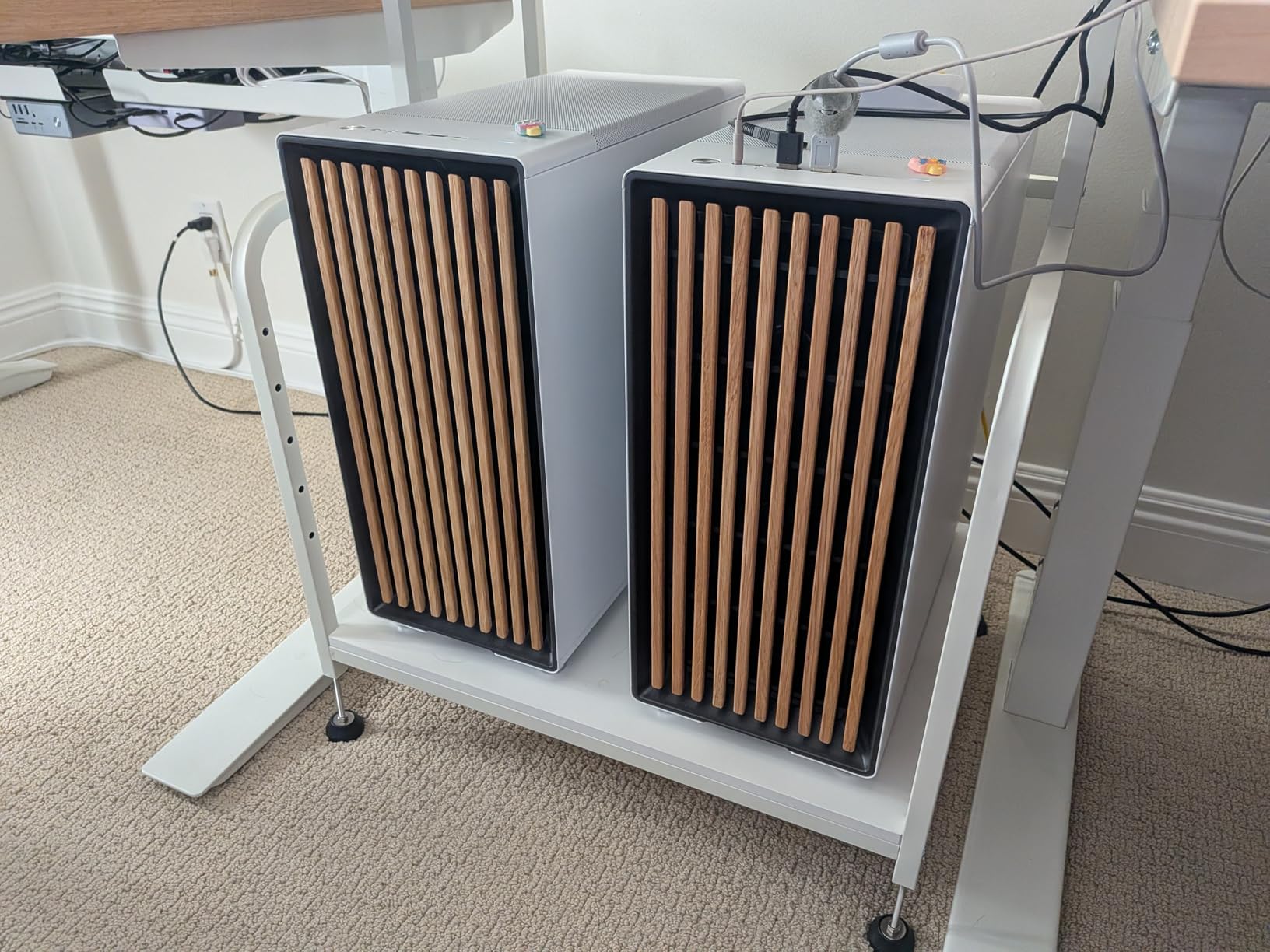
The North is the rare chassis where airflow and good looks are not opposites. The front panel is a grid of walnut slats with real gaps between them, and the side panel is fine-patterned mesh rather than glass, so air moves through the case instead of bouncing off a solid pane.
Two 140mm Aspect PWM fans come fitted, and larger fans are the right call here because they shift the same air volume at lower RPM. Owners with the mesh side panel variant report CPU temperatures in the 50 to 60C range on capable hardware after setting a custom fan curve.
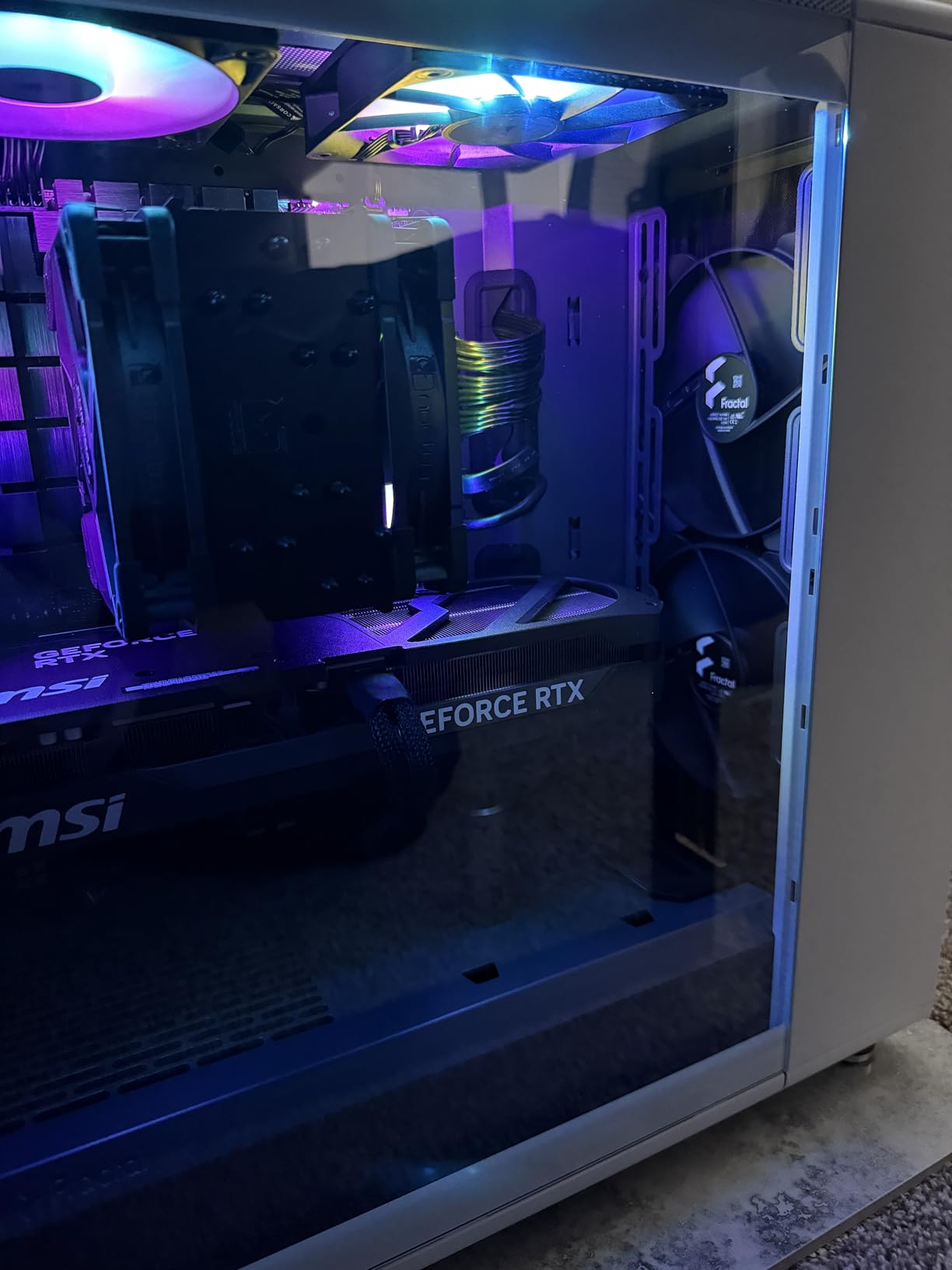
Build quality is the story for most reviewers. The side panels, front panel and top panel all come off without tools, and the cable straps are already stuck to the chassis, which cuts a first build down considerably.
The one recurring warning is measurement. At 355mm of GPU clearance, a 5090-class card is a near-exact fit, and a long power supply combined with the dual drive trays crowds the lower chamber. If you own a card longer than 350mm, measure before you order.
Who should buy the Fractal Design North
Buy it if you want a case that looks like furniture on a desk and still cools properly. It is a good fit for a build that will sit in a living room or office where a black steel box would look out of place.
Choose the mesh side panel version rather than the tempered glass one. The glass variant has fewer fan mounts, and airflow is the entire reason this case is on the list.
Who should skip the Fractal Design North
Skip it if you need every millimetre of GPU length. Other cases on this list take cards up to 410mm or 420mm, so a long GPU has better options elsewhere.
Also skip it if you already own a stack of good fans and care most about fan count. Included fans here are described by reviewers as average, and plenty of builders replace them on day one.
3. Corsair 4000D RS ARGB – Best Value Airflow Case
CORSAIR 4000D RS ARGB Frame Modular Mid-Tower ATX PC Case, High Airflow, 3X Pre-Installed RS Fans, InfiniRail™ Mounting System, ASUS BTF, MSI Zero, Gigabyte Stealth, Black
3D Y-pattern steel front panel
InfiniRail mounts accept up to 200mm fans
Three RS ARGB fans included
GPU anti-sag arm fitted
Pros
- Steel Y-pattern front panel gives genuinely low restriction
- InfiniRail steel rails accept fans up to 200mm and dual 360mm radiators
- FRAME modular system makes the build straightforward
- Velcro straps and wide channels for cable management
- RS ARGB fans daisy-chain with Zero RPM mode
Cons
- Pre-installed fans blow opposite to the intuitive intake direction
- Thin steel panels flex during handling
- Front I/O sits at the bottom of the case
The 4000D RS ARGB is the pick if you want the flexibility to change your mind about fan sizes later. The InfiniRail mounting system is stamped steel with multiple fixings per position, so it accepts anything up to 200mm at the front and up to 140mm in the roof.
That matters because a top r/buildapc answer we found puts it plainly: look for a case that can take 180 to 200mm fans. The 4000D RS gives you that room from the day you open the box, and the 3D Y-pattern steel front panel adds almost no restriction in front of those fans.
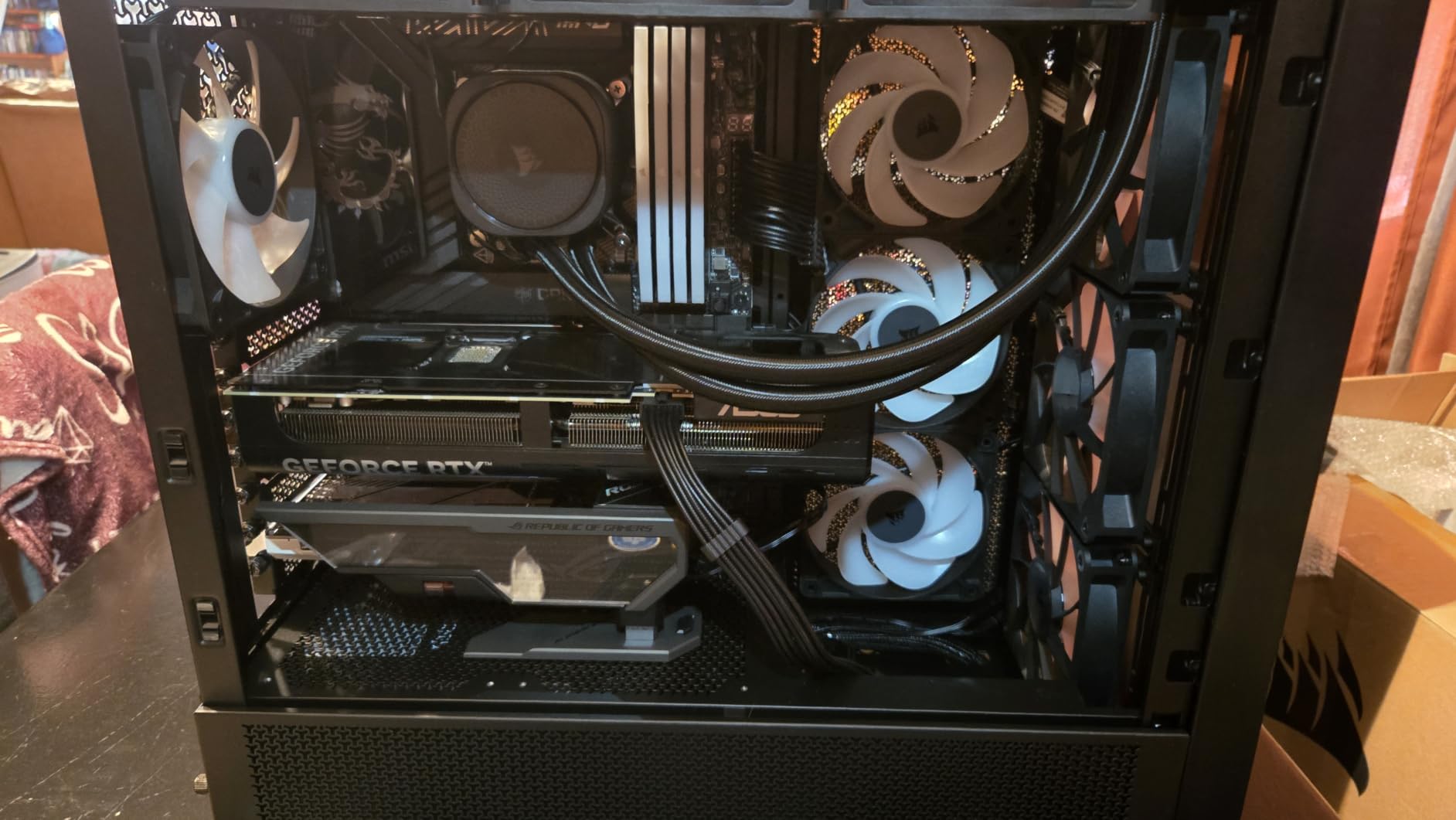
Owners consistently report ice-cold thermals and an easy build. The removable internal side panel doubles as a cable cover or a side fan mount, the PSU shroud comes off, and the drive trays lift out, so you can configure the interior around whatever hardware you have.
The most cited gripe is counterintuitive but worth knowing. The pre-installed RS fans are oriented opposite to what most builders expect for their position, so a first-time builder who assumes they are already blowing the right way can end up with weaker intake than the design intends.
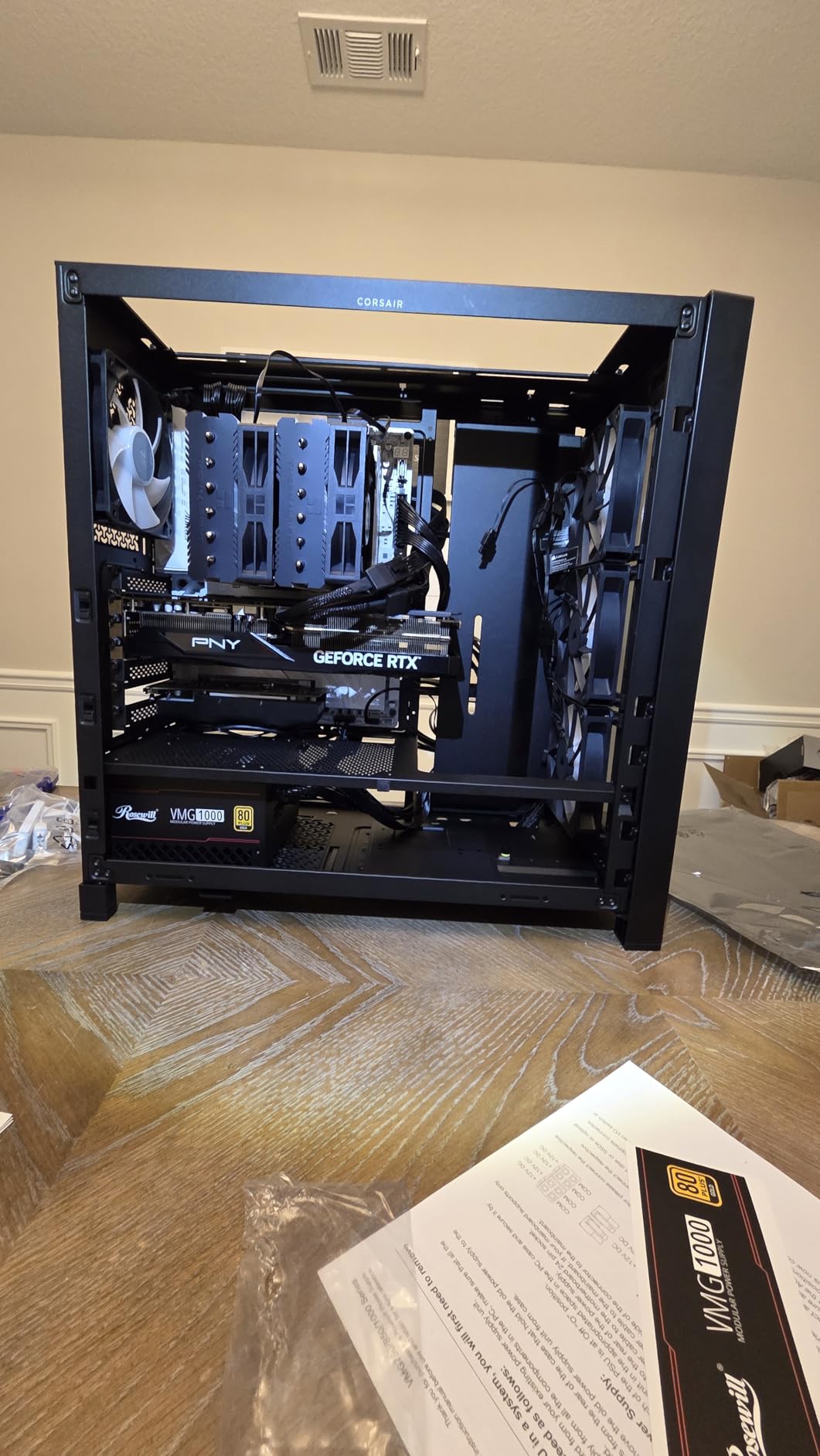
Who should buy the Corsair 4000D RS ARGB
Buy it if you are still deciding on fan sizes, or if you think you might upgrade to a 360mm liquid cooler later. Dual 360mm radiator support and up to ten fan positions cover most eventual builds.
It is also a strong pick for E-ATX boards. One r/pcmasterrace user recommended the 4000D line specifically because so few mid-towers still support E-ATX, and this chassis takes full ATX boards with room to spare.
Who should skip the Corsair 4000D RS ARGB
Skip it if you want a chassis that feels solid in the hand. Reviewers note the steel side and top panels can feel thin and flex when you are moving the case around during a build.
If you run older fan hardware, note that the magnetic daisy-chain connectors on the included RS fans play poorly with pre-existing setups, so plan on replacing them if you are mixing generations.
4. NZXT H9 Flow – Best for High-End Graphics Cards
NZXT H9 Flow – Dual-Chamber ATX PC Case – Black
Four fans included with angled intake
Up to 10 fans total
420mm radiator support
Dual-chamber ATX and E-ATX
Pros
- Angled front-right fans blow directly across the graphics card
- Highest fan capacity on this list with room for ten
- Very spacious dual-chamber interior with a roomy cable compartment
- 420mm radiator mounts on top and front-right
- SGCC steel and glass construction feels durable
Cons
- Over 12kg so it needs a sturdy desk
- Included fans are louder than premium PWM alternatives
- No built-in GPU support bracket
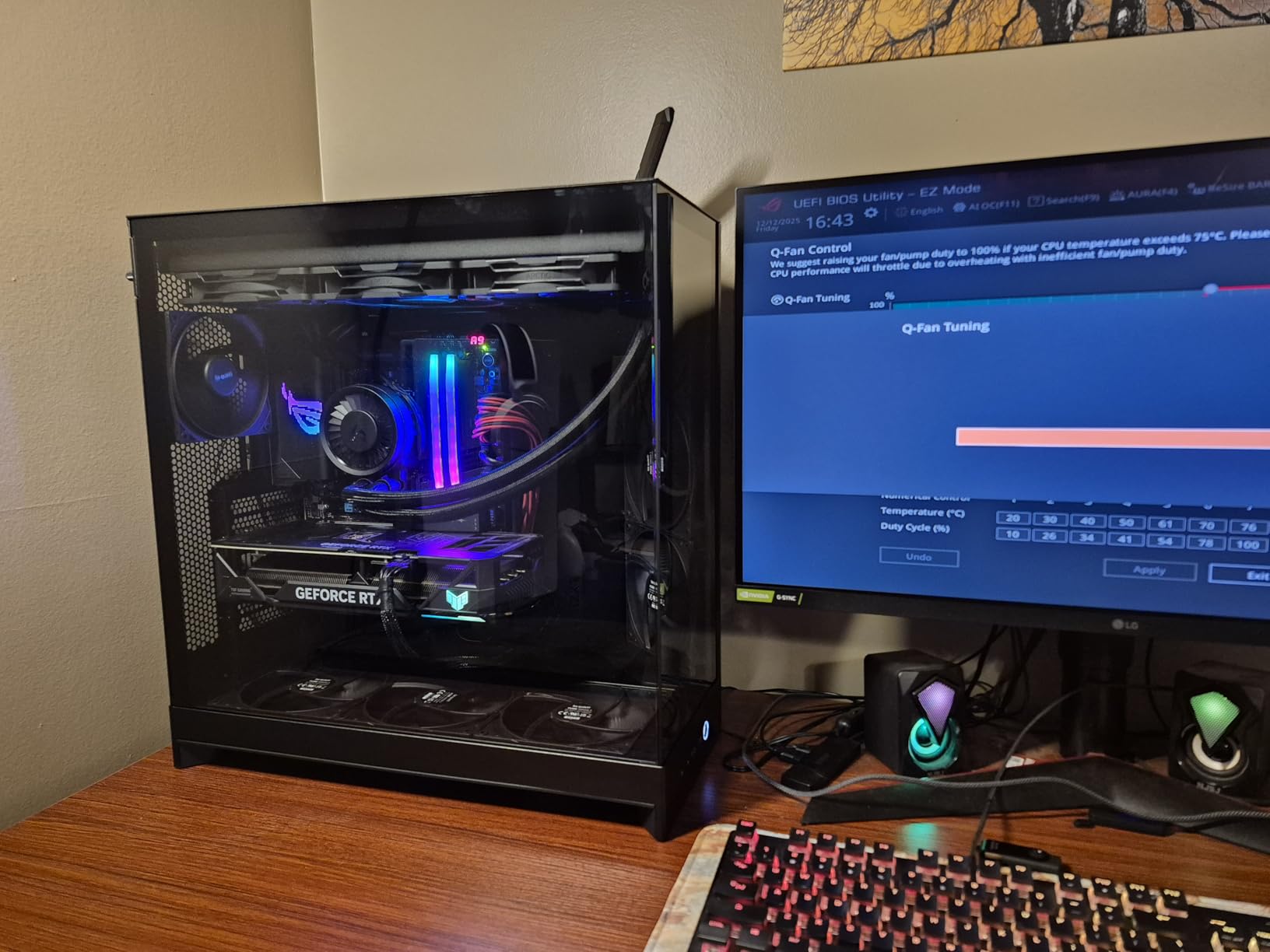
The H9 Flow exists for one situation: a very hot graphics card in a very large chassis. The front-right fans are angled so their output crosses the GPU face rather than pushing air into the gap behind the card, and owners report that layout is what keeps a card like a 5080 under 60C.
Fan capacity is the standout spec. Four fans come fitted, three F140Q units on the front right and an F120Q at the rear, with room for up to ten in total. That headroom means you can build in a 420mm radiator without giving up the GPU airflow.
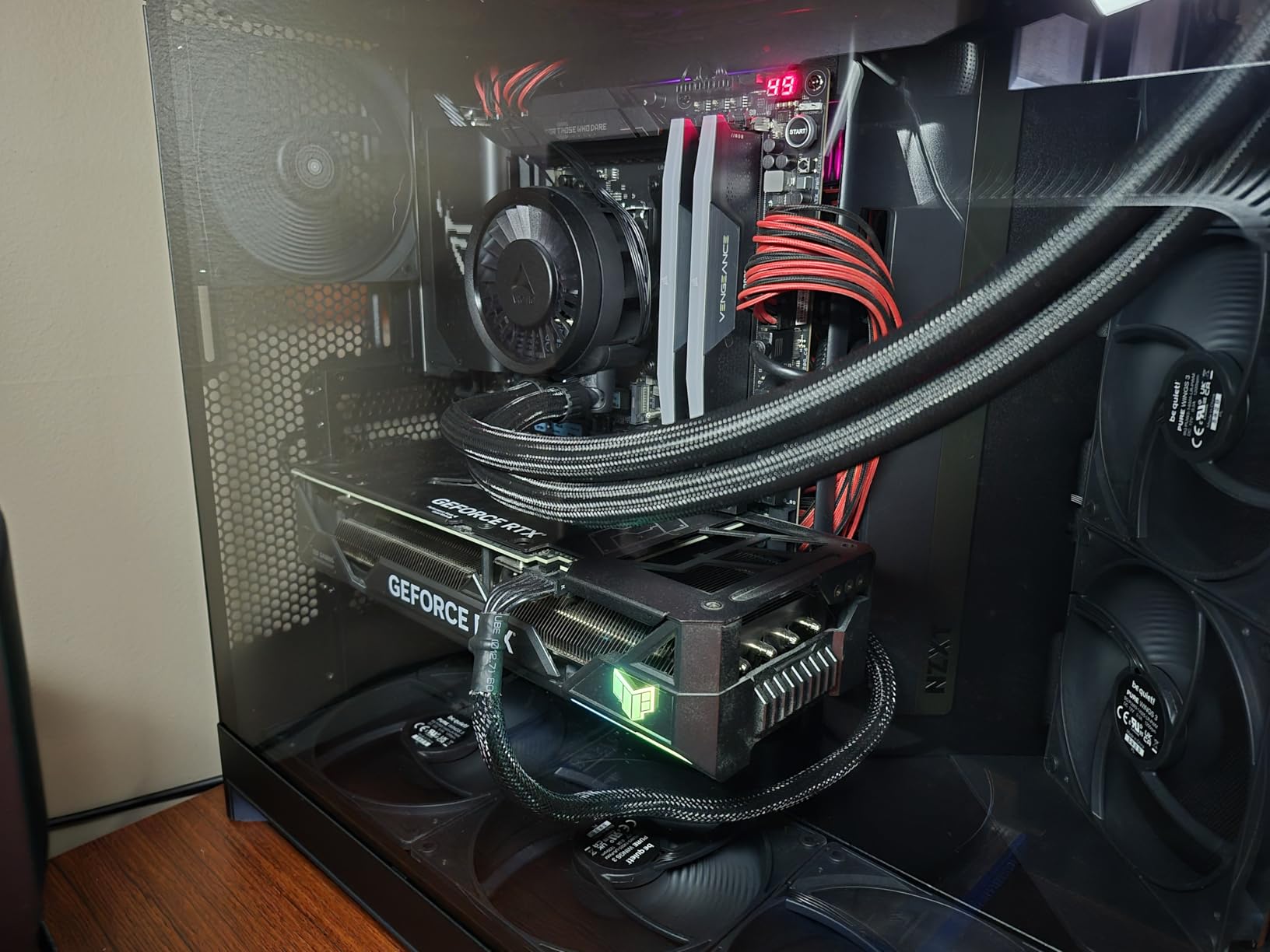
The dual chamber puts the power supply on the side with a swinging bracket and a very wide cable compartment behind the main tray. Extra-wide channels and built-in Velcro straps mean you can route a full ATX or E-ATX board almost entirely out of sight.
Two practical warnings before you commit. It weighs more than 12kg, so it needs a desk that can take it and realistically two people to unbox, and reviewers repeatedly recommend swapping the included case fans for PWM models because the stock units are louder at high speed.
Who should buy the NZXT H9 Flow
Buy it if you are running a top-tier graphics card that generates serious heat and you want intake aimed right at it. This is the case where the angled fan layout pays for itself.
It also suits E-ATX builds and anyone who plans a 420mm radiator. Few mid-towers in this price range support 420mm on both the top and the front-right position.
Who should skip the NZXT H9 Flow
Skip it if your monitor uses a standard arm or stand. The base compartment is very wide, and reviewers specifically warn it will not fit common monitor arms or stands as shipped.
Skip it if you are building in a small desk space or a shared room where noise matters. At this size the extra fan positions mean more spinning fans, and the stock set is not the quiet choice.
5. Lian Li V100 – Best Clearance for Large Hardware
Lian Li V100-ATX Mid-Tower PC Case-Black-V100RX
Four 120mm ARGB PWM fans included
GPUs up to 420mm
CPU coolers up to 178mm
Top radiators up to 360mm
Pros
- Four pre-installed ARGB PWM fans with daisy-chain setup
- Generous clearance for 420mm GPUs and 178mm coolers
- Tool-less mounting on both side panels
- 26-LED ARGB strip syncs with motherboard software
- Supports back-connect motherboards for cable-free builds
Cons
- Only a one-year manufacturer warranty is listed
- Included fans are 120mm rather than larger frames
- Weight is listed at 8200 g with no published dimensions
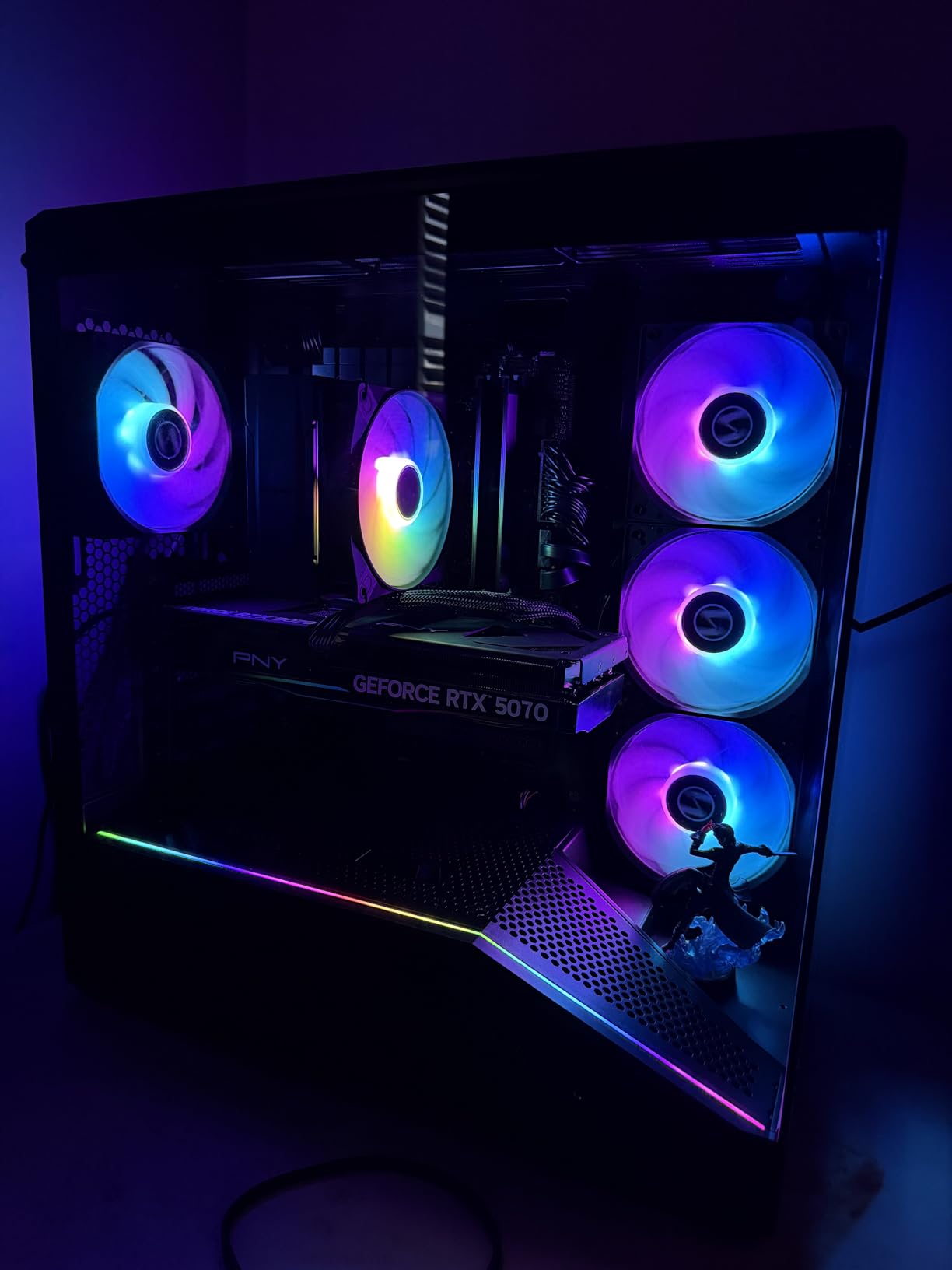
Every clearance number on this chassis is at or near the top of the group. GPUs up to 420mm, CPU coolers up to 178mm, and a 360mm radiator on top, which means almost nothing you want to install gets ruled out before you start.
Four 120mm ARGB PWM fans with daisy-chain connectivity come fitted, so the whole set plugs into one header. Each fan runs up to 1800 RPM at 61.47 CFM and 2.54 mm-H2O static pressure, so there is real headroom to push them harder if your CPU needs it.
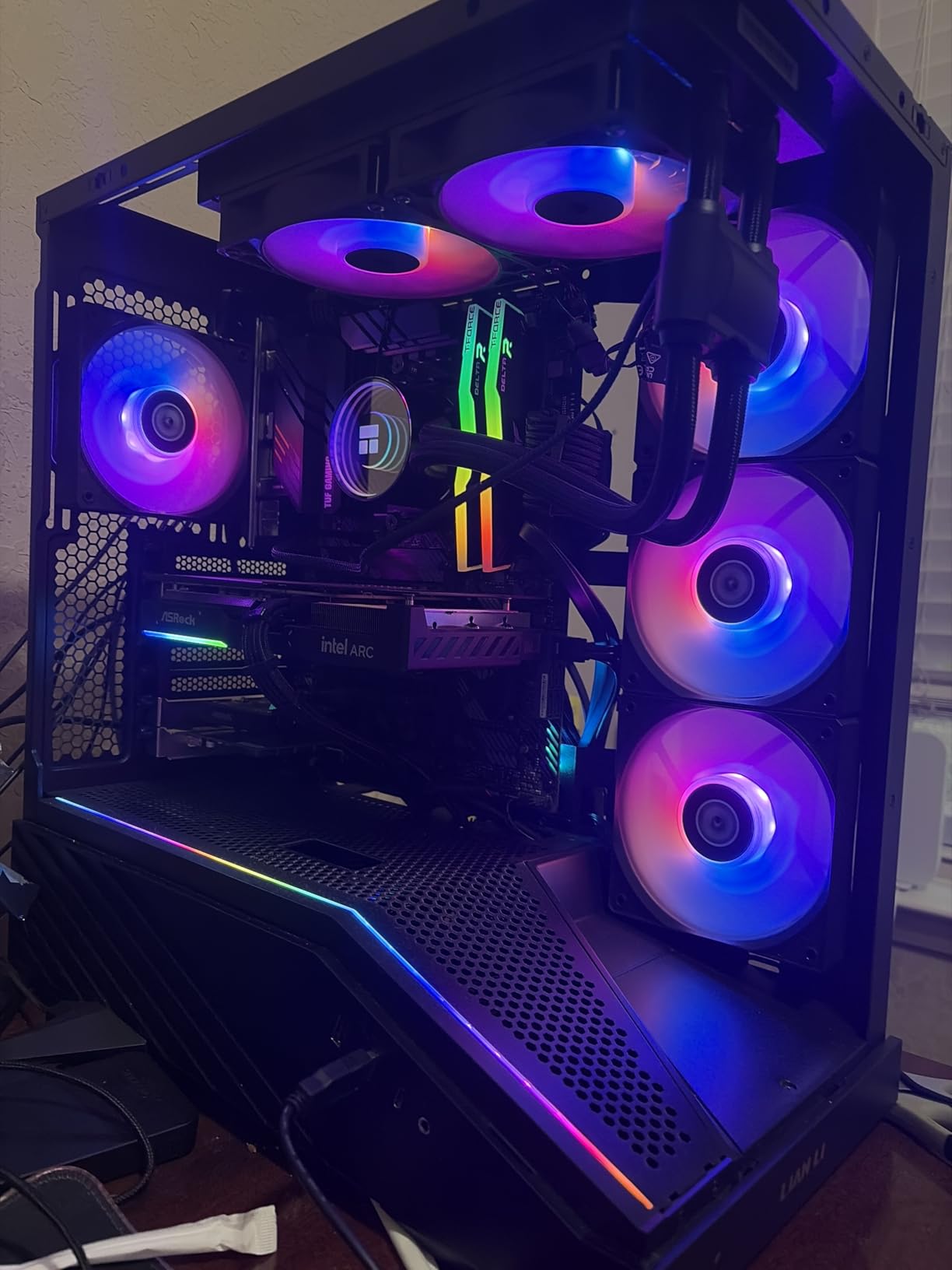
The airflow case for this chassis is that nothing blocks the path. Side panels come off tool-less, the dust filter is removable for cleaning, and the integrated 26-LED strip plus daisy-chained fans means the lighting and fans sync from one software hub.
It also supports back-connect motherboards, which is worth noting for anyone building without visible cables. The feature list is genuinely long for the money, and at 4.8 stars across 567 reviews the sentiment skews strongly positive.
Who should buy the Lian Li V100
Buy it if you have a long GPU or a tall air cooler and do not want to check clearances twice. The 420mm GPU and 178mm cooler figures remove most of the guesswork from a first build.
It is also a good match for a rear-connector motherboard build. Back-connect support is listed, and the tool-less side panels make cable routing behind the tray fast.
Who should skip the Lian Li V100
Skip it if warranty length is a deciding factor for you. The listed warranty is one year, which is shorter than some of the cheaper cases here that carry ten-year coverage.
Skip it if you want the biggest possible fans. The four included units are 120mm, and the case is built around that size rather than around 140mm or 180mm frames.
6. NZXT H5 Flow – Best First Airflow Case
NZXT H5 Flow – Compact ATX Mid-Tower PC Case – Black
Ultra-fine mesh on three panels
Perforated PSU shroud on side and bottom
Two 120mm fans included
Front radiators up to 360mm
Pros
- Ultra-fine mesh on top
- front and side panels gives near open-air airflow
- Perforated PSU shroud on side and bottom supports dual bottom intake
- Compact ATX mid-tower that still accepts very long GPUs
- Two pre-installed fans give working airflow immediately
- Well-considered cable channels
- hooks and straps
Cons
- Only two fans are included
- The power supply cannot draw cool air from below the floor
- Basic front I/O with no USB-C
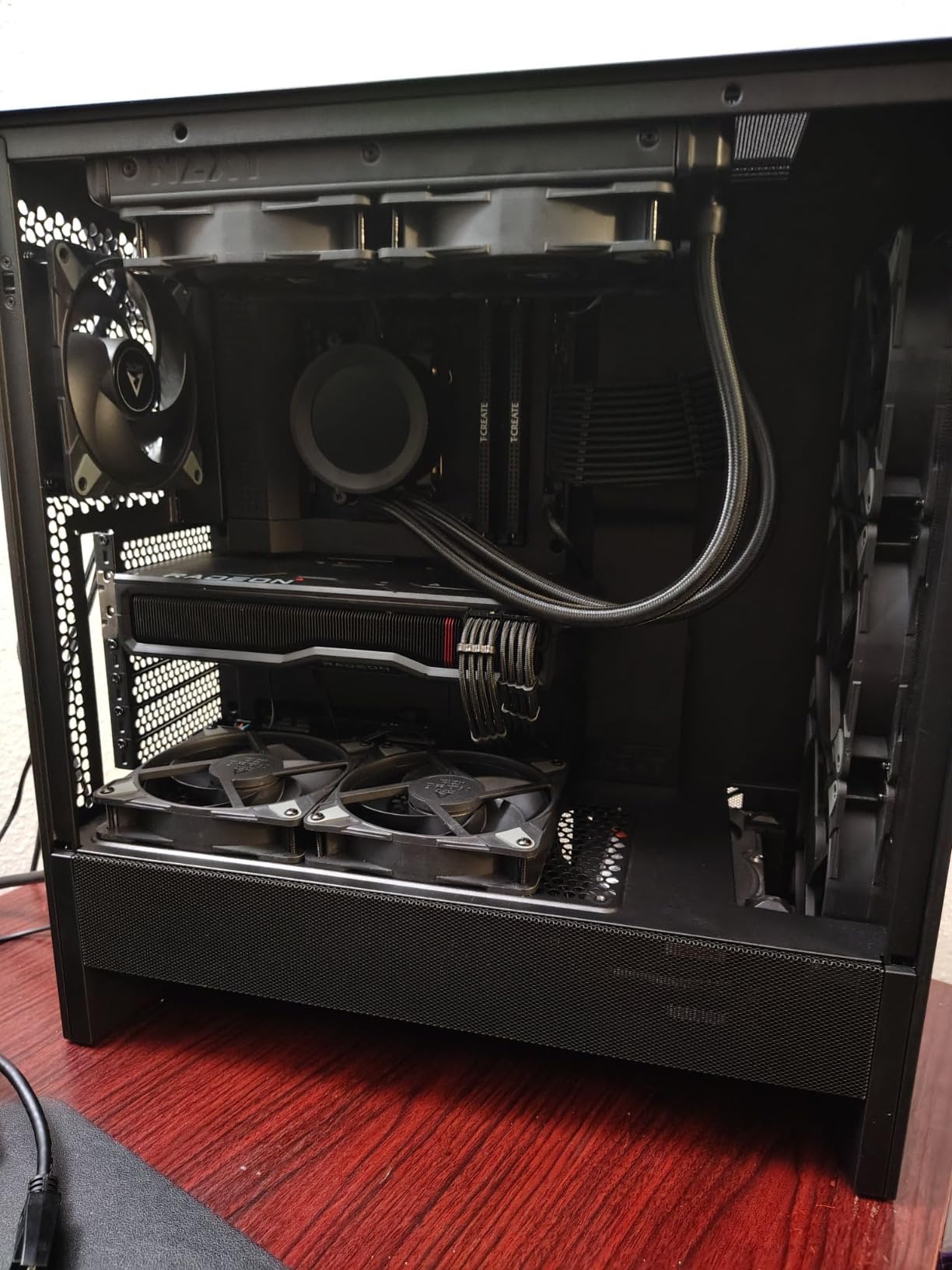
The H5 Flow is the case we would hand someone building their first airflow PC. Ultra-fine mesh covers the top, front and side panels, so air enters from three directions rather than one, and reviewers describe thermals as much closer to an open test bench than to a typical enclosed mid-tower.
The detail that matters most for a hot graphics card is the perforated PSU shroud. It is vented on the side and on the bottom, which means you can mount a dedicated dual 120mm intake underneath and feed the GPU from below rather than relying on recirculated air.
It is still a compact chassis that takes full-size hardware. Graphics card clearance is reported up to 410mm, motherboard support covers ATX, micro-ATX, Mini-ITX and E-ATX, and you can fit a 360mm front radiator with a 240mm on top.
The common complaint is simply the fan count. Two 120mm Quiet Airflow fans ship, which is enough to establish a working airflow path but leaves most builders adding three more. Budget for that in your effective cost rather than assuming the case is finished out of the box.
Who should buy the NZXT H5 Flow
Buy it if you are your own worst enemy with cable management. Wide channels, hooks and rear straps are laid out so the cables have somewhere obvious to go, and builders consistently report a clean first assembly.
It is also a strong pick if you want a large GPU in a small footprint. The 410mm clearance is unusually long for a chassis this compact.
Who should skip the NZXT H5 Flow
Skip it if you want a fully built fan setup on day one. Two fans is the bare minimum for good airflow, and you will be adding at least three more for a serious gaming build.
Skip it if your power supply needs a bottom intake. This shroud vents for graphics card airflow, but the power supply itself draws from inside the case.
7. MUSETEX K2 – Best Fan Count on a Budget
MUSETEX ATX PC Case 7 PWM ARGB Fans Pre-Installed, Type-C Mid Tower Computer Case with Full-View Dual Tempered Glass, Gaming PC Case, Black(K2)
Seven ARGB fans included, expandable to 10
GPUs up to 400mm
Top radiators up to 360mm
Type-C on the front panel
Pros
- Seven pre-installed PWM ARGB fans expandable to ten
- Fans are adjustable from 600 to 1300 RPM through motherboard software
- 270-degree panoramic dual tempered glass view
- Supports 400mm GPUs and 165mm CPU coolers
- Front Type-C and two USB 3.0 ports
- Ten-year warranty listed
Cons
- PSU length drops to 140mm with the hard drive cage installed
- Static pressure of 0.45 mmH2O is modest for dense mesh panels
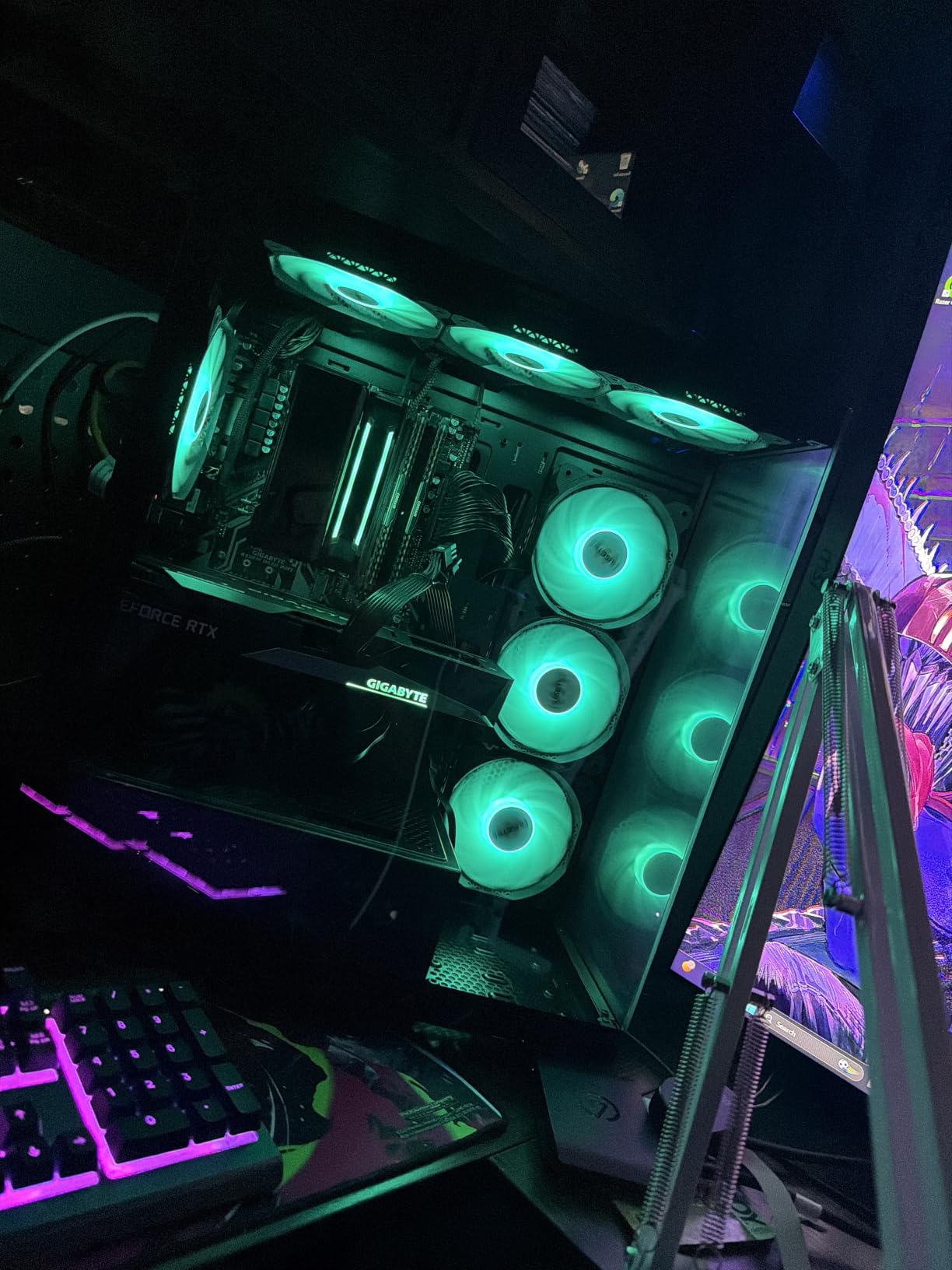
The K2 solves the fan shopping problem almost entirely. Seven PWM ARGB fans come fitted and you can expand to ten, so a full positive-pressure configuration is achievable without buying a single extra fan, which is rarely true of the other budget cases here.
They are adjustable rather than fixed-speed, running from 600 to 1300 RPM with a listed maximum of 24.72 CFM, 0.45 mm-H2O static pressure, and 20.8 dBA. That 20.8 dBA figure is what lets a seven-fan case stay quiet at low and mid RPM.
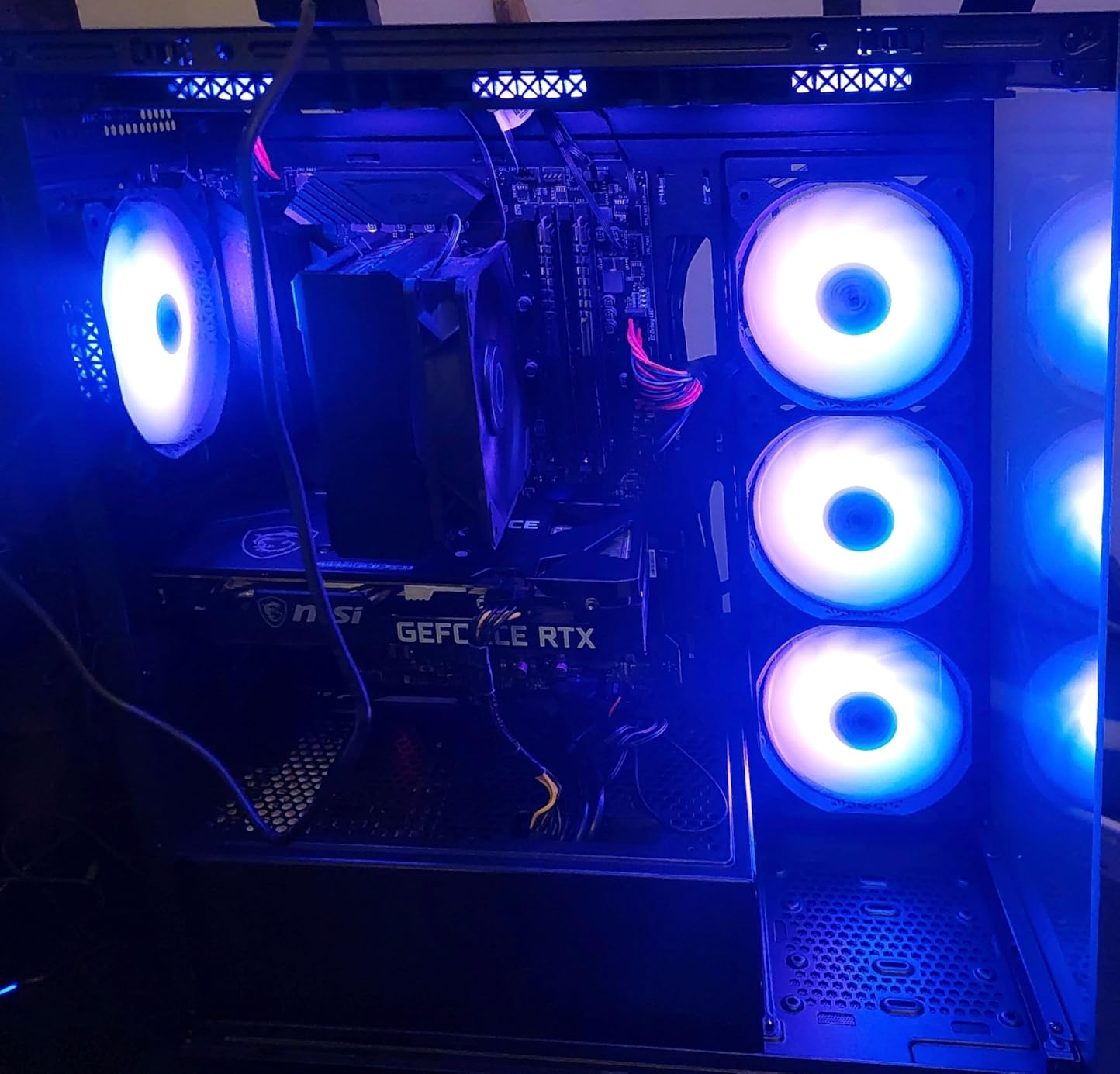
Internally it is roomier than the fan count suggests, with GPU clearance up to 400mm, CPU cooler clearance up to 165mm and room for a 360mm liquid cooler on top. The 270-degree panoramic dual tempered glass gives you a full view of all of it.
The one planning item worth flagging is the power supply. With the hard drive cage installed, PSU length drops to 140mm, and you gain 150 to 180mm only if you remove the cage. Decide that before you buy a power supply, not after.
Who should buy the MUSETEX K2
Buy it if you want the most air movement per pound spent on a chassis and fans combined. Seven adjustable fans at 20.8 dBA is a configuration you would normally build over several purchases.
It suits a showcase build too, because the panoramic dual glass means all that airflow hardware stays visible rather than hidden behind a solid panel.
Who should skip the MUSETEX K2
Skip it if you run a very high-static-pressure setup against a dense filter, since 0.45 mm-H2O is a modest figure and big 140mm or 180mm fans have more pressure headroom.
Skip it if you need a long modular power supply and want to keep the drive cage. The 140mm limit with the cage in place rules out many of the higher-capacity units.
8. MUSETEX NN8 – Best Budget Mesh Case With a Hinged Door
MUSETEX ATX PC Case Pre-Install 6 PWM ARGB Fans, Polygonal Mesh Computer Gaming Case, Opening Tempered Glass Side Panel Mid-Tower Case, USB 3.0 x 2, Black, NN8
Six PWM ARGB fans pre-installed
CPU coolers up to 160mm
GPUs up to 320mm
Top radiators up to 280mm
Pros
- Six pre-installed PWM ARGB fans move plenty of air at low RPM
- Hinged magnetic glass door needs no tools and speeds up dust cleaning
- Lightweight chassis at 5.7 kg is easy to move
- Diamond-cut polygonal mesh front panel
- Well-polished edges with no sharp metal
Cons
- Full-size ATX boards fit very tightly inside
- Top radiator support stops at 280mm
- PSU chamber has no external venting
- Some fan units run at a fixed speed with no adjustment
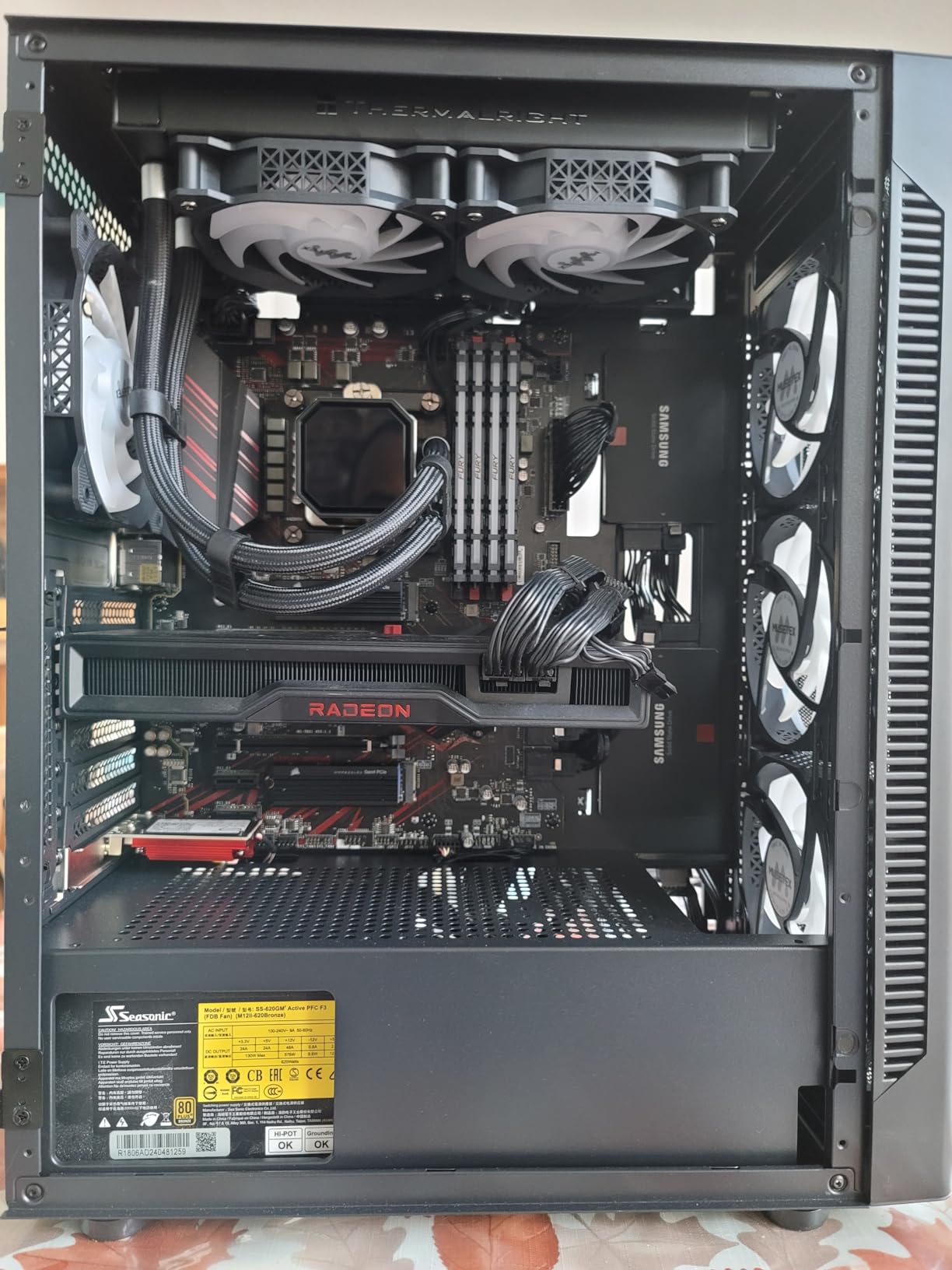
The NN8 is the one to beat on fan count per pound, with six PWM ARGB fans pre-installed and a diamond-cut polygonal mesh front panel. Owners frequently describe it as the best bang-for-the-buck airflow case they have built in.
The hinged magnetic tempered glass door is the feature nobody expects at this level. It swings open without tools, which makes cleaning dust out of a mesh-fronted case dramatically easier, and the mesh front means intake area is genuinely large.
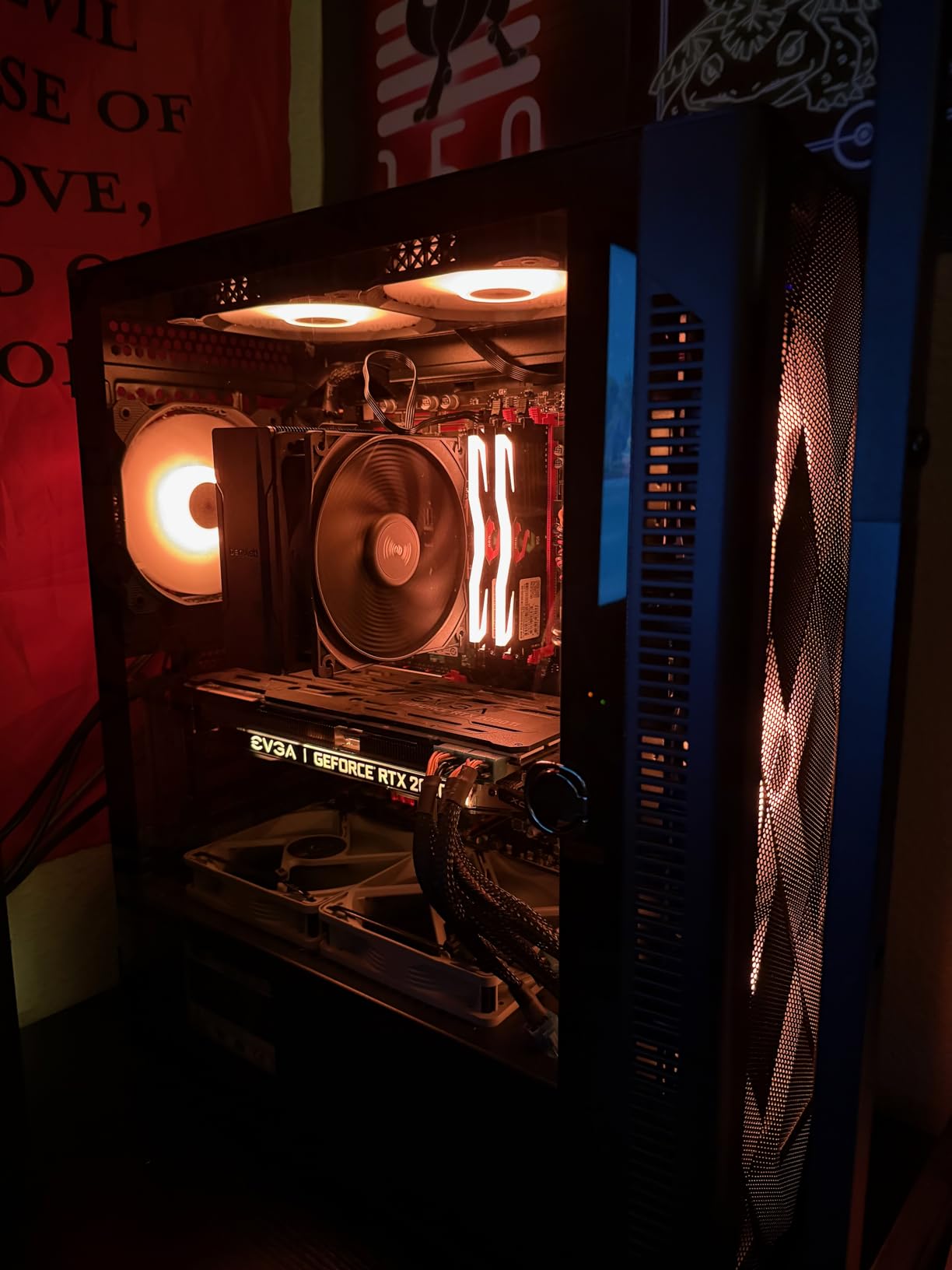
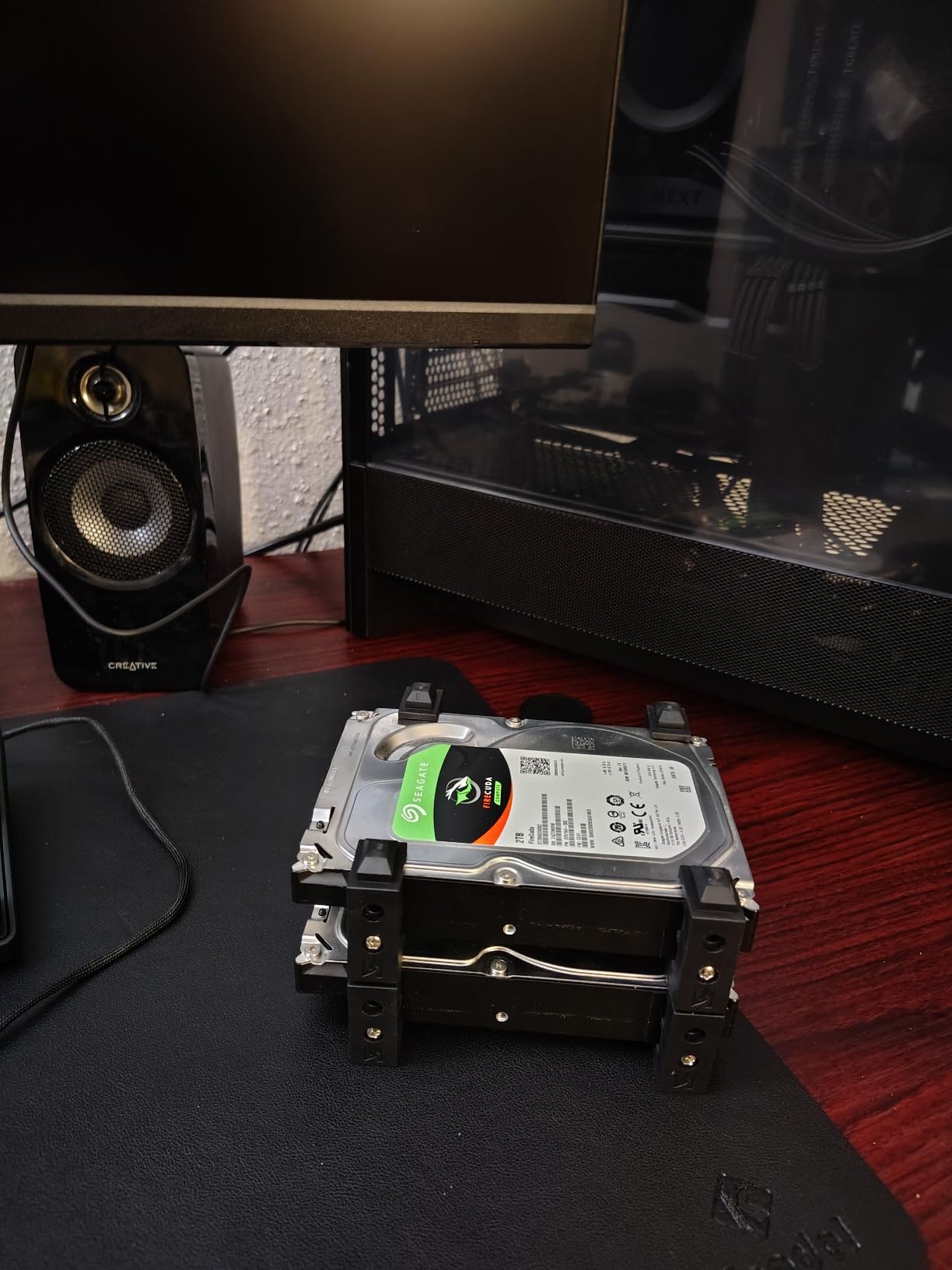
It is also light, at 5.7 kg, which makes moving the chassis around during a build painless. Storage is generous for the money, holding five SSDs plus an HDD or four SSDs plus two HDDs.
The catch is fit. Full-size ATX motherboards sit very tight inside, sometimes requiring you to attach the power cables before mounting the board. Tall air coolers can also stop the glass door closing fully, and radiator support stops at 280mm.
Who should buy the MUSETEX NN8
Buy it if you want maximum included fan count and large intake area on a strict budget, and you are comfortable with a slightly fiddly first assembly step for the motherboard.
It also suits anyone who does periodic dust cleaning. The tool-less magnetic side door is a real quality-of-life improvement on a high-intake mesh case.
Who should skip the MUSETEX NN8
Skip it if you want to fit a 360mm radiator. Top support stops at 280mm, so a full-size liquid cooler needs a different chassis.
Skip it if you need your fans to be speed-adjustable. Some six-pin ARGB controller units run at a fixed speed, and the power supply draws from inside a sealed chamber with no external venting.
9. Cooler Master Q300L V1 – Best Micro-ATX Airflow Case
Cooler Master Q300L V1 Micro-ATX PC Case, High Airflow, Transparent Panel
Micro-ATX and Mini-ITX only
Perforated panels on all sides
Magnetic dust filters
CPU coolers up to 159mm
Pros
- Open perforation on every side panel for a genuinely airy micro-ATX build
- Magnetic dust filters on top
- front and bottom rinse clean easily
- Accepts 360mm GPUs and a 240mm radiator in a compact footprint
- Repositionable modular I/O panel
- Cable space behind the tray with included zip ties
Cons
- Micro-ATX and Mini-ITX motherboards only
- Rear PCI cover is one large plate rather than removable slots
- Acrylic side panel scratches easily
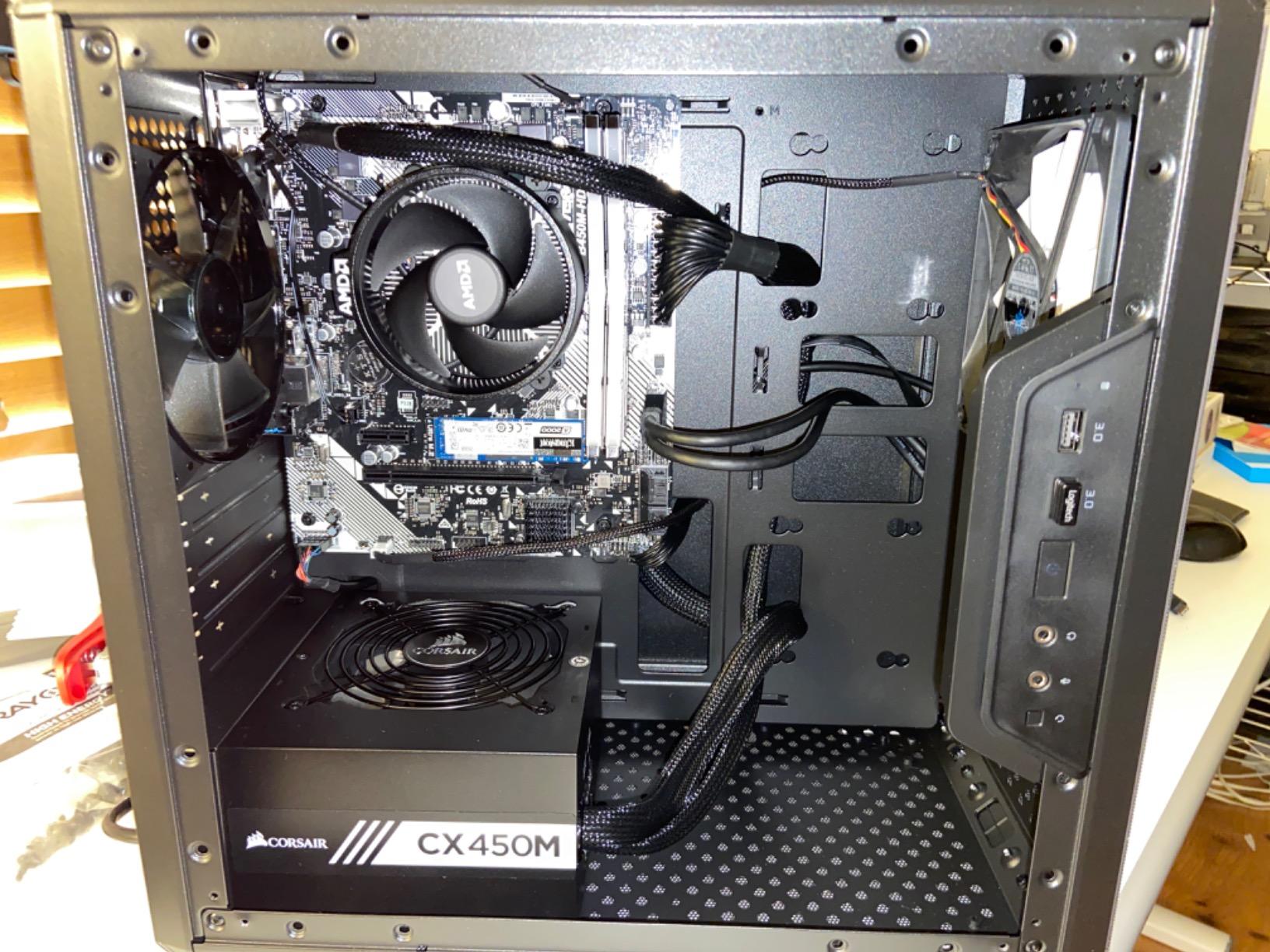
The Q300L V1 is the outlier in this list, and the most reviewed case we looked at with more than 14000 ratings. It is a micro-ATX chassis, which makes it the right answer for anyone building a small system where components are packed close together and heat has nowhere to go.
Perforated panels on all sides give it an open feel that is unusual in a chassis this size. Reviewers consistently report mid-70s Celsius or lower once a six-fan positive-pressure configuration is added, which is the single most useful piece of advice for this case.
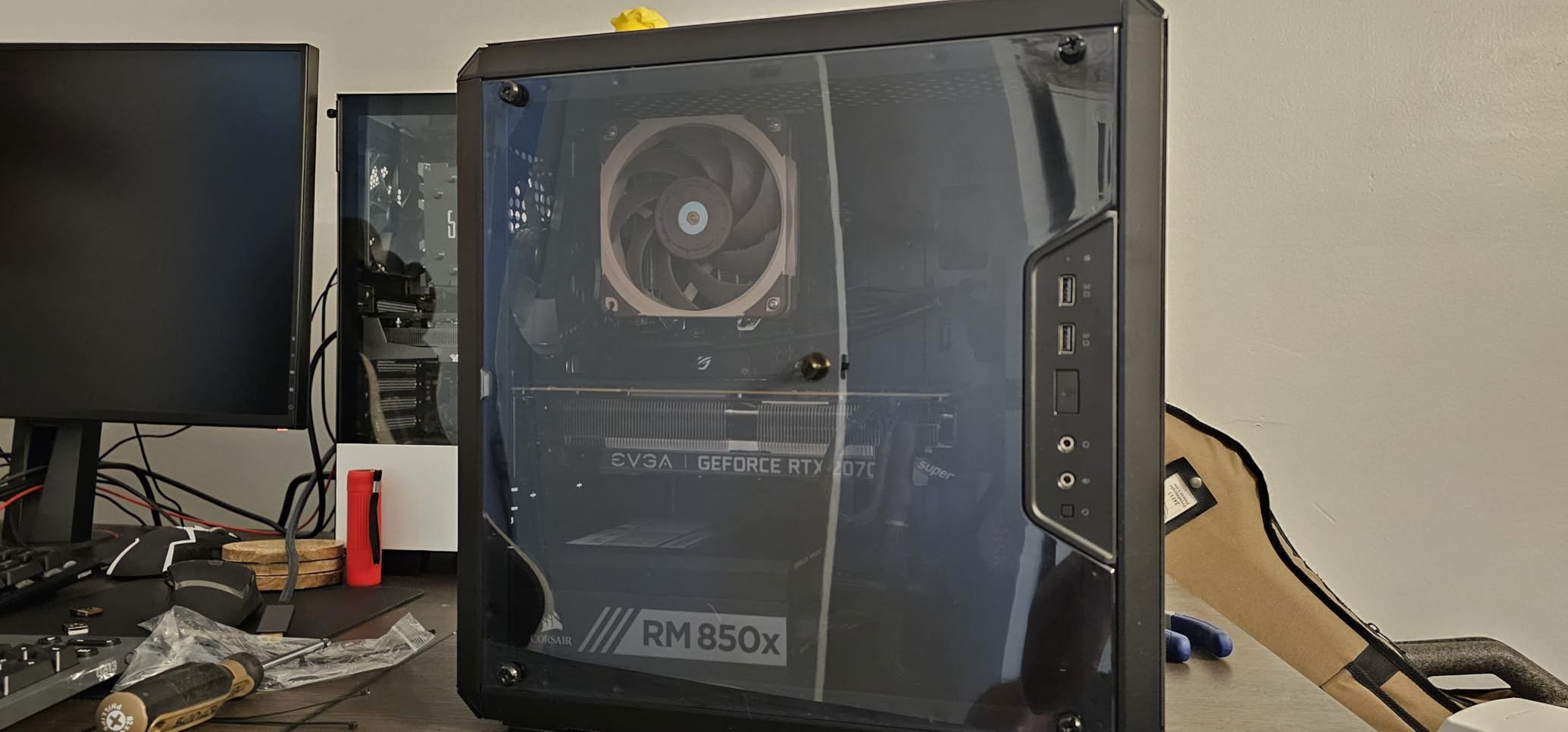
The magnetic dust filters on the top, front and bottom are unusually good at this tier, and they lift out and rinse without tools. The modular I/O panel can be repositioned to the front, top or bottom depending on where your desk is.
Clearance figures are generous for the footprint, with CPU coolers up to 159mm, GPUs up to 360mm, PSUs up to 160mm, and support for a 240mm liquid cooler with up to five fans. The rear expansion cover being one solid plate is the most common complaint.
Who should buy the Cooler Master Q300L V1
Buy it if you are building a micro-ATX or Mini-ITX system and want every panel open to the air. It is a rare budget case where the airflow is genuinely the design priority rather than an afterthought.
It is also a good match for a compact desk setup, since the repositionable I/O panel lets you put ports where you can actually reach them.
Who should skip the Cooler Master Q300L V1
Skip it if you own a full-size ATX motherboard. This is a micro-ATX and Mini-ITX chassis only, and there is no way to fit a standard ATX board.
Skip it if appearance is a priority, because the acrylic side panel scratches very easily and the all-black interior makes cable routing hard to see in a dim room.
10. MUSETEX Y6 – Best Dual-Chamber Case With a Full Glass View
MUSETEX Y6 PC Case, Pre-Installed 4 Non-LED Fans, ATX Mid Tower Case, Computer Case with Type-C, 270° Full View Tempered Glass, Black
Dual-chamber layout with independent PSU channel
Four 120mm non-LED fans included
GPUs up to 410mm
Top radiators up to 360mm
Pros
- Dual-chamber design with an independent PSU ventilation channel
- Four pre-installed 120mm fans with three reverse side and one rear
- Room for nine fans plus a 360mm top radiator
- 270-degree dual tempered glass for a wide showcase view
- Magnetic dust filters and screwless side panel access
- Ten-year warranty listed
Cons
- Motherboard standoff alignment is inconsistent on some units
- A full-size ATX board sits flush against the bottom plate
- Some edges are sharp during the build
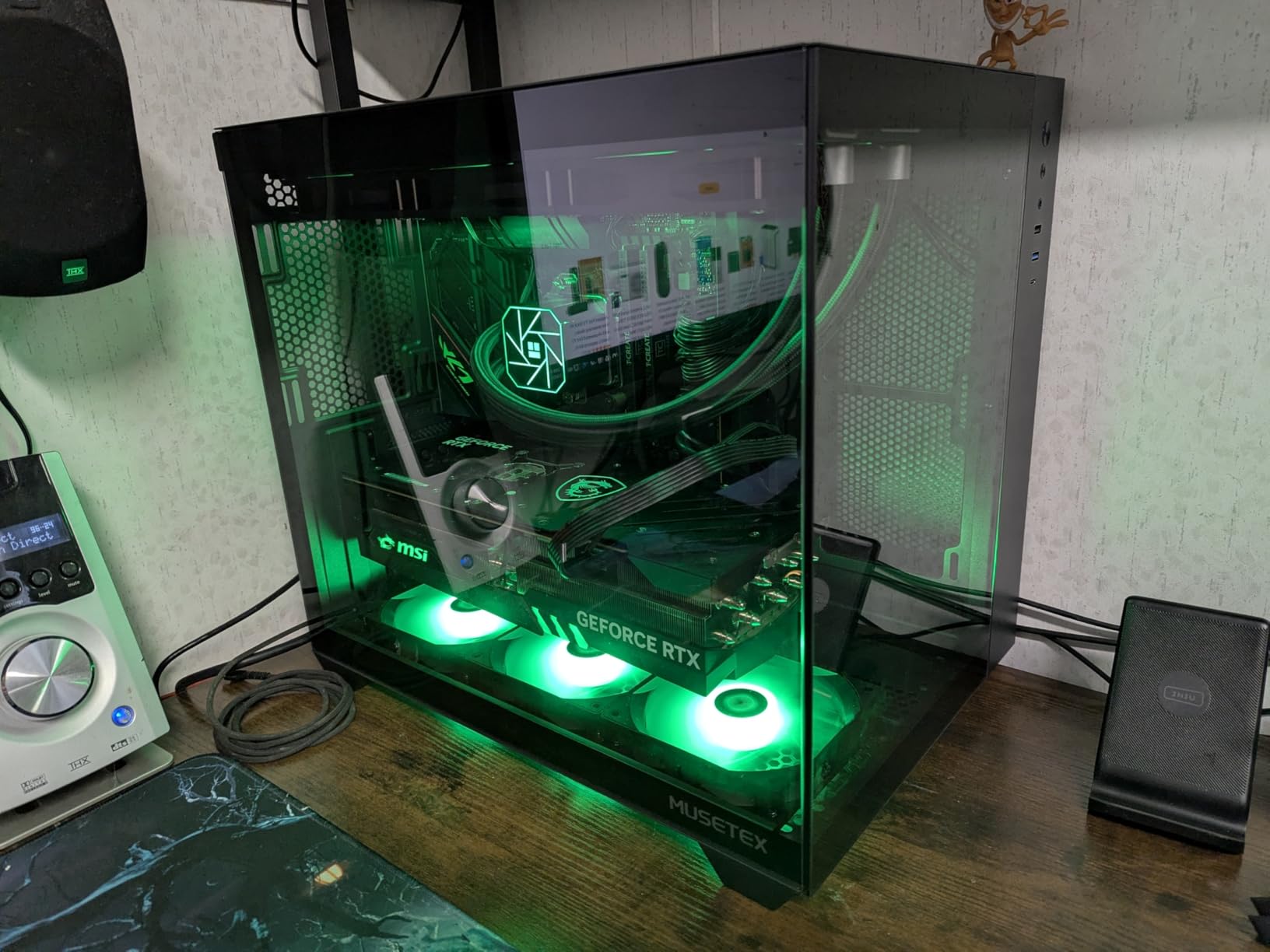
The Y6 gets the dual-chamber layout right in a way that is usually reserved for more expensive chassis. The power supply sits in its own ventilated channel rather than under the motherboard tray, which keeps it from recycling warm exhaust air into the GPU intake.
Four 120mm non-LED fans come fitted, three reversed on the side to push air into the chamber and one at the rear to pull it out. There is room for nine fans in total plus a 360mm radiator on top, so the chassis is not close to full out of the box.
Clearance is generous, with GPUs up to 410mm, CPU coolers up to 160mm, PSUs up to 230mm and 360mm top radiator support. The front panel carries a Type-C port, a USB 3.0 and a USB 2.0, which is more than most cases at this level.
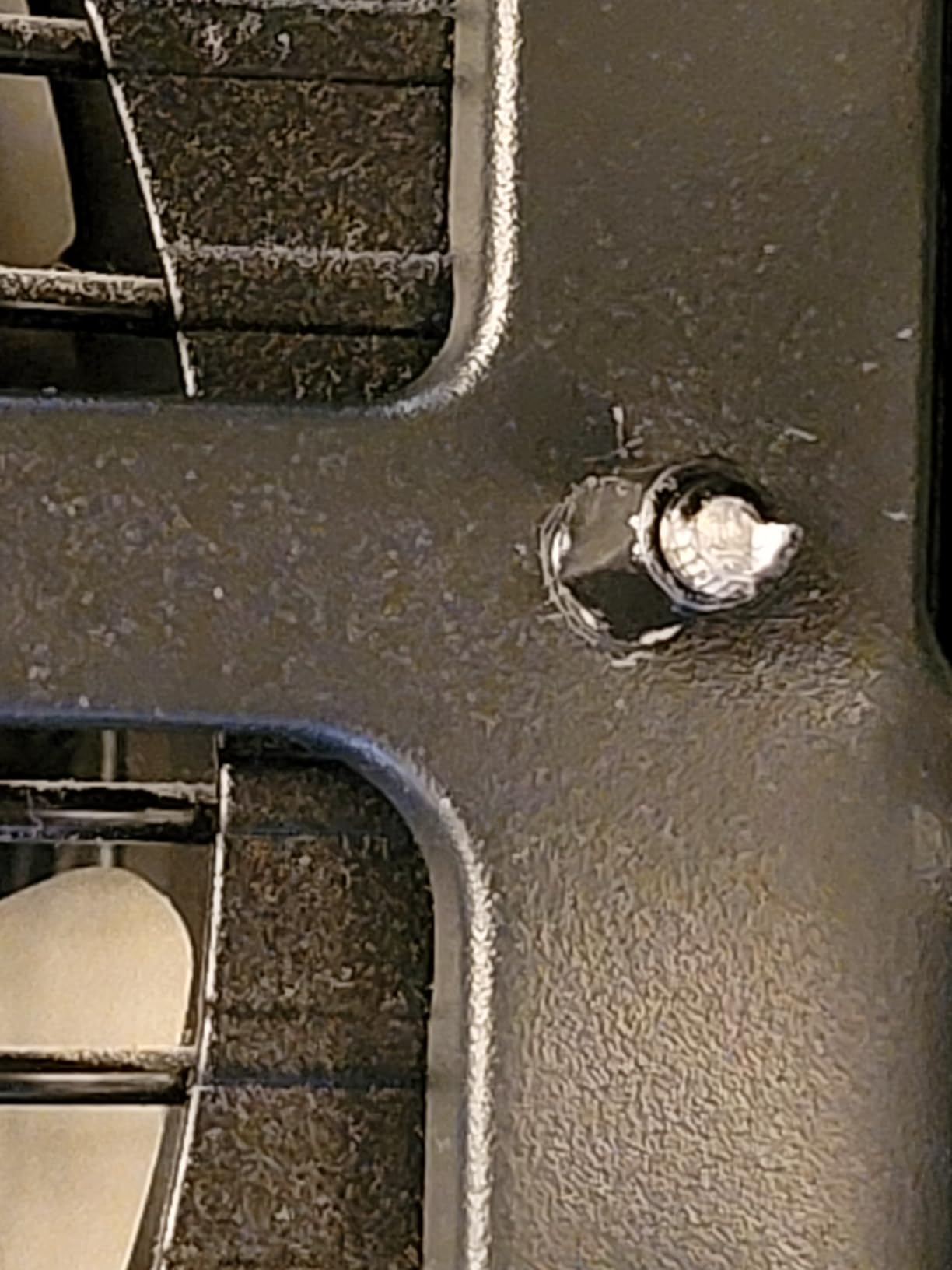
The build quality is the weak point, and reviewers are honest about it. Motherboard standoff alignment is inconsistent, with some screws and standoffs stripping or spinning, and a full-size ATX board can sit flush against the bottom plate, which cuts cable space.
Who should buy the MUSETEX Y6
Buy it if you want the fish-tank look without giving up airflow. The 270-degree dual tempered glass panels keep the components visible, and the non-LED fans mean no lighting cable clutter inside the chamber.
It suits long GPUs too, with 410mm of clearance and a 230mm power supply allowance, and the ten-year listed warranty is longer than most in this group.
Who should skip the MUSETEX Y6
Skip it if you are not confident with a build, or if you have someone else assembling it. Inconsistent standoff threads are the most reported issue, and they can cost you time.
Skip it if you want the smallest possible footprint. At 16.73 inch deep and 10.83 inch wide it is wider than most ATX cases in its class.
What Actually Makes a PC Case High-Airflow
A case is a restriction on air movement, nothing more. It does not cool anything itself, so high airflow simply means the case gets out of the way of the fans you already have. Four things matter most, and most airflow-first buying guides ignore three of them.
Intake area is not the same as fan count. Three intake fans behind a solid panel with narrow slots deliver less air through the case than one intake fan behind fine mesh. Look at the material: steel perforated panels and fine mesh move air, while tempered glass and narrow plastic slats do not. The cases on this list split cleanly into mesh-perforated designs and dual-chamber glass designs, and the difference shows up in how high you have to run your fan curve.
Bigger fans beat more fans. This is the single most repeated piece of advice in the r/buildapc threads we read. A 180mm fan moving the same volume as three 120mm fans does it at a lower RPM, which means lower noise and less static pressure loss through the filter. That is why the Fractal North includes 140mm fans and why buyers hunt for 180 to 200mm mounts.
Bottom intake feeds the graphics card. A graphics card draws most of its air from the bottom of the case, not the front. A chassis with a perforated power supply shroud that accepts fans underneath gives your GPU a dedicated cold air supply. The NZXT H5 Flow is the clearest example on this list, with dual 120mm bottom intake built into the shroud.
Positive pressure beats negative pressure. Slightly more intake than exhaust keeps the chassis at higher internal pressure, which means unfiltered gaps push air outward instead of pulling dusty air in through the seams. Aim for one or two more intake fans than exhaust. A common rule of thumb for a mid-tower is three front and bottom intakes against one rear exhaust and one top exhaust.
The trap people fall into is chasing a large fan count. Seven small fans spinning fast are louder than four larger fans spinning slowly for the same air volume, so count your fan positions and their sizes rather than the number of holes in the chassis.
How to Choose a High-Airflow Case for Your Build
Airflow first, hardware fit second, aesthetics third. Work through these in order, because a case that cools beautifully and does not fit your graphics card is not a bargain.
Check your GPU length in millimetres, then add margin. This is where most builds go wrong. Forum builders repeatedly hit millimetre-level failures, and the most-reported example is a 350mm graphics card against a case with 349mm of clearance. Measure the card, then measure the case spec, and leave yourself at least 10mm. Among the picks here, the Lian Li V100 takes 420mm and the NZXT H9 Flow and H5 Flow and MUSETEX Y6 take 410mm, while the Fractal North at 355mm is the tightest here.
Match radiator support to your cooling plan. A 360mm AIO needs a top or front mount that accepts it, and top mounts often interfere with tall memory. The MUSETEX NN8 stops at 280mm, so it is not a 360mm AIO case. If you plan liquid cooling, confirm both the mount position and the RAM clearance before buying.
Do not forget CPU cooler height. A 159mm limit like the Cooler Master Q300L rules out many large dual-tower air coolers, while the Lian Li V100 at 178mm and the Fractal North take the taller models comfortably.
Decide whether you already own fans. This is the question forum builders argue about most. If you already have a stack of good 120mm or 140mm fans, treat the included set as almost irrelevant and buy purely on chassis architecture. If you are starting from nothing, a case with six or seven included fans effectively bundles the fan cost into the chassis.
Work out your effective cost. A case that ships with two fans may need four more before it performs. A case that ships with seven needs none. When comparing options, count the case plus the minimum fan spend rather than the case alone.
Do you need a fan hub? Only if the case includes more fans than your motherboard can power. Most boards handle four or six fan headers, so a seven-fan chassis usually needs a hub or a splitter, and a case with an integrated hub saves a cable.
Is bigger actually cooler? Not automatically. A larger chassis has more space and usually more fan mounts, but volume alone does not create airflow. The critical variable is intake area and whether the layout gives your GPU air from below. A compact case with dedicated bottom intake can cool a hot card better than a large case with a sealed front.
Noise tolerance decides your fan plan. High airflow is pointless if it is loud. If you want silence, plan to run larger fans on gentle curves rather than many small fans at high RPM, and expect to replace stock fans in cases that ship with loud 3-pin case fans.
While you are planning, our portable case picks cover moving a build to a LAN event, which is worth thinking about if you also need a transport case.
Frequently Asked Questions
What PC case has the most airflow?
The NZXT H6 Flow leads our ranking of the best PC cases for airflow because three 120mm fans come pre-installed at an angled intake position and its compact dual-chamber layout keeps the power supply out of the cooling path. Cases with larger included fans and more open panels, such as the Fractal Design North with its two 140mm fans and mesh side panel, shift more air at lower RPM, but they ship with fewer fans and need more from you.
Which case is best for airflow?
It depends on whether you already own fans. If you do not, pick a case with six or seven included fans such as the MUSETEX K2 or the MUSETEX NN8. If you already have a stack of 120mm or 140mm fans, buy on chassis architecture instead, and look for mesh or perforated steel rather than glass, a bottom intake for your graphics card, and mounts that accept 140mm or larger fans. The Corsair 4000D RS ARGB fits that brief well.
Does a PC case affect airflow?
Yes. The case is a restriction on the air your fans move, so panel material, intake area and fan placement set the ceiling on your cooling. Perforated steel and fine mesh move air, while tempered glass and narrow plastic slats restrict it. A sealed or poorly vented power supply shroud can force your graphics card to breathe recirculated air, which is why cases with a perforated shroud and bottom intake run cooler on hot cards.
Should intake fans be bigger than exhaust fans?
Not necessarily, but it is a good default. Fan size should match the opening it sits behind, so a 180mm intake needs a 180mm mount rather than three small fans on a small panel. What matters more is total volume: aim for one or two more intake fans than exhaust to keep the chassis at positive pressure, and use larger frames at lower RPM so the case stays quiet.
Is a bigger PC case better for airflow?
Not automatically. A larger chassis usually offers more fan mounts and more clearance, but volume alone does not create airflow. Intake area, panel material and whether the layout feeds your graphics card from below matter far more. A compact case with a perforated power supply shroud and dual bottom intake can cool a hot graphics card better than a large case with a sealed front, so measure the layout rather than the dimensions.
Is 7 case fans overkill?
No. Seven fans is a common and effective configuration for a mid-tower if they are set up as positive pressure with one or two more intake than exhaust. The caveat is fan size: seven small fans spinning fast are louder than four larger fans spinning slowly for the same air volume. Check that your board can power them or budget for a fan hub, and confirm the case actually has enough mounting positions for the count.
Final Verdict on the Best PC Cases for Airflow
After comparing ten chassis on intake architecture, included fan size and count, GPU clearance and radiator support, the NZXT H6 Flow takes the top spot for the best PC cases for airflow in 2026. Three angled 120mm fans and a dual-chamber layout mean it cools well from the moment you finish the build, which is exactly what most people are looking for.
The Fractal Design North is the pick if looks matter and you want real mesh rather than glass, the Corsair 4000D RS ARGB is the strongest all-rounder with mounts that accept large fans, and the NZXT H9 Flow is the only one here aimed directly at a top-tier graphics card. If you are starting with no fans at all, the MUSETEX K2 with its seven included units gives you the most air movement for the least extra spending.
Before you buy anything, measure your graphics card and your CPU cooler, then count the fans you already own. Getting those two numbers right will save you more money than any deal on the chassis itself.

