

The best solar security cameras for barns are not the ones with the highest resolution on the box. They are the cameras that solve two problems a normal outdoor camera cannot: there is usually no power outlet in a barn, and there is usually no router signal once you walk past the corrugated steel wall. Solar handles the first. Connectivity handled well handles the second. Everything else, including 4K sensors and colour night vision, is a tiebreaker.
That is why this roundup is organised the way it is. We went through the current solar camera market, read the spec sheets, and read thousands of owner reviews, then grouped the results by the one question that actually decides the outcome on a farm: does the camera have a usable way to get a signal out of that building? Seven of the ten picks here are Wi-Fi cameras. Two are 4G LTE cellular, and one switches between the two automatically.
One honest note before we start. This is a research-based roundup, not a season spent in a working barn. We verified specifications against manufacturer data and cross-checked them against owner reviews, including the complaints. Where owners report a problem repeatedly, we treat it as a real limitation rather than a bad review. What we cannot claim is a full winter of footage from a hay barn, so where cold-weather behaviour matters, we tell you what the published operating ranges actually say.
We also earn a commission when you buy through our links, at no extra cost to you. That never changes the ranking order.
If your setup is smaller than a barn, our guide to the best solar-powered security cameras for sheds covers the same ground for outbuildings, and our roundup of the best outdoor security cameras covers the non-solar end of the market.
Top 3 Best Solar Security Cameras for Barns in 2026


eufy SoloCam S340 3K
- 3K dual-lens 8x zoom
- 360 pan and tilt
- removable solar panel
- no monthly fee

The Argus Eco takes the top spot on evidence rather than on features. It has the largest review base in this group at 9,387 owners, it records to local storage with no subscription, and its 3W panel is genuinely small, which means you can mount it on a barn wall without running cable to it. The eufy S340 is the one to buy if image clarity and blind-spot coverage matter more than count, and the SEHMUA is the sensible low-cost unit for covering an outbuilding.
All 10 Best Solar Barn Cameras Compared in October
| Product | Specs | Action |
|---|---|---|
| REOLINK Argus Eco Solar 2K 5MP |
|
Check Latest Price |
| eufy Security SoloCam S340 3K |
|
Check Latest Price |
| SEHMUA Solar 2K 360 View |
|
Check Latest Price |
 Cinnado B6 2K Solar 2-Pack Cinnado B6 2K Solar 2-Pack |
|
Check Latest Price |
 Tapo SolarCam C402 KIT Tapo SolarCam C402 KIT |
|
Check Latest Price |
 aosu D1 Classic 4-Cam Kit aosu D1 Classic 4-Cam Kit |
|
Check Latest Price |
 REOLINK Argus PT Ultra 4K Solar REOLINK Argus PT Ultra 4K Solar |
|
Check Latest Price |
 Xega 4G LTE Solar Cellular Camera Xega 4G LTE Solar Cellular Camera |
|
Check Latest Price |
 eufy 4G LTE Cam S330 eufy 4G LTE Cam S330 |
|
Check Latest Price |
 Tapo C660 KIT 4K Solar Tapo C660 KIT 4K Solar |
|
Check Latest Price |
Read the connectivity column first, then the battery. Those two columns decide whether a camera works in your barn at all, and everything else in this table is refinement.
What Is the Best Camera for a Barn With No Wi-Fi?
The best camera for a barn with no Wi-Fi is a 4G LTE solar camera with a built-in SIM, a large battery, and a panel that reaches a full day of charge. The first step is not shopping, it is standing at the exact mounting spot with your phone and counting cell bars. If you get one bar, no camera on this list will save you. If you get three or four, a cellular model works.
That single test is the most common mistake barn owners make. People buy a router-dependent camera, mount it, and discover the signal problem weeks later.
1. REOLINK Argus Eco Solar 2K 5MP: Best Overall Solar Barn Camera
REOLINK Solar Camera Outdoor Wireless 2K 5MP Smart AI Detction Argus Eco
Battery: 16.69Wh
Panel: 3W
Video: 2K 5MP
Storage: 512GB microSD
Pros
- 3W solar panel keeps the battery topped up without ladder trips
- Local microSD up to 512GB with no subscription
- AI detection separates people vehicles and pets to cut false alerts
- IP65 housing suits exposed outdoor mounting
Cons
- 2.4GHz WiFi only
- so it will not join a 5GHz network
- Fixed bullet body with no pan or tilt
- MicroSD card not included
Out of the ten cameras here, the Argus Eco is the one with the deepest evidence behind it. More than nine thousand owners have rated it, and the thing they mention most often is not the picture, it is the panel. People mount it high on a wall, forget about it, and the battery is still there months later. In a barn, where the camera goes up once and stays up, that matters more than almost any other spec.
The 2K 5MP sensor is genuinely sharp for a fixed bullet, and the 100-degree field of view is wide enough to cover a stall row or a gate approach from a single corner mount. It weighs 1.3 pounds, which sounds trivial until you are on a ladder in February.
Technically this is the simplest camera in the roundup, and that is not an insult. Storage is local microSD up to 512GB with no subscription attached, which means your footage does not stop existing because a payment failed. Detection is handled on the camera for people, vehicles and pets, so a horse walking past does not generate the same alert as a person walking past.
Night vision runs to 33 feet on four infrared LEDs, which is fine for a stall or a tack room and short for a yard. The listed operating range is 14 to 131 degrees Fahrenheit, so it will not be the limiting factor in a cold barn. Video records at 15 fps in MPEG-4, and the unit works with Alexa, Google Assistant, the Reolink app and a Reolink Home Hub if you already own one.
What you give up is movement. This is a fixed bullet with digital zoom only, so the aim you set at install is the aim you keep. In a barn with shifting bedding, hay bales and loose horses, a fixed view is arguably safer than a moving one, but you need to plan the mount before you drill.
What to check before you mount it
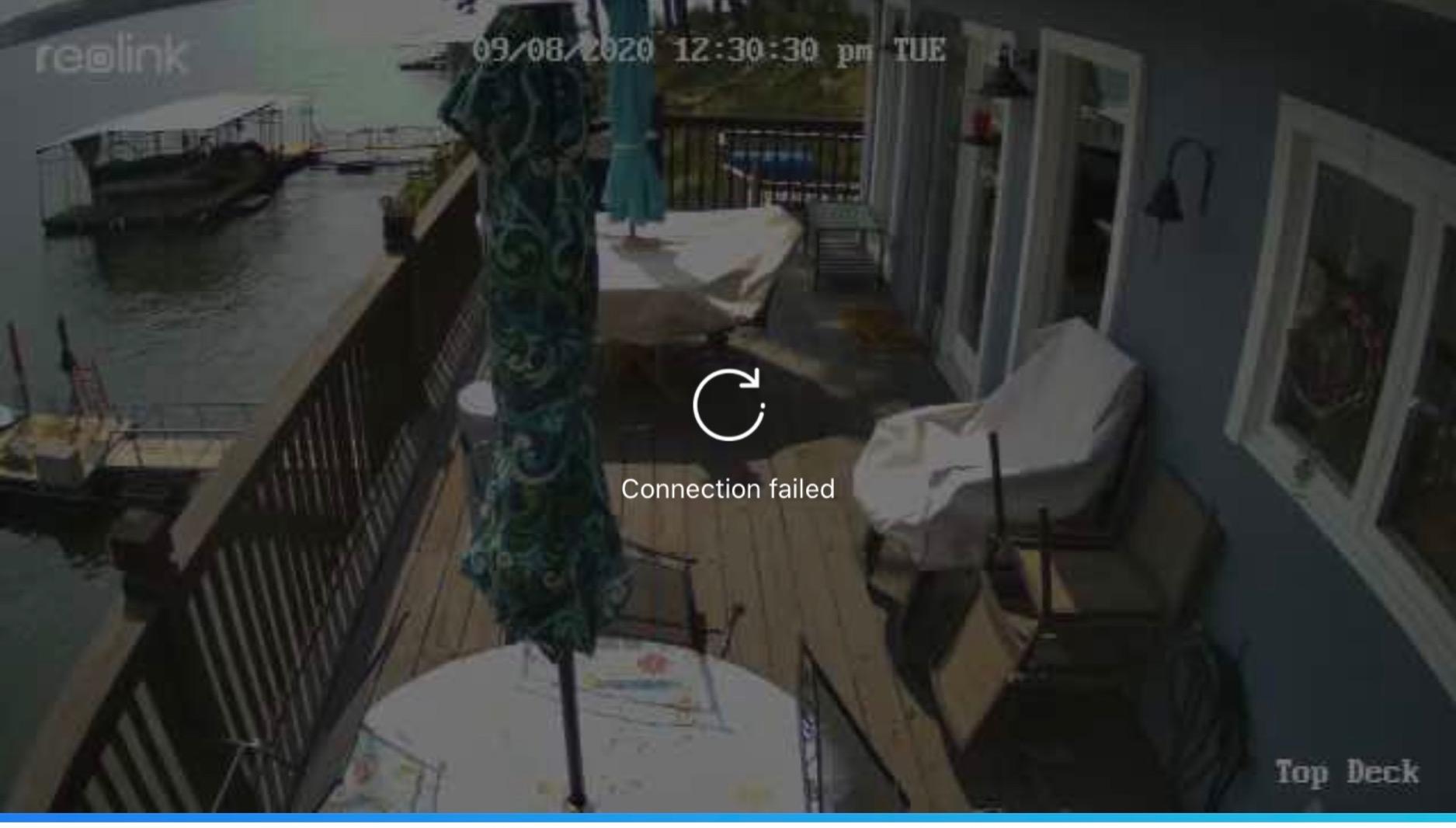
Confirm your router actually broadcasts a 2.4GHz band and that the barn is inside its range. This camera will not negotiate with a 5GHz-only network, and that is the single most common setup failure reported by owners. If your phone is on 5GHz when you pair it, pairing fails for a reason that is not written anywhere on the box.
Then check your microSD card. It is not included, and 512GB is the ceiling. In a barn with a lot of motion, capacity matters more than it does on a driveway.
Where it fits and where it struggles
This is the right pick for a barn with reliable Wi-Fi coverage, a tack room, a chicken run, or an equipment shed where you want cheap coverage across several buildings without a base station or a subscription.
It is the wrong pick for a barn at the end of the property with no signal, and the wrong pick for a yard large enough that a fixed 100-degree view leaves real gaps. Reolink owners on farms do like the app, and several mention standardising the brand across multiple buildings because everything sits in one place.
2. eufy Security SoloCam S340 3K: Best Value Solar Camera With 360 Coverage
eufy Security SoloCam S340, 3K Dual-Lens Solar Security Camera
Battery: 10000mAh
Panel: removable 5W
Video: 3K dual-lens
Storage: 8GB built-in plus microSD
Pros
- 3K dual-lens clarity with 8x hybrid zoom
- 360 degree pan and tilt removes blind spots without moving the camera
- Removable solar panel has kept owners off the ladder for over a year
- One-time purchase with 8GB built-in storage and no monthly fee
- Fast responsive pan and tilt with accurate person tracking
Cons
- Plastic mount feels flimsy and is not theft-resistant
- Some false motion alerts from wind-blown trees and default zones
- Two-way audio is tinny and talk-wait-talk rather than full duplex
Our rule for this list is that power and signal outrank resolution, and the S340 earns its place on signal clarity and coverage rather than on the sensor alone. It is the only camera in the upper half of the roundup that combines a 3K dual-lens, full 360-degree pan and tilt, and a genuinely large 10000mAh battery with a panel you can remove and reposition.
Owners running multiple units across a property describe exactly the pattern a farm needs: fit one, forget it, the panel keeps the battery up. The 8x hybrid zoom on the dual-lens is the part that changes decisions, because it lets you pull detail out of a wide barn aisle rather than guessing who that was.
The 135-degree field of view plus 360-degree pan means one camera can replace the two fixed corners a typical barn layout would otherwise need. At 630 grams and 3.42 by 3.42 inches, it is small enough to hide under an eave without looking like a security appliance bolted to the siding.
Storage is 8GB built in, with an optional microSD slot, and there is no monthly fee on either path. The listed night vision range is six meters, and colour night vision is handled by the sensor rather than a spotlight you have to switch on, which is a real difference from some of the budget units here.
The honest weakness is the mount. Multiple owners describe the included plastic bracket as light, slightly moveable in the socket, and easy to release. On a building where theft is the reason you are installing a camera, that is worth taking seriously. Several people replace it with a metal mount or a security screw as a matter of course.
What to check before you mount it
Decide early whether you will use the built-in 8GB or buy a microSD card. On a 3K sensor with 360-degree movement, onboard storage fills faster than the marketing implies, and the only way to know your retention period is to test it in your own lighting before you rely on it.
Also give the camera one full charge on a wall before you mount it. Several owners report that the first solar days behave oddly if the battery went out flat during shipping, and a full charge removes the variable.
Where it fits and where it struggles
This is the camera to buy for a barn that has Wi-Fi but a complicated shape: an L-shaped shedrow, a yard with a gate on a diagonal, a run with more than one entrance. The pan and tilt is what makes that possible.
For foaling or calving monitoring, the tracking and the 8x zoom are useful. What it cannot do is overcome a signal dead zone, and the two-way audio is not good enough to rely on for talking to anything that is not curious. A few owners also report over-sensitive motion zones in open barn doors, so set activity zones before you trust the alerts.
3. SEHMUA Solar 2K 360 View: Best Low-Cost Pick for Outbuildings
SEHMUA Solar Security Cameras Wireless Outdoor, 2K 360° View Battery Powered Outdoor Camera, WiFi Home Security with Spotlight Color Night Vision, PIR Sensor
Battery: solar with backup
Video: 2K 355 pan
Storage: 128GB microSD
Temp: -4F to 121F
Pros
- Lowest cost entry here with a 4.2-star average
- 355 degree horizontal and 100 degree vertical pan and tilt from one unit
- IP65 housing tested down to -4F
- PIR sensor with human-like recognition reduces false alarms
- Two storage paths plus two-way audio
Cons
- Colour night vision needs the spotlight switched on manually
- 2.4GHz WiFi only with no 5GHz support
- No microSD card included
The SEHMUA is the unit people buy in numbers, and the 6,818 reviews at 4.2 stars suggest it does what it says. It is a single solar unit with a 360-degree pan and tilt view, IP65 sealing, and a listed operating range of -4 to 121 degrees Fahrenheit, which makes it one of the more cold-tolerant options in this roundup.
That combination of wide rotation and a low temperature floor is why it shows up on driveways, yards and outbuildings rather than in the main barn. One camera covers a lot of ground because it moves, and it keeps working in an unheated space in January.
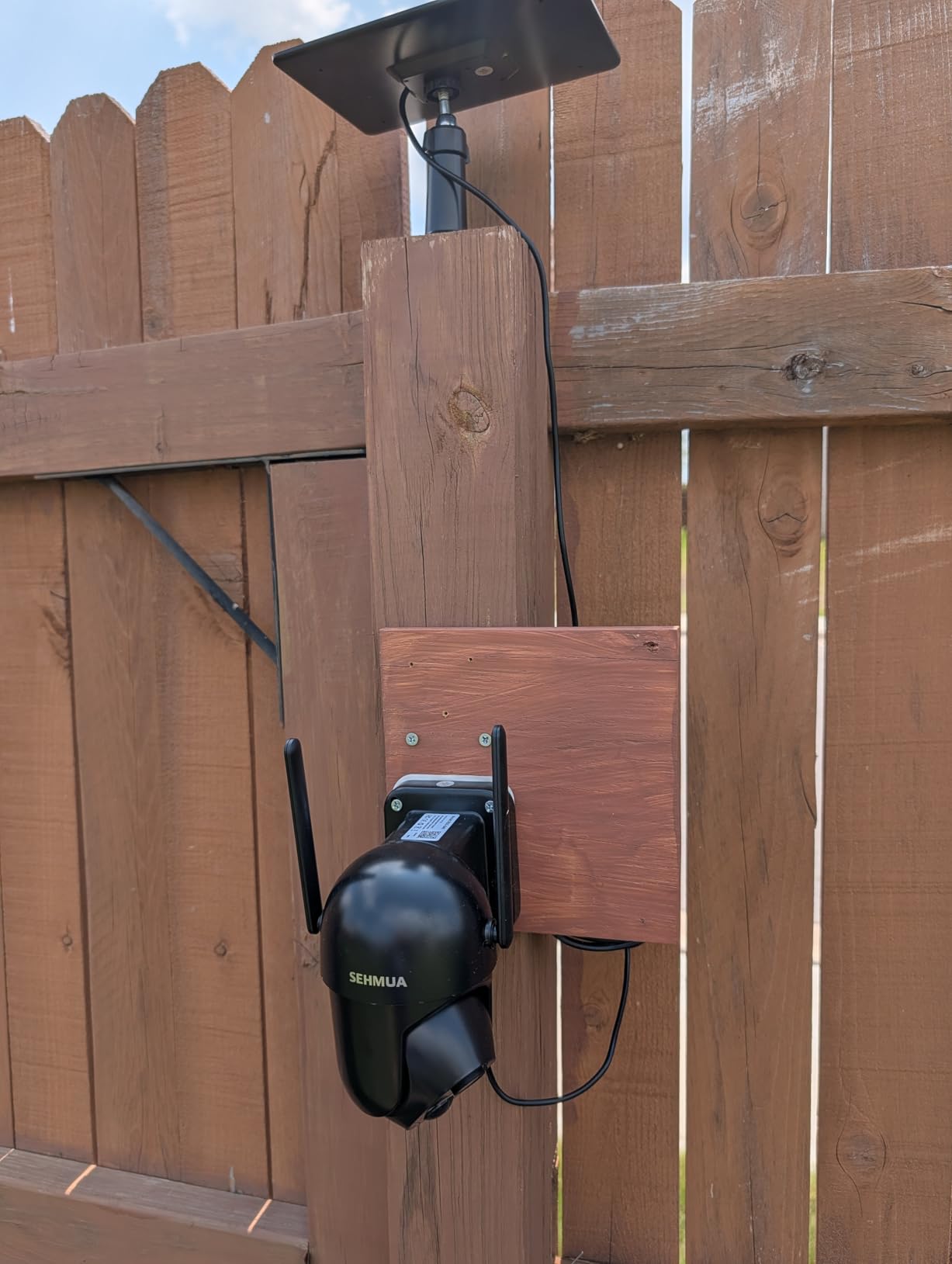
Technically it is a 2K sensor with no optical zoom, recording in MPEG-4 with motion-only alerts. The PIR sensor has human-like recognition, which cuts down on the wind and animal alerts that make people turn cameras off within a week. Storage is 128GB microSD or cloud, so you choose whether you pay anything recurring.
The form factor is a dome at 7 by 6 by 5 inches and 0.85 kilograms, with wall mounting. It runs on 3 watt-hours of solar, which is on the small side, so panel placement matters more here than on the units with 5W panels.
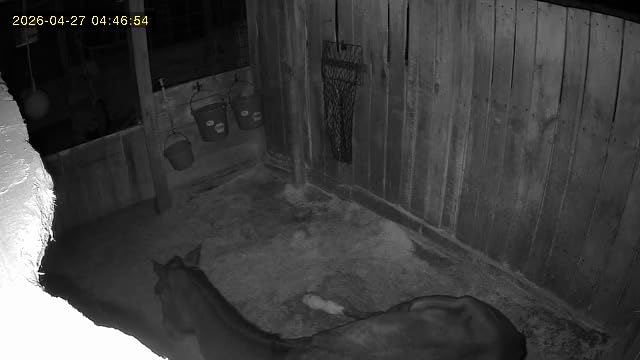
The most common complaint is the one that catches people out on their first night. Colour night vision is there, but the spotlight has to be switched on manually in the app. Left in its default state you get monochrome, and a barn aisle at night in monochrome is much less useful than the product page suggests.
What to check before you mount it
Turn the spotlight on before you mount it and decide whether you want it always-on. Motion-activated colour drains the battery faster, and on a 3 watt-hour panel in a shaded barn wall that trade-off can go the wrong way in winter.
Second, check the PIR range against your actual space. Owners covering wide driveways report more false alerts from wind-blown branches than from people, and this camera has no exclusion zones to fix it. Point it away from the gap under the barn door.
Where it fits and where it struggles
It is a good fit for a coop, a run, a garden perimeter, or a single outbuilding on a budget. It is also the easiest way to test whether a solar camera works at a location before you invest in something larger.
It is a poor fit where you need to identify detail. With no optical zoom and a 2K sensor, a 2K picture of a person at 40 feet is a guess. If you are watching for a specific intruder rather than general movement, spend up and get the zoom.
4. Cinnado B6 2K Solar 2-Pack: Best Pair for a Barn and Its Outbuilding
Cinnado 2K Solar Wireless Outdoor Cameras for Home Security White B6 2Pack
Battery: 5000mAh each
Panel: one per camera
Video: 2K 2304x1296
Storage: 128GB microSD
Pros
- Two cameras and two panels in a single pack
- 5000mAh batteries held 95-100 percent through several cloudy days for one buyer
- PIR plus AI human detection with three sensitivity levels
- Auto tracking followed a delivery driver from truck to door in one owner test
- Local microSD storage with no forced cloud subscription
Cons
- Motion events only
- not 24/7 continuous recording
- 2.4GHz WiFi only
- MicroSD card and cloud both sold separately
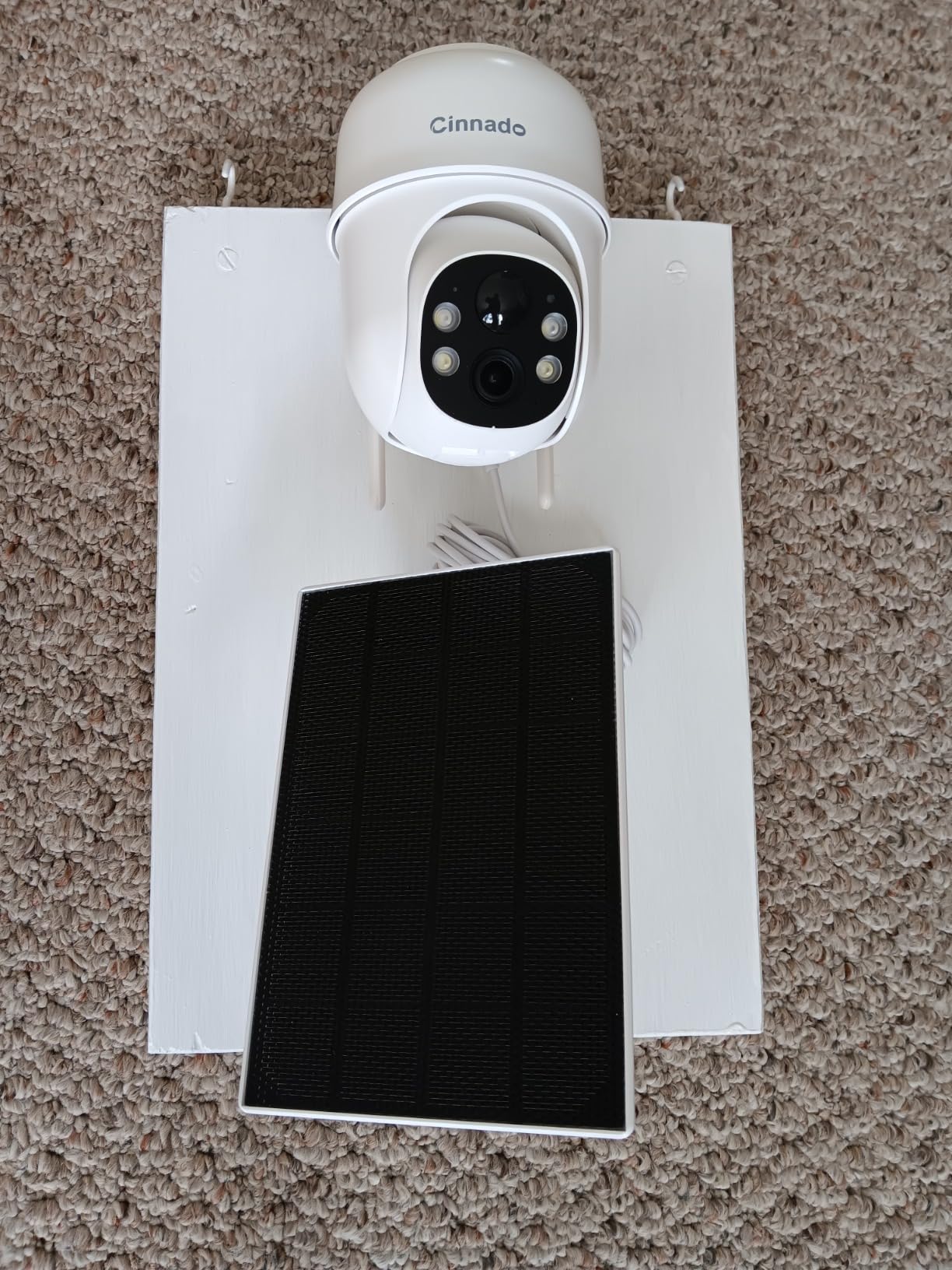
Coverage planning is where most barns come unstuck, and a two-pack solves the awkward arithmetic. One camera in the barn is a gap you notice. Two cameras in the barn and the attached shed is a system. The Cinnado B6 ships two cameras, two panels, and two 5000mAh batteries, which is exactly the pairing most single-barn properties need.
Cinnado is also one of the few brands in this list that names farms and barns as a target environment in its own product positioning, and owners describe the panels holding charge through cloudy stretches better than they expected. One buyer in Oklahoma reported the batteries staying between 95 and 100 percent across several overcast days.
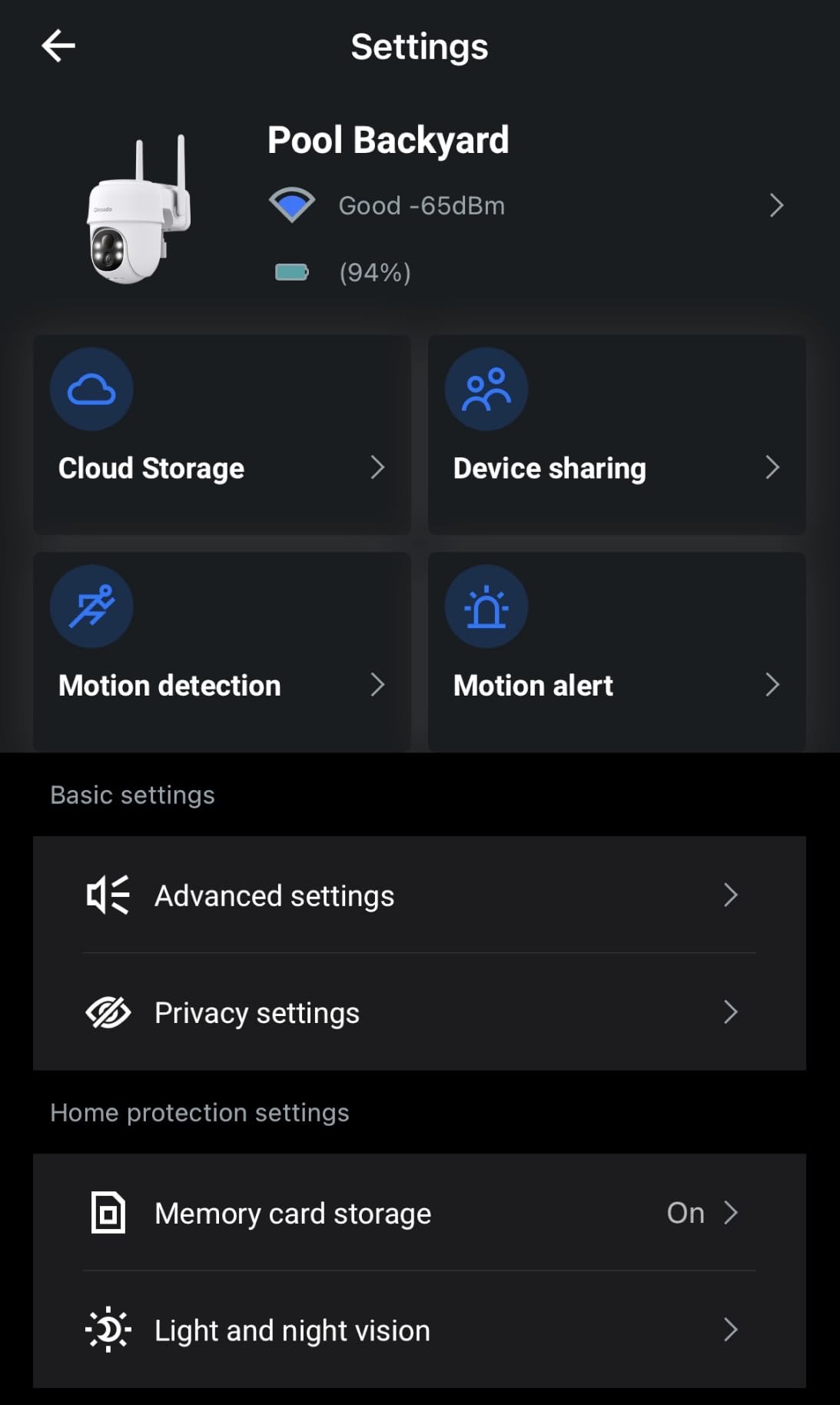
On paper the sensor is a 2K 2304 by 1296 panel running at 15 fps, with 4x optical zoom and 360-degree pan and tilt on a 90-degree viewing angle. It falls back to a lower resolution on weak networks, which is worth knowing because barns are exactly where networks are weak. Night vision reaches 33 feet and there are three night modes including auto colour triggered by the spotlight.
Detection is a combination of PIR and AI human detection with a 16 to 29 foot range and three sensitivity levels. That adjustability is the most useful barn feature on the card, because a foaling stall, a gate and a hay storage door all need different sensitivity.
The limitation to plan around is recording behaviour. This records motion events only, and clips on the card are capped in short increments. That is fine for theft and arrivals. It is not a substitute for continuous coverage of a foaling box, and owners wanting around-the-clock records should look at the Tapo C660 further down.
What to check before you mount it
Put your phone on the 2.4GHz band during setup, and keep it there until both cameras are paired. This is a 2.4GHz-only radio, and a failed pairing that happens because the phone was on 5GHz is the most reported setup frustration in the reviews.
Decide on storage before you mount. Neither the microSD card nor the cloud option is included, so there is a purchase either way, and it is easier to size the card while both cameras are still on the bench.
Where it fits and where it struggles
This is the pick for one barn plus one outbuilding, or a coop and a run, where you want the same view from two places and you would rather not deal with a base station.
It struggles where you need long-term footage. A unit that occasionally drops off the network and needs re-pairing is not what you want watching an empty property overnight, so test both cameras on the property Wi-Fi before you rely on them for security.
5. Tapo SolarCam C402: Best When the Panel and Camera Need Separate Spots
Tapo SolarCam 1080p Security Camera Wireless Outdoor- Battery Power with Solar, Person Detection, Subscription-Free Local Storage or Optional Cloud, Works with Alexa & Google Assistant, C402 KIT
Battery: solar plus pack battery
Panel: 5W on 13ft cable
Video: 1080p 30fps
Storage: 512GB microSD
Pros
- 45 minutes of direct sun for a full day is the stated charging claim
- 13ft cable separates panel placement from camera placement
- Free person and motion detection with activity zones
- Full-colour night vision to 30ft via built-in spotlights
- Backed by the TP-Link ecosystem with broad app support
Cons
- Solar charging stops below 32F
- 1080p is the lowest resolution here
- MicroSD card not included and cloud needs Tapo Care
The problem this camera solves is the one almost nobody mentions: on a barn, the ideal spot for the camera and the ideal spot for the solar panel are frequently not the same place. The camera wants to see the aisle and the camera wants to be high. The panel wants to face the sun and the panel wants to be unshaded. The C402 ships with a 13-foot extension cable so you can put them wherever each one belongs.
That single feature is why it earns a place on a barn list even though the sensor is 1080p. Most of the cameras here have a fixed panel moulded to the housing, which means you compromise on one or the other.
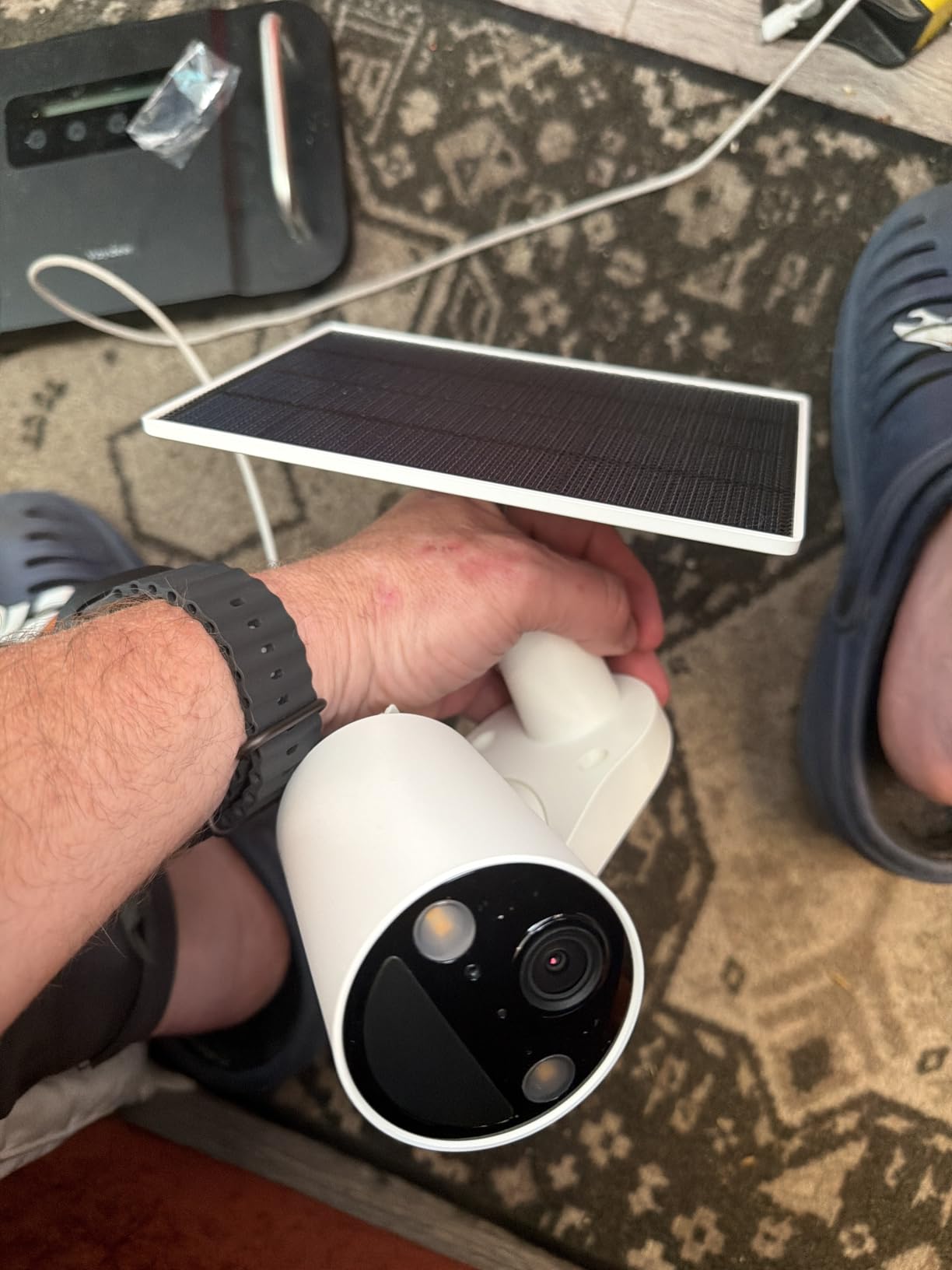
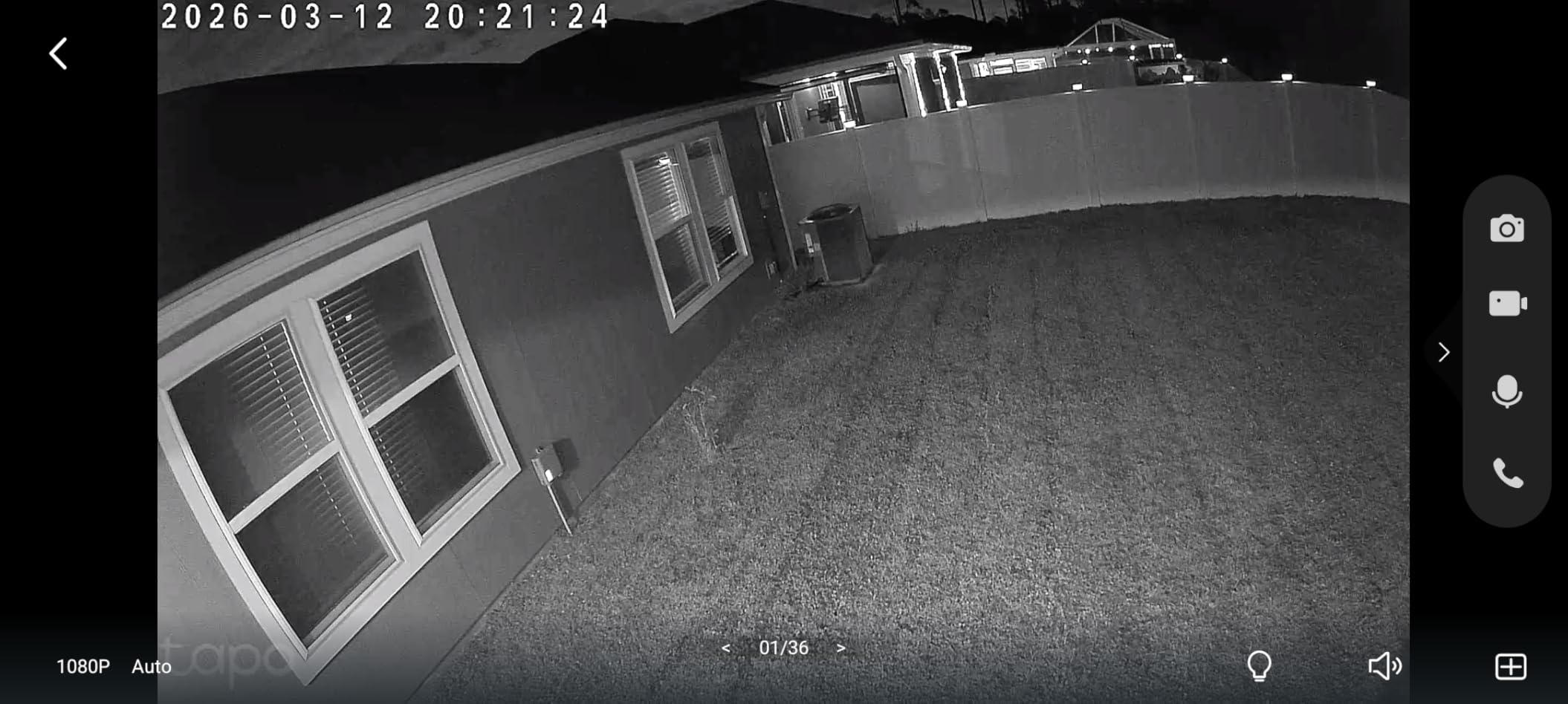
The rest of the package is straightforward and well built for the tier. A 5W panel, a 125-degree field of view, 30 fps, IP65 sealing, and 30 feet of full-colour night vision from built-in spotlights. Storage is local microSD up to 512GB or an optional Tapo Care subscription, and person detection is free with activity zones rather than a paid feature.
There is a very specific cold-weather caveat here that matters more in a barn than anywhere else. Solar charging requires temperatures above 32 degrees Fahrenheit. The battery will run the camera below that; the panel simply will not top it up. In a northern climate, that means your charging season is effectively spring through autumn and your winter budget is stored energy.
With a fixed view and no pan or tilt, aim is a one-time decision at the mounting point. There is also no bundled microSD card, and cloud recording is behind a subscription, so the free local path requires one extra purchase.
What to check before you mount it
Plan for winter battery capacity, not just average daily use. If your barn is unheated and the panel will sit below 32F for months, work out how many days of stored charge you need to carry the camera through that stretch, and check the claimed 180-day cloudy-weather figure against that.
Use the extension cable deliberately. Mount the panel where it gets unobstructed sky, even if that means the roof edge or a post away from the camera, and keep the run tidy and out of the way of a horse that is leaning on things.
Where it fits and where it struggles
It suits a barn where the roofline gives the panel good sun and the wall corner gives the camera a good view, which is the usual geometry on a south-facing barn. It also suits a property already running the Tapo ecosystem, since everything lands in one app.
It is a poor fit for an unheated northern barn in midwinter on the strength of the charging floor, and for anywhere you need to resolve detail at range. 1080p with a fixed lens gives you presence and movement, not identification.
6. aosu D1 Classic 4-Cam Kit: Best for Multi-Building Farms
aosu D1 Classic 4-Cam Kit, Security Cameras Wireless Outdoor, Solar Powered
Storage: 32GB in base, 4 months loop
Video: 2K 3MP 360 PTZ
Power: solar, 3h sun daily
Pros
- Four cameras plus a base with 32GB built in
- Base holds roughly four months of loop recording with no subscription
- Cross-camera tracking relates the same event across units
- Solid charging even mounted under an overhang with a gutter mount
- Support repeatedly praised for refunds and replacements
Cons
- The highest cost here for four cameras
- Optional subscription pricing is only revealed inside the app
- One to two second sense-then-act delay can miss fast movers
Once a property has more than two buildings, single cameras stop being a plan. The aosu D1 Classic is a four-camera kit with a local base station, and that base is the reason to consider it. It holds 32GB internally, roughly four months of loop recording, with no subscription attached.
That matters for a specific barn scenario: the footage stays on hardware inside your own building rather than on a server you do not control. Several owners make the theft point themselves, that the base keeps recording even if a camera is taken.
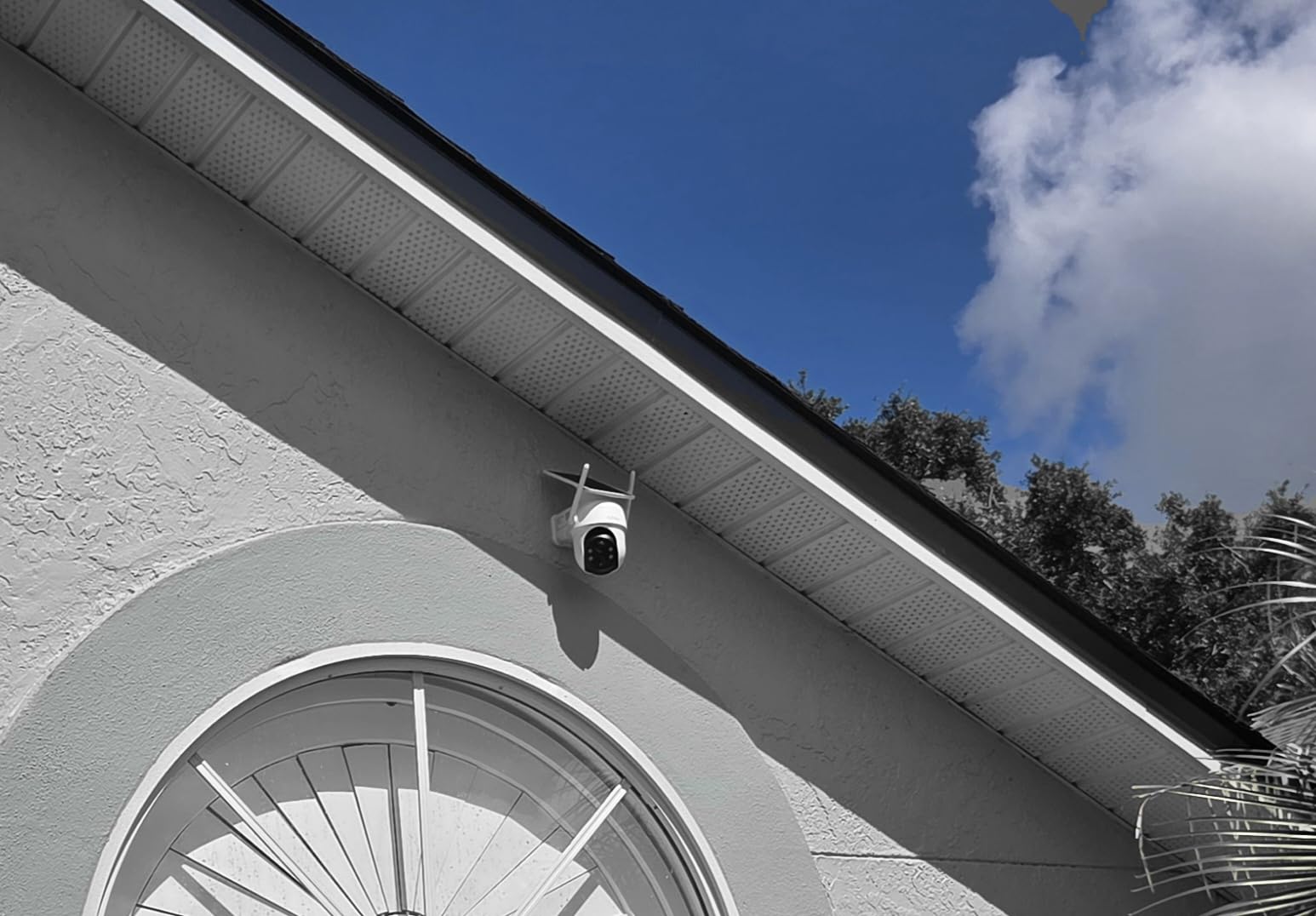
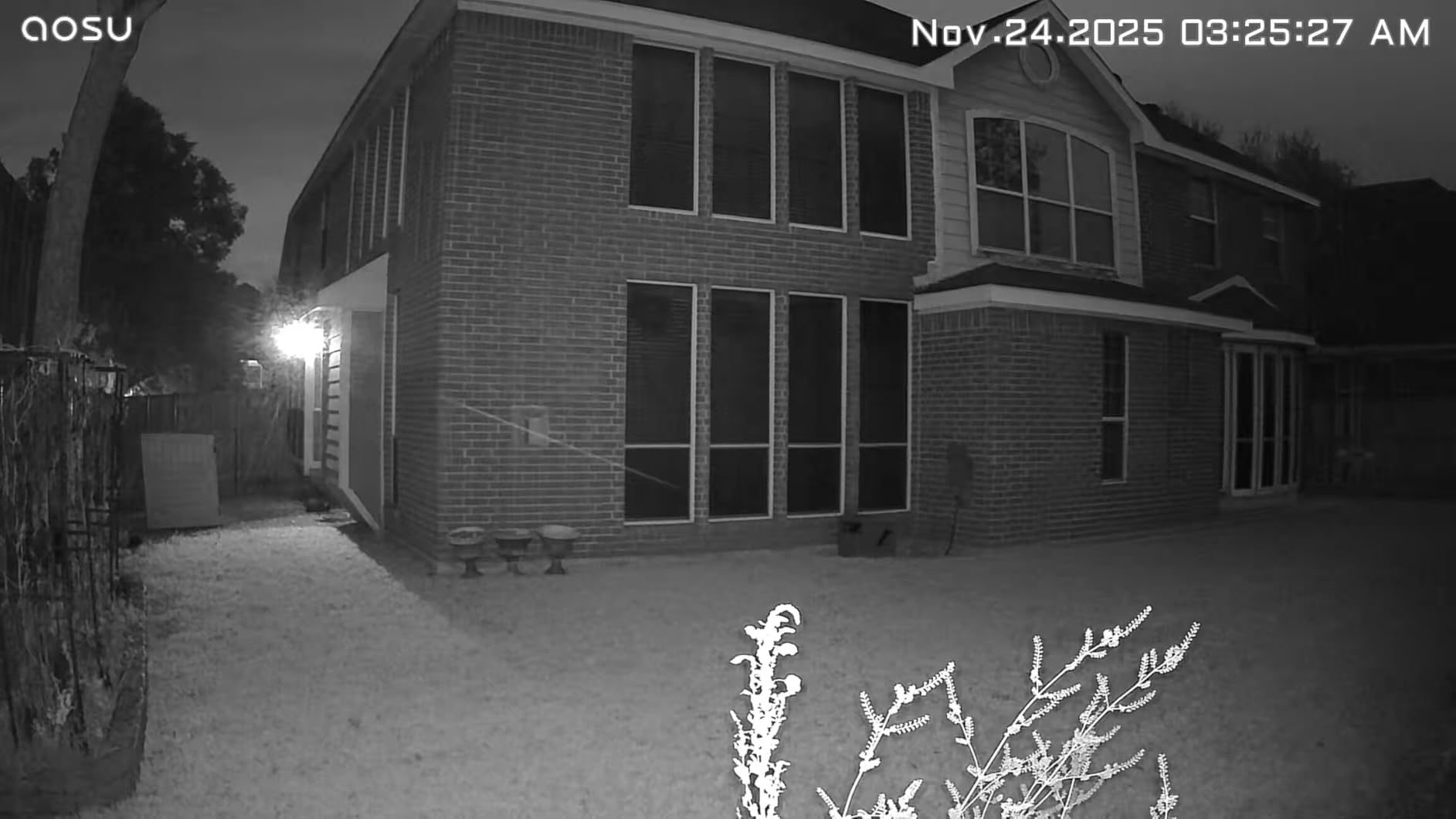
Each camera is 2K or 3MP with 360-degree pan and tilt, 6x digital zoom, and 33 feet of night vision using four LEDs. The claim is three hours of daily sunlight keeps them running, and owners mounting panels under an eave report acceptable results, particularly with an optional gutter mount. Installation is three holes per camera, about five minutes each.
Cross-camera tracking is the feature that changes how you use the system. Instead of checking four feeds separately, the app can relate footage of the same event across cameras, and four-way simultaneous live view puts them on one screen. For a property with a barn, a shed, a gate and a house, that is the difference between watching security and reviewing security.
There are real design quirks to know about. The sense-then-act delay of one to two seconds can miss something moving quickly, which matters for a loose animal or a fast rider. When the camera pans all the way to 360 degrees, tracking stops until the subject returns to view or it resets after about 30 seconds. And the base has no microSD expansion slot, so the 32GB is what you get.
What to check before you mount it
Work out the Wi-Fi reach to the base station before you buy four cameras. Every camera talks to the base, not to your router, and the base still has to be somewhere with signal and power. A base in a tack room and cameras at the far gate is fine; a base in a metal-sided barn with cameras outside is the problem.
Also read the optional subscription terms in the app before you rely on cloud. Owners note that the paid tiers cover three or five cameras, so a four-camera kit sits awkwardly between them, and pricing is not visible until you open the app.
Where it fits and where it struggles
This is the pick for a farm with several outbuildings where you want one app, one storage location, and no per-camera card to manage. It also handles a bigger property better than four stand-alone cameras because of the simultaneous views.
It is not the pick for a single remote pasture corner with no Wi-Fi at all, and the fixed solar panel is not south-facing adjustable, which returns us to the angle problem in a moment. For a foaling stall where you need to catch the exact moment, the motion delay is a real drawback.
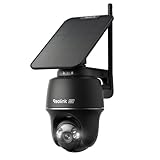
7. REOLINK Argus PT Ultra 4K: Best for Detail at Distance
REOLINK Argus PT Ultra First 4K Solar Security Cameras Wireless Outdoor
Battery: 21.6Wh
Panel: detachable 3W
Video: 4K 8MP
Storage: 512GB microSD
Pros
- Only camera here with dual-band 2.4GHz and 5GHz WiFi 6
- 4K 8MP with a motion-activated spotlight for colour at night
- 355 degree pan and 140 degree tilt with auto-tracking
- No subscription with microSD a hub or an FTP server
- One owner tested it in heavy rain and down to -20C
Cons
- Small 3W panel often fails to keep the 4K battery charged
- Quick start instructions leave the UID and reset pin undocumented
- IP64 is the weakest weather sealing in this roundup
When barn security means identifying a face rather than seeing movement, resolution stops being the tiebreaker. The Argus PT Ultra is 4K 8MP with a 10x digital zoom, 355 degrees of pan and 140 degrees of tilt, and a built-in spotlight that fires on motion to give you colour at night. On the image side, it is the strongest conventional camera in this roundup.
It is also the only one here with dual-band Wi-Fi 6, supporting both 2.4GHz and 5GHz. On a farm that matters, because most of the cameras in this list can only use 2.4GHz and that band is congested at any distance from the router.
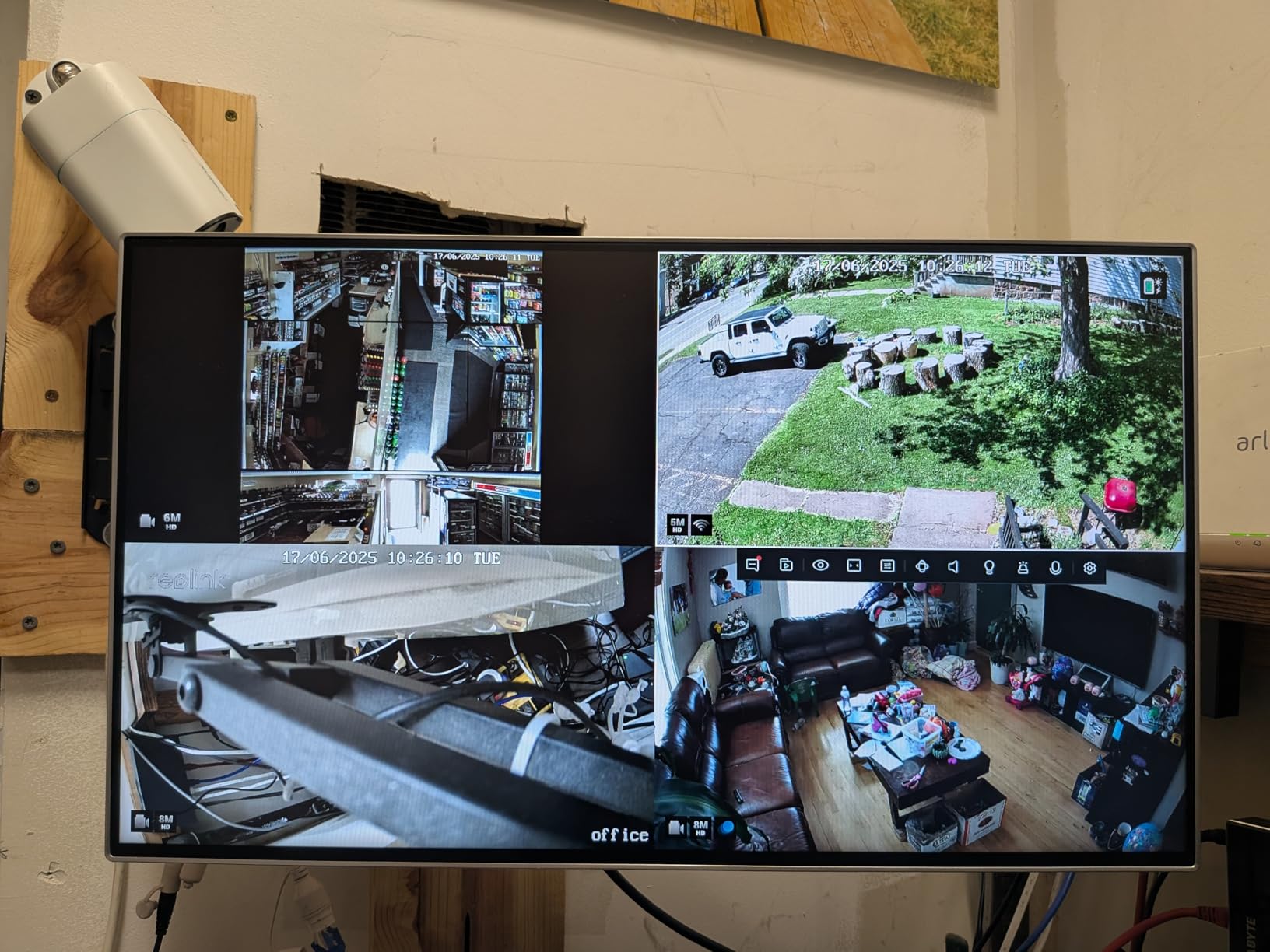
Storage is genuinely flexible: microSD up to 512GB, a Reolink Home Hub, or an FTP server or NVR, with no subscription on any path. Owners with existing Reolink wired setups report the camera simply appearing on a rescan, which is how you build a hybrid system without replacing what you have.
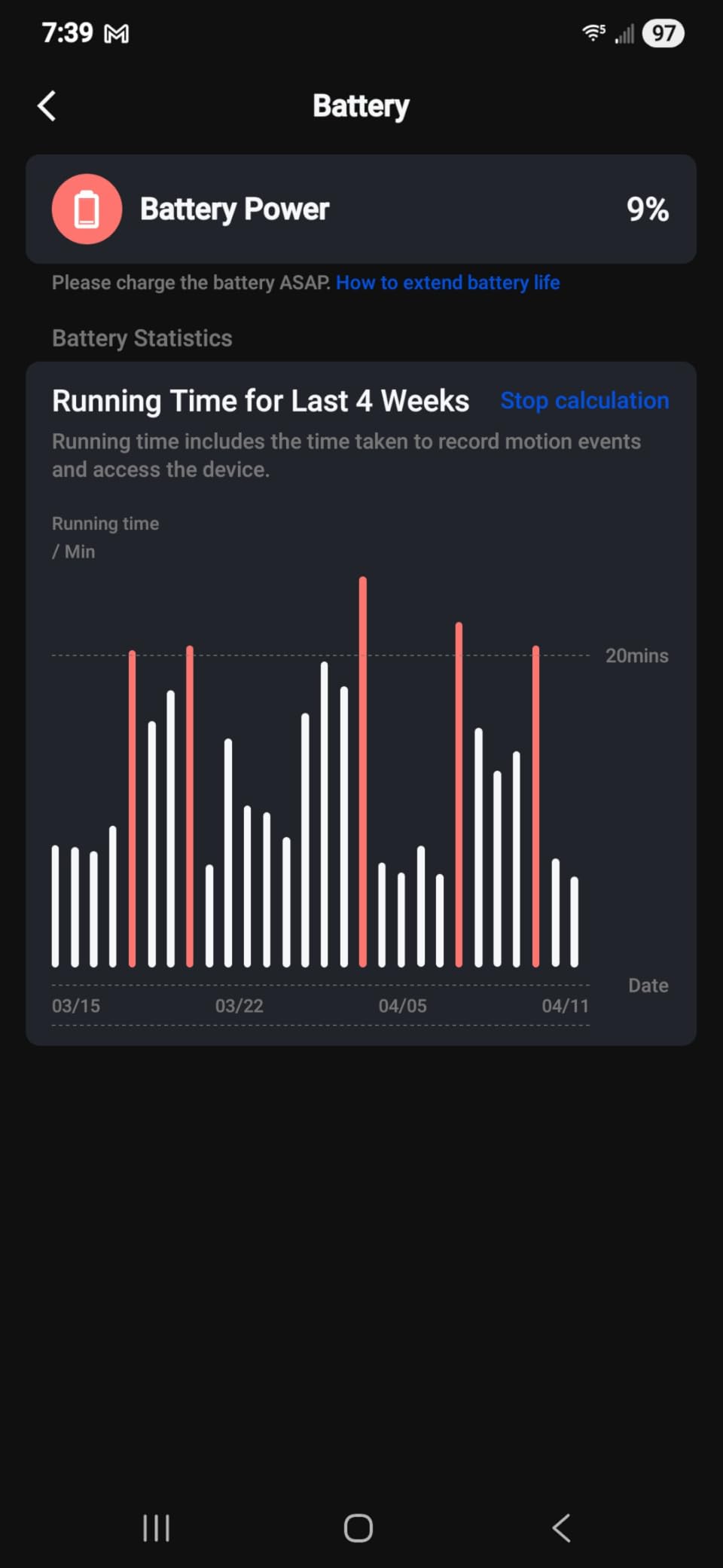
Now the part we cannot talk around. The reason this camera sits mid-pack is consistent across reviews: the detachable 3W panel frequently cannot keep a 4K sensor charged. Multiple independent owners report a 2 to 3 percent daily decline even in full sun, eventually leading to a shutdown. The panel needs about 20 minutes of sunlight a day on paper, and a 4K sensor asking for more than that is a mismatch the specification sheet does not resolve.
Weather sealing is IP64, the weakest in this list, so a barn roof edge with driven rain is not its friend. Setup documentation is also widely criticised, with the UID location and reset pin left undocumented.
What to check before you mount it
Budget for a bigger panel. If you want the 4K image, plan to swap the 3W unit for a larger one and position it with a proper south-facing bracket. Owners who do this report the problem disappears. Buying the camera for its sensor and planning the panel separately is the only version of this product that works reliably.
Then confirm the 5GHz network is actually enabled on your router and reachable at the barn. The dual-band support is a real advantage, but it is worthless if the barn only hears the 2.4GHz band anyway.
Where it fits and where it struggles
It fits anywhere you need to identify detail: a gate approach where a vehicle is the point, a gate camera covering a track, or a yard where a person might pass at fifteen feet. The auto-tracking plus 355-degree pan means one unit genuinely covers a whole corner.
It struggles in a dusty barn corner with nowhere to put a bigger panel, and at a spot exposed to driven rain given the IP64 rating. The 15 fps frame rate is also low for tracking fast movement, which is a limitation if you are using it for livestock rather than theft.
8. Xega 4G LTE Solar Camera: Best for a Barn With No Wi-Fi at All
Xega 4G LTE Solar Cellular Security Camera with SIM Card, No WiFi Needed
Battery: 9000mAh
Panel: 5W
Video: 2K 3MP PTZ
Signal: 4G LTE, no WiFi
Pros
- The only genuinely off-grid option in this roundup
- 5W panel and 9000mAh battery held full charge through very wet weather in one long-term test
- 82ft night vision is the longest range here
- IP66 housing for exposed rural mounting
- Support described as responsive including warranty help
Cons
- Needs an ongoing 4G data plan on top of the hardware
- Built-in SIM cannot be replaced or moved
- No automatic tracking and no exclusion zones
- Several independent reports of units failing within a year
- 4x digital zoom only
This is the camera for the barn at the end of the property, past the last router, behind the metal building. It has no Wi-Fi at all. It runs on 4G LTE with a prepaid EIOTCLUB SIM that includes 300MB of trial data, and everything it sees goes to your phone over the cellular network. Nothing about it depends on a router existing.
That is a genuine answer to the most common barn problem, and the hardware is respectable: a 5W panel, a 9000mAh battery, 2K with a 3MP photo sensor, 355 degrees of horizontal and 90 degrees of vertical pan and tilt, and IP66 sealing with a 14 to 140 degree operating range. The 82-foot night vision is the longest in this roundup by a wide margin.
Owners in genuinely remote locations describe good pictures, solid solar charging, and a camera that simply works where nothing else would. One long-term test reported the battery holding full charge through very wet weather, and another describes clear two-way audio. The intent is explicitly off-grid: farms, ranches, stables, remote gates.
The trade-off is cost and control. A monthly data plan is required after the trial allowance, and owners report annual data costs in the region of 80 to 160 dollars per camera, with cloud recording as a separate paid subscription on top of that. The SIM is built into the camera with no slot, so if the unit fails you lose the plan with it, and the built-in SIM does not work in every country.
There is no automatic tracking and, more importantly for a barn, no exclusion zones. A branch moving in wind will trigger clips and burn data with no way to mask it out. Several independent reports also describe units failing within a year, one of them citing an unsoldered internal antenna wire, which is a build-quality concern at this price.

What to check before you mount it
Stand at the mounting spot and count bars. Then do it again at night, because tower load and some coverage patterns change after dark. This is the single most important thirty seconds in the whole buying process, and the number one reason cellular cameras disappoint people is that nobody did it before the drill went in.
Then work out the data maths honestly. Decide whether you want motion-only clips or continuous upload, because that is the difference between a low monthly figure and a high one. One rural owner running motion-only pictures and short video reported a plan in the region of six dollars a month, which is the honest low end of the range.
Where it fits and where it struggles
It fits remote pastures, back gates, half a mile from the house, hunting land, docks and construction sites, anywhere running a cable or a mesh node would be absurd. For a barn with genuinely no coverage, it is the only product on this list that solves the problem rather than working around it.
It struggles as a long-term unattended install, because of the reported failure rate, the non-replaceable SIM, and the lack of exclusion zones. If you want a camera that runs unattended for years and returns footage when you ask for it, look at one of the Wi-Fi models with local storage instead.
9. eufy 4G LTE Cam S330: Best Dual-Mode Camera When Wi-Fi Comes and Goes
eufy Security 4G LTE Cam S330, 4K Cellular Solar Security Cameras Wireless Outdoor, Pan and Tilt, 4G and Wi-Fi Duo-Mode, AI Tracking, with SIM Card and 32GB SD Card, No WiFi, No Problem
Battery: 9400mAh
Video: 4K 30fps
Signal: 4G LTE plus WiFi auto switch
Storage: 32GB card included
Pros
- Switches from WiFi to 4G automatically when the signal drops
- 4K clarity that reads a license plate at 30ft
- 32GB microSD card included so it records out of the box
- 9400mAh battery for sustained off-grid running
- SIM roams across AT&T T-Mobile and Verizon
Cons
- IP55 is the weakest weather rating among the cellular options
- A 4G data plan is still required for the cellular half
- Smallest review base in this roundup
Most cellular cameras commit you to cellular. The S330 does not. It runs on Wi-Fi when Wi-Fi is there and switches to 4G automatically when the signal is lost, which is the design that fits a property where coverage is inconsistent rather than absent.
That is a different problem from the Xega’s. A camera at the near end of the barn has usable Wi-Fi. A camera at the far gate, forty feet of steel and a ridge between it and the router, might not. This one handles both without you deciding in advance.
The specification story is strong. It is 4K at 30 fps with 360-degree pan and tilt, AI tracking for people and vehicles, a 100-lumen spotlight giving colour night vision to 26 feet, and license plate identification to 30 feet. The battery is 9400mAh with an upgraded solar panel, and a 32GB microSD card is included in the box, so it is recording locally the day it arrives.
The SIM is the other thing that sets it apart. It is an EIOTCLUB card compatible with AT&T, T-Mobile and Verizon, and it roams across them to pick the strongest network automatically. On a rural property where the nearest tower is one carrier and your house is on another, that is a real reliability gain rather than a spec-sheet flourish.
There are two cautions. The IP55 rating is the weakest weather sealing among the cellular options in this roundup, which matters for an exposed barn corner with driven rain, and a 4G data plan is still required for the cellular half of the operation. It also carries the smallest review base here at 1,272 owners, so the long-term reliability picture is less well documented than for the picks above it.
What to check before you mount it
Count bars and check which networks are reachable at that spot, because the multi-network roaming only helps if more than one of those networks covers you. On some rural properties only one does, and the roaming feature becomes irrelevant.
Decide your data plan before you mount rather than after, since continuous 4K over cellular is a genuinely heavy upload. The dual-mode design gives you an out: if Wi-Fi holds up, the camera stays on Wi-Fi and the data plan is only a backup.
Where it fits and where it struggles
It fits mixed-coverage properties: a main barn on the house Wi-Fi, a gate or shed on nothing. The included 32GB card and the 4K plate-reading capability make it the pick if you are covering a vehicle entrance as well as a building.
It struggles where the mount is fully exposed to weather, given IP55, and its smaller review base means long-term barn reliability is less proven than the Wi-Fi picks. For a purely cellular site with no Wi-Fi at all, the cheaper cellular-only unit is a more straightforward purchase.
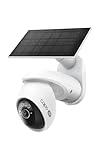
10. Tapo C660 KIT 4K: Best for Continuous Coverage
Tapo 4K Outdoor Pan/Tilt Wireless Security Camera, Solar Charging, C660 KIT
Battery: 10000mAh
Panel: 5W on 13ft cable
Video: 4K 8MP
Storage: 512GB microSD
Pros
- Only solar camera here with true 24/7 capture at 1-60s intervals
- Dual-band 5GHz and 2.4GHz Wi-Fi
- 4K with 360 pan 98 tilt and AI motion tracking
- Free person vehicle and pet detection with no subscription
- One owner identified and deterred foxes killing chickens
Cons
- Bundled panel charges only 4-5 percent a day against the 45-minute claim
- Plastic mounting bracket loosens and can be pulled off
- 24/7 capture stores interval stills rather than smooth video
- 15-20 fps is modest for 4K
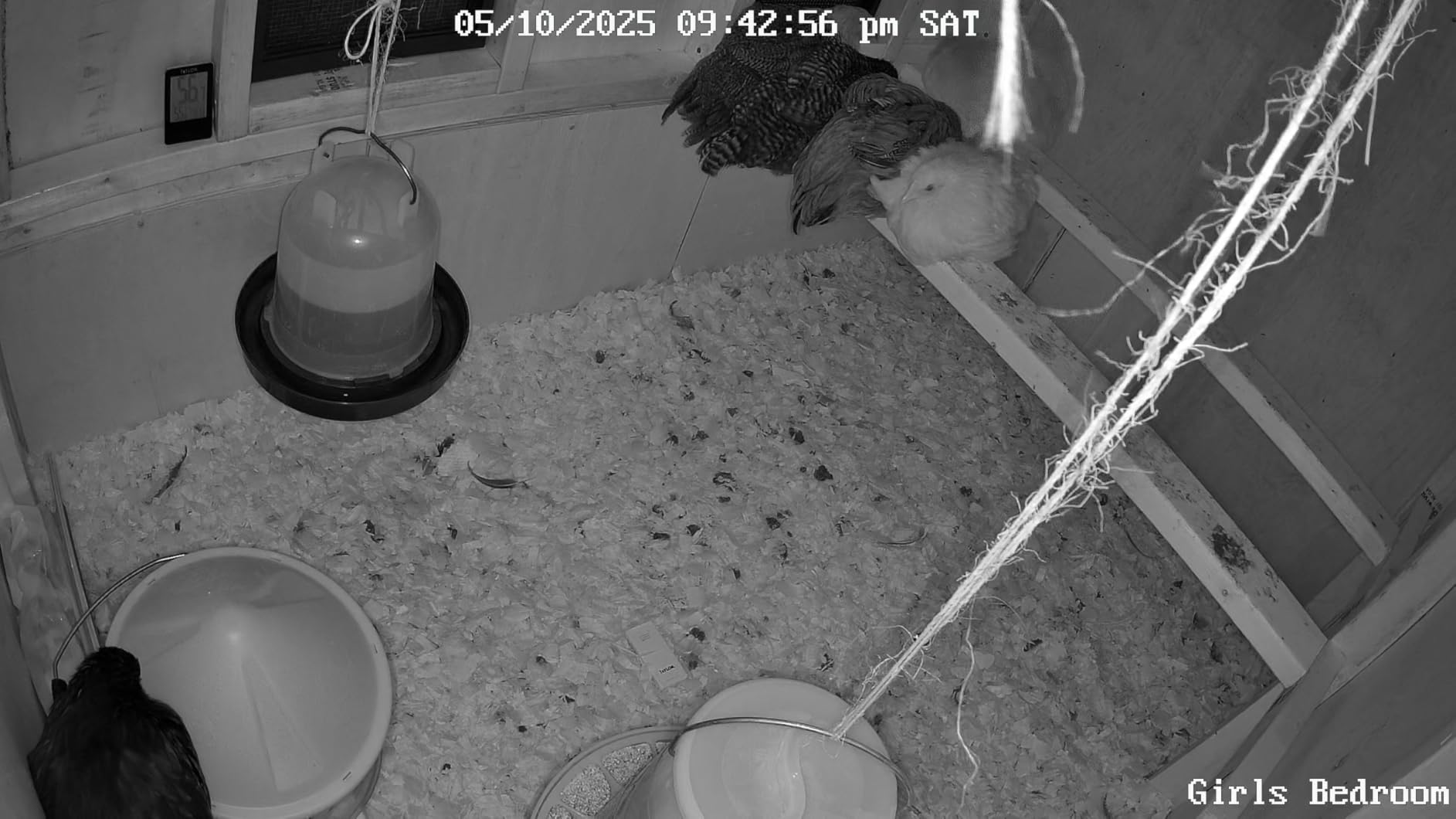
Most solar cameras in this roundup record motion events only, which is a real limitation when something is happening inside a stall rather than walking past a door. The Tapo C660 captures 24/7 on a schedule you set between one and sixty second intervals, with AI detection for people, vehicles and pets layered on top at no cost.
It ties for the highest average rating here at 4.3, and the practical proof point owners cite is a good one. One reviewer identified a family of foxes killing chickens and used the alerts to scare them off, which is a livestock welfare outcome rather than a security one. That is exactly the use case barn cameras are bought for.
On paper it is a 4K 8MP sensor with 360 degrees of pan, 98 degrees of tilt, 18x digital zoom, and starlight night vision to 40 feet, which is the longest Wi-Fi night vision figure in this roundup. It is also dual-band on 5GHz and 2.4GHz, so unlike most of the list it can use the fast band. Storage is microSD up to 512GB at no cost, with an optional Tapo Care cloud or a 2.5-inch drive via a separate hub.
The battery is 10000mAh and the panel runs through a 13-foot cable, so again the panel can be placed where the sun is rather than where the camera is. Three hours a day of sun is not required, but the split placement is genuinely useful on a barn wall.
Two hardware complaints come up repeatedly and both are about the supplied parts rather than the camera. The bundled panel charges only about 4 to 5 percent a day despite hours of morning sun, well short of the stated 45-minute figure, and several owners have replaced it with a 6W panel. The plastic mounting bracket is the most criticised component on the whole list, described as loosening, poorly engineered, and removable by anyone who can reach it.
Be clear on what 24/7 capture means here. It is stored as interval stills, not smooth continuous video, and playback from the card in the app is reported as choppy. The 15 to 20 fps frame rate is also modest for a 4K sensor.
What to check before you mount it
Plan to replace the panel. This is the clearest case in the roundup where the camera is good and the supplied solar panel is the weak part. Owners who swapped in a 6W panel report the problem solved, and the 13-foot cable means the swap is a mounting job rather than a rewiring job.
Then sort the mount. On a camera people install to deter theft, a bracket that can be pulled off by hand undoes the purpose. A metal mount with security screws is a small addition and it is the difference between a camera and a suggestion.
Where it fits and where it struggles
It fits anywhere you want a record rather than an alert: a foaling stall, a calving pen, a coop, a yard you check in the morning instead of in real time. Dual-band Wi-Fi also makes it the easiest of the Wi-Fi cameras here to pair on a modern mixed network.
It struggles on genuinely remote ground with no Wi-Fi, since it has no cellular option, and the interval-still format is not what you want if you need to reconstruct a fast-moving event frame by frame. Check the 4K stream on your actual network too, because 4K will push a weak barn connection to its limits.
Solar Barn Camera Buying Guide: Signal, Solar and Storage
The three decisions that matter are signal, solar and storage, and they are in that order because a camera that cannot send footage is a plastic box on a wall. Resolution, which most product pages lead with, is the fourth decision and the least consequential.
Signal decides whether the camera works at all
Yes, metal siding will block or badly weaken Wi-Fi. Corrugated steel between the camera and the router is one of the most common reasons a barn camera never pairs or keeps dropping off, and a farm building with a metal roof adds a further layer. It is not a distance problem alone, which is why simply pushing the router harder rarely solves it.
Your three realistic options are: Wi-Fi if the router genuinely reaches the barn, a bridge or mesh node if you are willing to run power to an outbuilding, or 4G LTE if there is no way to get signal from the building other than over the air. The last of these is the cheapest to install and the most expensive to run.
Before you order anything cellular, stand at the exact mounting spot and count bars. Before you order anything Wi-Fi, walk the barn with your phone on the 2.4GHz band and find out where the coverage ends. Both tests take a minute and both save a return.
Solar sizing and the panel-angle conflict
A panel harvests daylight, not direct sunlight, so an overcast winter day still produces something and snow on the ground can reflect more energy onto the panel than people expect. That myth-busting matters because owners routinely write off solar in cold climates when the real problem is that their panel is shaded by a roof overhang or a tree they have not trimmed.
The single most common solar camera install mistake is putting the panel where the camera wanted to be. A camera wants a wide view of the aisle, which usually means a corner, which usually means shade for part of the day. A panel wants unobstructed sky and a south-facing angle, with tilt set around your latitude plus 15 degrees for winter. On a south-facing barn wall those two wishes are frequently in conflict, and you solve it with a cable, not a compromise.
That is why the separate-panel designs on this list are worth extra thought. The Tapo C402 and C660 both ship with a 13-foot extension cable, the eufy S340 has a removable panel, and the Reolink Argus PT Ultra has a detachable one. Where the panel is moulded to the housing, you get whatever compromise the angle allows.
Panel wattage is the other half. Units here range from 3 watt-hours on the smaller fixed cameras to 5W on the larger ones, and two of the highest-rated products in the roundup are criticised by owners for panels that undershoot their claims. Battery capacity matters just as much, and the numbers to compare are 5000mAh, 9000mAh, 9400mAh and 10000mAh across this list.
Our general guide to 4K security cameras covers the resolution question in more depth, and our picks for the best floodlight security cameras are relevant if you are covering a dark yard where motion lighting is the real deterrent.
Storage and the real running cost
Local microSD storage is preferable to cloud wherever the camera supports it, for one practical reason: your footage does not stop existing because a payment failed or a company changed its terms. Cards up to 512GB are common here, and the cost of a card is a one-time purchase that adds nothing to your monthly bill.
Several cameras do not include a card. The Argus Eco, the SEHMUA and the Cinnado B6 all require you to buy one separately, which is worth knowing before you total up a multi-camera install. Two products here include storage out of the box: the eufy S330 ships with a 32GB card, and the eufy SoloCam S340 has 8GB built in.
Cellular cameras add a recurring line that people forget. Realistic figures reported by owners run from roughly six dollars a month for motion-only use on a low plan up to the eighty to one hundred sixty dollar annual range for heavier use, and cloud recording on top of that is a separate subscription on some models. The honest summary is that a cellular camera is never the cheapest option once you count three years of data.
You do not need a subscription for an LTE camera to work, but you do need a data plan. The camera records to its card either way. What the data plan buys is the ability to see it from somewhere else, and for a barn at the end of the property that is the entire point.
IP ratings in a real barn
IP65 is dust-tight and protected against water jets. IP66 adds protection against powerful water jets. In practice the difference that matters in a barn is dust, because hay dust, chaff and spider webs are constant, and IP65 units do survive that. But several of the strongest cameras on this list are only IP65, and the ones rated IP66, like the Xega and the eufy S330’s cellular sibling, are the safer choice on a wall that gets hose-down cleaning or driven rain.
One camera here is IP64, the weakest sealing in the roundup. Keep it under an eave.
There is a night-vision decision too. Infrared LEDs give a red glow that livestock can see, and a horse or a calf in a dark stall reacts to it. Starlight and colour night vision avoid that, at the cost of needing some light. If your camera has a spotlight, decide whether it runs continuously or on motion, because that choice has a real effect on battery life.
What is the best security system for an acreage?
For an acreage, a four-camera system with local storage beats four unrelated single cameras. That is the entire argument for the multi-camera kit on this list: one base station, one app, four views at once, and footage stored on hardware inside your own property rather than spread across four separate accounts.
The pattern that works is corners plus centre. Two cameras on opposite corners, two more covering the middle of the property or the ends of the main track, all reporting to a base or hub mounted somewhere with power and signal. Whatever the connectivity, the geometry is the same.
On multi-phone sharing, most ecosystems let you share one camera with several accounts, which means both people on a farm can watch the same barn from their own phones. Check that before you buy, since a few brands restrict the number of simultaneous live views.
How Many Cameras Does a Barn Need and Where Do They Go?
A typical 20-stall barn is covered properly by four cameras: one in each of two opposite corners, plus one at each end of the centre aisle. That layout gives you overlapping coverage of the whole floor without a blind spot in the middle where the cameras meet, which is the one an owner leaves behind more often than any other.
Mount them 9 to 10 feet off the ground. High enough to see over a horse’s back and past a row of bales, low enough that a person is still a person rather than a pair of shoes. A camera at eight feet in a barn full of hay is looking at hay.
Run the walk test quarterly. Stand in each stall, at the tack room door, at the feed bins, and check the actual clip the camera recorded. Motion sensitivity, blind spots and lens grime all change over a season, and a spider web in front of an infrared sensor will reflect light straight back and blind the camera without anyone noticing.
Maintenance is small and it is not optional. Wipe the lens about monthly for webs and dust, clear the panel every couple of months for leaves and grime, and hose the housings down when you clean the barn. Hay dust is the thing that kills these cameras, not weather.
Two more things worth doing on day one. Angle the panel toward the equator and set the tilt to your latitude plus or minus 15 degrees depending on the season, rather than leaving it wherever the bracket defaults. And spend a few minutes on the mount, because a barn camera is itself a theft target and the included plastic bracket on several of these offers no real deterrence at all. Our guide to the best solar security lights covers the other half of a barn’s night-time protection, and a motion light stops more theft than a camera does.
Frequently Asked Questions
What is the best security camera for a barn?
The best security camera for a barn is a wire-free, solar-powered outdoor camera rated at least IP66, with colour or starlight night vision and either Wi-Fi that reaches the building or 4G LTE with a built-in SIM. Power and signal decide the outcome, and resolution comes third.
Who makes the best solar-powered security cameras?
There is no single winner, because the right brand depends on your signal. Reolink, eufy and aosu lead on Wi-Fi cameras with local storage. eufy and Xega cover the 4G LTE cellular side, and Tapo covers both the low and high resolution Wi-Fi tiers. Match the brand to whether your barn has a network at all.
What is the best security system for an acreage?
A four-camera system with local storage beats four unrelated single cameras. Use one base station or hub mounted where it has power and signal, place cameras in opposite corners plus the ends of the main track, and view all four at once in a single app. That keeps the footage on your property instead of across four accounts.
What is the best camera for a barn with no Wi-Fi?
A 4G LTE solar camera with a built-in SIM is the only realistic option. Look for a large battery, a panel that reaches a full day of charge, and a SIM that roams across major networks. Before you order, stand at the exact mounting spot and count cell bars. One bar means no camera will save you.
Do solar powered security cameras actually work?
They do, provided the panel gets daylight. Panels harvest light rather than direct sunlight, so an overcast day still produces energy and snow can reflect more than expected. The common failure is a shaded panel, not a solar-powered camera. Give the panel unobstructed sky, angle it toward the equator, and clear it of debris every couple of months.
Do I need a subscription for an LTE security camera?
A data plan is required for the cellular connection, but not for recording. Every camera here records to a microSD card without a subscription, so a plan only buys you the ability to view footage from somewhere else. Owners report motion-only plans from around six dollars a month up to eighty to one hundred sixty dollars a year for heavier use.
How many security cameras does a barn need?
A typical 20-stall barn is covered by four cameras: one in each of two opposite corners plus one at each end of the centre aisle, mounted 9 to 10 feet off the ground. That gives overlapping coverage of the whole floor without a blind spot in the middle where the cameras meet.
What should I avoid when buying an LTE security camera?
Avoid cameras that are 2.4GHz-only but marketed as flexible, units that ship without a microSD card, solar panels moulded to the housing with no way to aim them, and flimsy plastic mounts that can be removed by hand. Also avoid units with no exclusion zones, since wind-blown branches will burn cellular data all night.
The Verdict: Which Solar Barn Camera to Buy
If your barn has usable Wi-Fi, the REOLINK Argus Eco is the one to buy. It has the deepest owner history in this roundup, local storage with no subscription, and a small enough panel that mounting it on a barn wall is a one-person job.
If Wi-Fi reaches the barn but the shape of the building is awkward, the eufy SoloCam S340 gives you 360-degree pan and tilt, 3K clarity, and 8x zoom from a single unit. If you want the best image and the widest movement, the Tapo C660 adds 4K and around-the-clock capture, provided you replace its panel.
If there is no Wi-Fi at all, the Xega 4G LTE is the only camera here that solves the problem rather than working around it, and the eufy S330 is the answer for mixed coverage because it switches between Wi-Fi and cellular on its own.
Whatever you choose, do the thirty-second signal test at the mounting spot before you drill, separate the panel from the camera if the hardware allows it, and replace the plastic mount. Those three things decide whether the best solar security cameras for barns actually work for you, more than any resolution number on the box.


