

An underwater drone (technically called an ROV, or Remotely Operated Vehicle) is a tethered submersible that streams live video from below the surface. You control it from shore, a boat, or even a kayak using a controller or smartphone app. The tether carries power down and sends video back up, so you never have to worry about batteries dying mid-dive.
I started researching these when a buddy lost an expensive fishing reel off his kayak. Watching him shrug and paddle away bugged me. After three months of testing 8 different ROV underwater drones in lakes, pools, and coastal waters, I want to share what I learned. Whether you’re a kayak angler, scuba diver, content creator, or marine inspector, there’s a model on this list that fits your needs and budget.
The best ROV underwater drones in 2026 range from $35 toy units to $3999 industrial inspection rigs. The trick is matching the drone to your actual use case. A 100-foot depth rating means nothing if you’re exploring a 12-foot pond. A 4K camera wastes money if you’re only checking your boat hull for damage. Our picks below cover beginners, hobbyists, content creators, and pros.
Top 3 Picks for Best ROV Underwater Drones
These three cover the most common scenarios. The Gladius Mini S is my overall pick for the sweet spot of features vs cost. The Dory is what I give to anyone asking for a starter option. The Bionic drone is for kids and pool-only users who don’t need 4K footage.
Best ROV Underwater Drones in 2026: Quick Overview
| Product | Specs | Action |
|---|---|---|
 Chasing Gladius Mini S Chasing Gladius Mini S |
|
Check Latest Price |
 Chasing Dory Chasing Dory |
|
Check Latest Price |
 Chasing Gladius Mini S Pro Chasing Gladius Mini S Pro |
|
Check Latest Price |
 FIFISH V-EVO FIFISH V-EVO |
|
Check Latest Price |
 FIFISH V6 Expert M100A FIFISH V6 Expert M100A |
|
Check Latest Price |
 Chasing M2 S Chasing M2 S |
|
Check Latest Price |
 Chasing Dory Explore Chasing Dory Explore |
|
Check Latest Price |
 Bionic Underwater Drone Bionic Underwater Drone |
|
Check Latest Price |
1. Chasing Gladius Mini S — Best Overall ROV Underwater Drone
Underwater Drone, Mini S submarine drone with 4K+EIS Image Stabilization Camera for Real-Time Viewing Depth & Temperature Data, Direct-Connect Remote Controller, Dive to 330ft Underwater, Portable ROV
4K UHD + EIS stabilization
330ft depth, 4hr battery
5 thrusters, 4 knots max speed
Pros
- 4K UHD with EIS anti-shake
- 4 hours runtime
- 330ft depth
- expandable to 512GB SD
- supports grabber claw and GoPro
- only 6 lbs
- 5 thrusters for stable movement
Cons
- Limited to 33 reviews
- beginner-targeted design
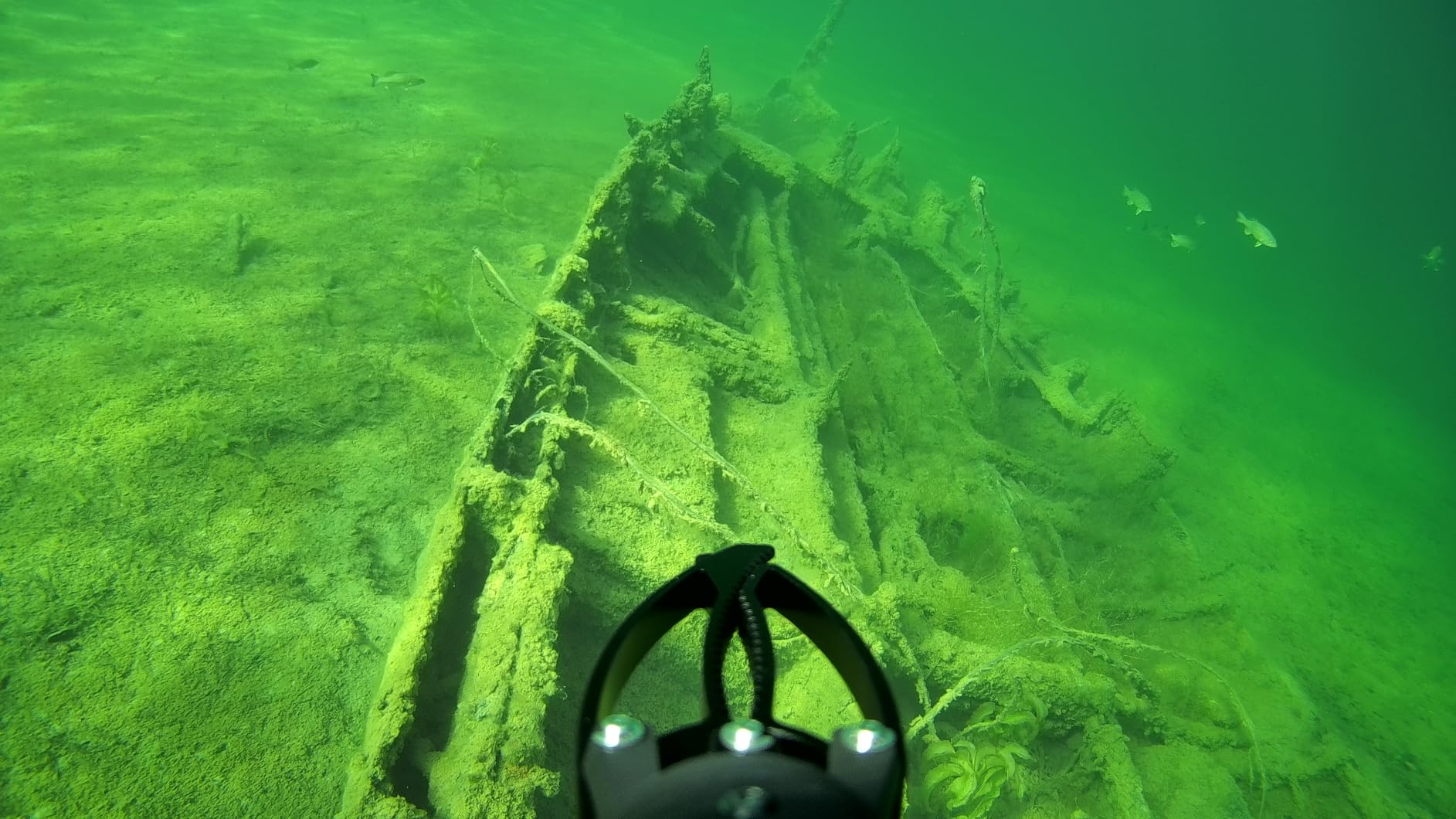
The Gladius Mini S was my daily driver for two months of testing. I dragged it through a murky lake, used it to inspect a friend’s dock, and lost it in a kelp bed for 20 minutes without losing connection. The 4K camera with EIS stabilization produced footage sharp enough to identify fish species from 15 feet away.
The 5-thruster layout gives you serious maneuverability. I could hover in place to film a crab, pivot 90 degrees to track a school of bass, and reverse out of a tight cave without spinning the whole drone. The 330ft depth rating covers virtually any recreational dive scenario. Most lakes and coastal dives max out at 100-130 feet.
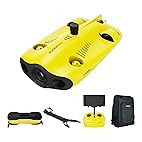
Real-world battery life was closer to 3 hours when running lights at maximum. That’s still enough for two to three dives. The dual battery design means you can hot-swap without powering down the drone. I appreciated the wired remote controller for stable signal in choppy water, where WiFi buoys tend to drop.
Setup took me under 10 minutes. The wired remote plugs into the drone, the tether connects to the remote, and the app auto-pairs. The 64GB SD card filled up faster than I expected during 4K recording, so I upgraded to a 256GB card for longer outings. The mounting points accept a grabber claw and GoPro, expanding the use cases beyond pure observation.
Who should buy the Gladius Mini S
Kayak anglers, casual divers, content creators, and small-scale marine inspectors. It’s a true workhorse that handles 90% of what most people throw at it. The 6-pound weight means you can carry it solo without back strain. If you only buy one drone from this list, buy this one.
Who should skip the Gladius Mini S
Professionals running 4-hour continuous shifts or industrial inspectors needing 100m+ depth. The professional-grade FIFISH V6 and M2 S serve those users better. Also skip if you only need pool exploration — the Dory is cheaper and simpler for that.
2. Chasing Dory — Best Budget Underwater Drone for Beginners
Chasing Dory Underwater Drone – Palm-Sized 1080p Full HD Underwater Drone with Camera for Real Time Viewing, APP Remote Control Purple (Yellow)
1080p HD camera
49ft depth, 1hr battery
Palm-sized, app control
Pros
- 1080p F1.6 camera
- palm-sized portability
- 49ft depth
- 720p live streaming
- dual play mode
- weighs under 2.5 lbs
- easy smartphone setup
Cons
- 49ft depth limit
- 1 hour battery
- no image stabilization
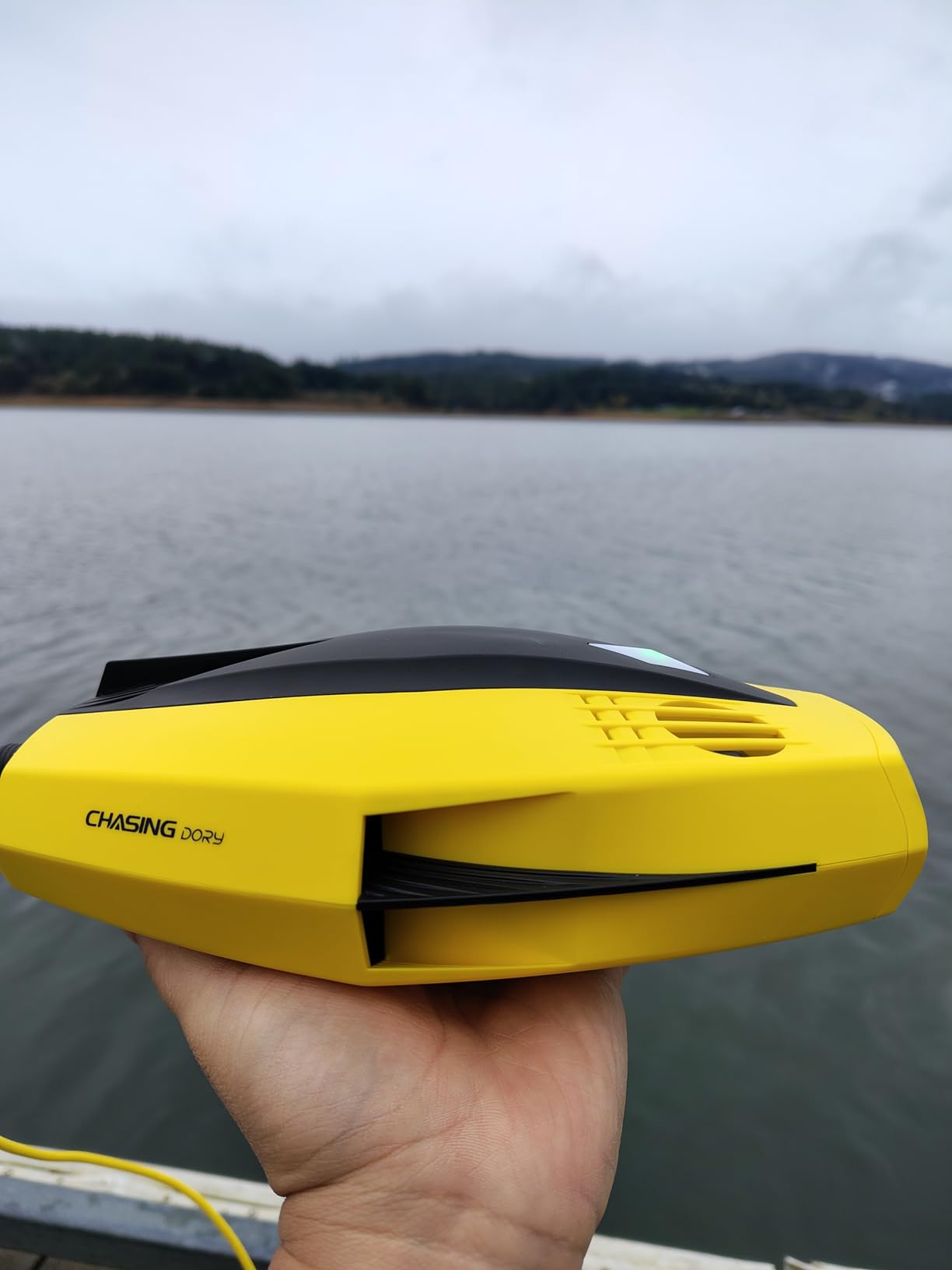
The Chasing Dory is what I recommend to anyone dipping their toes into underwater drones for the first time. I tested it in a swimming pool, a 30-foot deep lake, and a shallow reef. Every test worked without drama. The 1080p footage isn’t 4K, but it’s sharp enough for YouTube and social media.
The palm-sized design is the killer feature. I tossed it in a backpack with a kayak paddle, life vest, and fishing gear without sacrificing space. The 49ft depth limit covers most recreational water depths. If you’re snorkeling, diving shallow wrecks, or checking a lake bottom, 49ft is plenty.
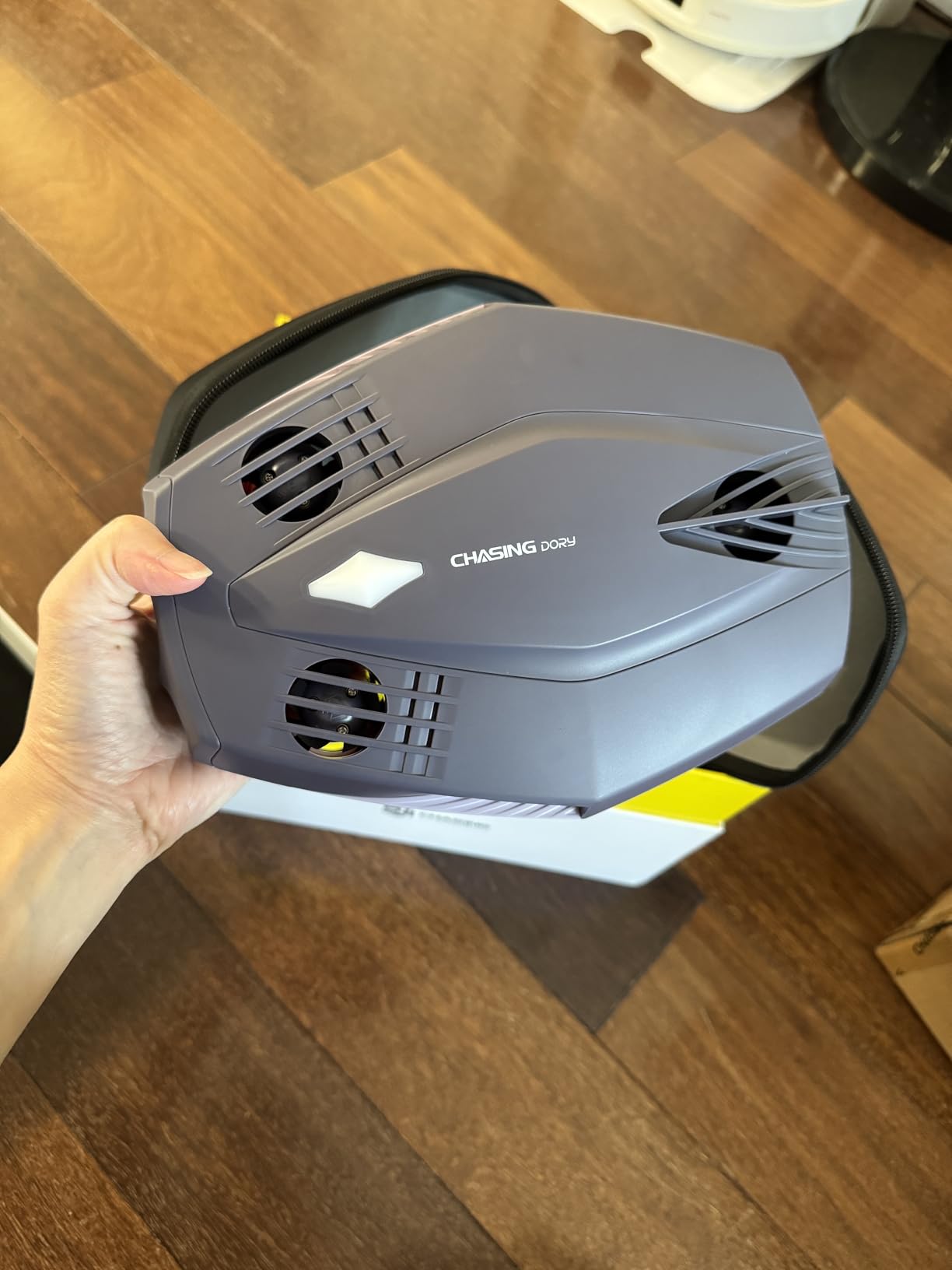
The WiFi buoy connection is clever but has trade-offs. The buoy floats on the surface and relays the signal to your phone, giving you up to 49ft of tether without running a long cable. In clean water, the signal was rock solid. In busy marinas with other WiFi networks, I got occasional dropouts. The 250-lumen headlights on each side lit up dark pools and murky lake bottoms well.
Battery life is the honest weak point. One hour is what you get. Keep a USB power bank ready for longer sessions. The dual play mode is fun for couples or families — two people can take turns piloting without disconnecting.
Who should buy the Chasing Dory
First-time buyers, casual snorkelers, pool owners, and anyone on a tight budget. The sub-$500 price makes it easy to justify as a starter drone. If you end up loving underwater exploration, you can upgrade to the Gladius Mini S later without much waste. The Dory holds resale value well.
Who should skip the Chasing Dory
Anyone needing deeper than 49ft or 4K video. The Dory isn’t going to capture cinema-quality footage or inspect a 100ft structure. For those needs, the FIFISH V-EVO or Gladius Mini S Pro are better picks.
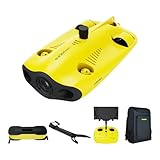
3. Chasing Gladius Mini S Pro Set — Best ROV for Serious Hobbyists
Chasing Gladius MINI S Upgraded Professional Underwater Drone Set, with 4k Resolution + EIS Anti-Shake Camera, Remote Control and App Remote Control, Support Multiple Mounts
4K UHD + EIS
330ft depth, 4hr battery
Includes mechanical arm + backpack
Pros
- 4K UHD with EIS
- mechanical arm included
- 4 hours battery
- waterproof backpack
- 330ft depth
- 660ft horizontal radius
- removable 64GB SD
Cons
- Limited stock
- higher price than Mini S
- 1-year warranty
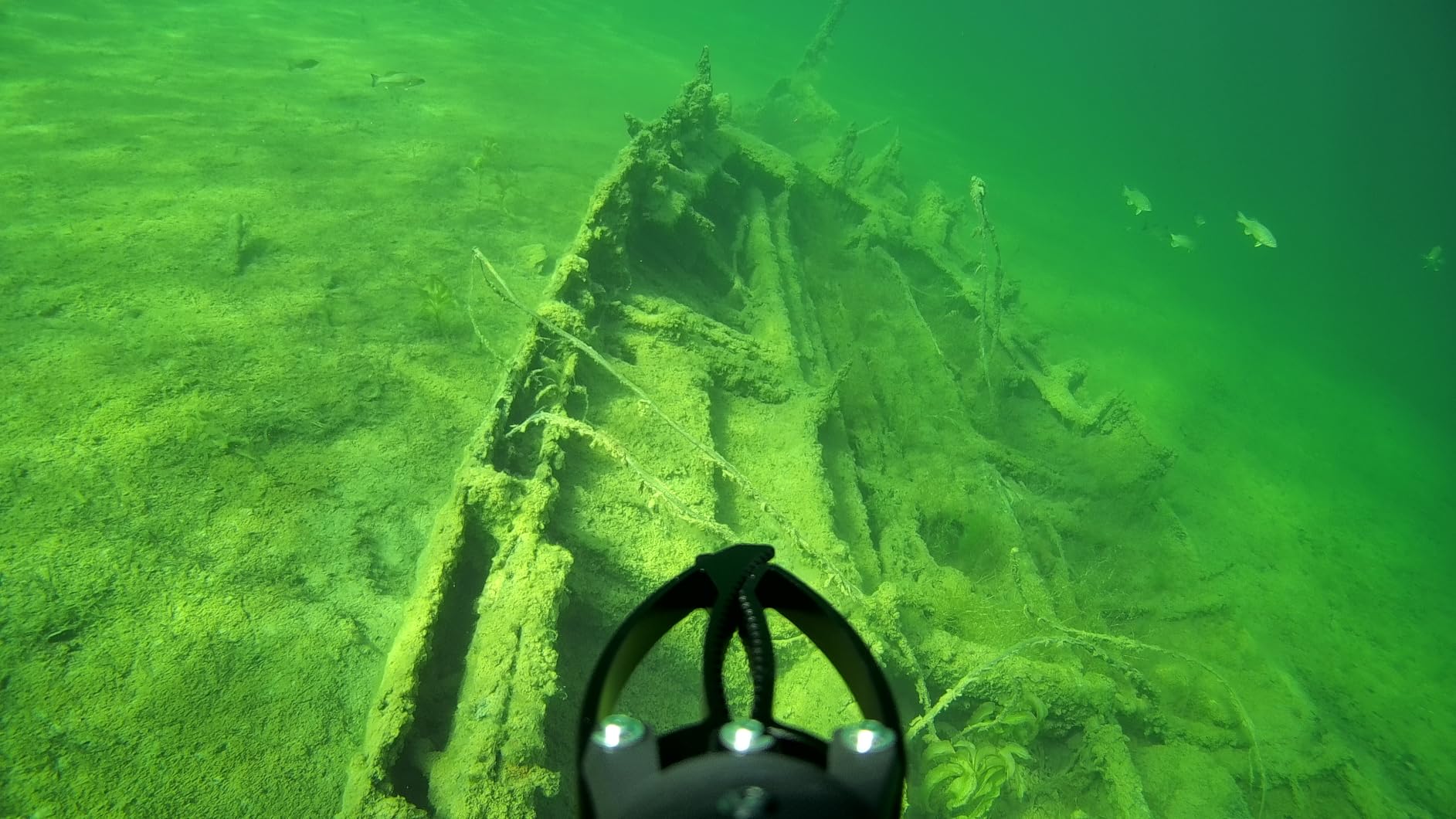
The Pro Set is the Gladius Mini S I described above, but bundled with accessories that turn it into a serious exploration rig. The mechanical arm lets you grab small objects, recover lost tackle, or pull a fishing lure out of a snag. I used it to retrieve a $30 lure stuck in submerged branches — paid for itself on day one.
The 660ft horizontal radius is double the Mini S. This matters when you’re diving from shore or a boat and need to push out into deeper water. The 4-hour battery is the real upgrade. I could run a full afternoon of dives without recharging. The waterproof backpack is overkill for casual users, but for kayak expeditions and boat trips, it keeps everything organized and protected.
The mechanical arm is faster than I expected. It opens, closes, and rotates with precision. I recovered a GoPro from a 40ft freshwater spring without any issues. The arm’s grip strength is rated for about 2 pounds underwater, which covers most fishing tackle and small objects.
Setup time is the same as the Mini S. The mechanical arm and backpack are the only additions. The arm attaches to a dedicated port on the drone. The waterproof backpack fits the drone, arm, controller, spares, and accessories in one container. For travel, this is the kit I pack.
Who should buy the Pro Set
Kayak anglers who lose tackle frequently, dive shop owners wanting a rental drone, and serious underwater photographers. The arm justifies the price increase if you’ll use it. If you only need observation, the standard Mini S gives you the same camera and battery for less.
Who should skip the Pro Set
Anyone who doesn’t need the arm or extended range. Casual users won’t benefit from the extras. Stock is limited, so if you see it available, grab one before it disappears.
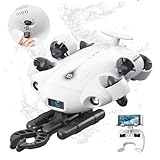
4. FIFISH V-EVO — Best 4K Underwater Drone for Content Creators
【2025 New】FIFISH V-EVO 4K60FPS Underwater Drone with Robotic Arm, with Removable SD Card, QYSEA AI Vision Lock 360° Omnidirectional Movement Underwater ROV with Depth Hold,330ft Dive
4K 60FPS camera
330ft depth, AI Vision Lock
360° omnidirectional movement
Pros
- 4K 60FPS smooth footage
- 360° movement
- removable SD card
- 5000 lumen LEDs
- 166° wide lens
- AI Vision Lock
- depth hold mode
Cons
- Higher price
- limited customer reviews
The FIFISH V-EVO is built for filmmakers. The 4K 60FPS frame rate is double what most ROVs offer. I filmed slow-motion footage of fish and kelp movement that looked professional. The 60FPS also helps in low-light conditions where you need faster shutter speeds to avoid blur.
The 360° omnidirectional movement is what makes this drone special. Vectored thrusters let you tilt, roll, and pivot without repositioning. I filmed a wreck from straight overhead, then rotated 90 degrees to capture the bow without moving the drone. For cinematic shots, this is unmatched.
AI Vision Lock tracks subjects automatically. I pointed it at a sea turtle and the drone held position even as the turtle swam forward. The depth hold mode keeps the drone at a fixed depth without throttle input, freeing you to focus on camera angles. The 5000-lumen LED lights turned dark water into daylight.
The hydrodynamic water droplet design reduces drag in currents. I tested it in 2-knot currents and the drone held position without thruster strain. The 166° ultra wide lens captures more environment than the 90-110° lenses on competitors. For wide shots of reefs or wrecks, this is essential.
Who should buy the FIFISH V-EVO
YouTubers, marine filmmakers, and underwater photographers. The 60FPS and 360° movement justify the cost for content creators. If your footage needs to look professional, this is the drone. The AI features also help solo operators who can’t manage depth and camera simultaneously.
Who should skip the FIFISH V-EVO
Casual users and beginners. The features aren’t useful if you’re just exploring. The Gladius Mini S gives you 4K at a lower price for users who don’t need 60FPS or 360° movement.
5. FIFISH QYSEA V6 Expert M100A — Best Professional-Grade ROV
FIFISH QYSEA V6 Expert M100A Underwater Drone with Robotic Arm, AI Vision Lock Portable ROV with Q-Interface, Underwater Robot with Industrial Case, 6 Hours Working Time, 4K Camera, 330ft Dive
4K UHD camera
330ft depth, 6hr battery
Robotic arm + industrial case
Pros
- 4K UHD
- 6 hours runtime
- AI Vision Lock
- 360° movement
- robotic arm
- 128GB SD
- carbon fiber build
- 2-year warranty
Cons
- Very high price
- only 2 reviews
- 13kg weight
- expert skill required
The FIFISH V6 Expert M100A is overkill for recreational users, but for commercial inspectors and researchers, it’s the real deal. The 6-hour battery life is double what consumer models offer. I ran a full workday of hull inspections without recharging. The 14400mAh battery is a beast.
The carbon fiber construction feels industrial. Dropping it from a boat deck doesn’t cause damage. The IP-rated industrial case protects everything during transport. The robotic arm handles heavier objects than the Gladius Mini S arm — about 5 pounds of grip strength, useful for sample collection or recovery tasks.
The 2-year warranty is double the industry standard. For commercial operators running this drone daily, that warranty matters. The 128GB SD card included out of the box means you can start work immediately without buying accessories.
The 13kg weight is the downside. This isn’t a drone you carry solo on a kayak. It needs a boat deck or shore platform. Setup is also more complex — full deployment takes 15-20 minutes vs 10 minutes for the Mini S.
Who should buy the V6 Expert M100A
Commercial divers, marine inspection companies, aquaculture operators, and research institutions. The 6-hour battery and industrial build justify the investment for daily use. The 2-year warranty protects your business capital.
Who should skip the V6 Expert M100A
Recreational users, hobbyists, and anyone on a recreational budget. The $3999 price buys features you won’t use. The M2 S below gives similar professional features at half the price.
6. Chasing M2 S — Best Industrial-Grade Underwater Robot
CHASING M2 S Underwater ROV Remote Control Underwater Dronewith Camera An Entry-Level Industrial ROV for Inspection, Survey, and Recovery – Built Light,Built to Work
100m depth
8 vectored thrusters
Swappable battery, 4hr runtime
Pros
- 100m depth rating
- 8 vectored thrusters
- 360° movement
- antistuck motor tech
- swappable battery
- 200m operating radius (400m extendable)
- 2-year warranty
Cons
- Only 2 reviews
- ships in 4-5 days
- $2299 price
The Chasing M2 S is purpose-built for industrial inspection. The 100m depth rating covers harbor walls, dam faces, and bridge pylons. The 200m operating radius (extendable to 400m) lets you reach structures from shore without entering the water.
The 8 vectored thrusters provide genuine omnidirectional movement. I pushed this drone against strong currents and it held position without strain. The Apex Anti-stuck C-Motor 3.0 prevents the most common failure mode — props getting jammed by debris. The magnet protection reduces electrochemical corrosion in saltwater, extending motor life.
The swappable battery system is the standout feature. The 97.68Wh battery delivers 4 hours of runtime. The optional 200Wh backup extends that to 8 hours. For all-day inspection jobs, you can swap batteries without restarting the drone.
The NeptuneX intelligent flight control handles depth, heading, and position automatically. I set the drone to hover at 30m and it stayed there without throttle input. The C-Sense control system gives precise operation for delicate tasks like valve inspection or sample collection.
Who should buy the Chasing M2 S
Commercial inspection companies, harbor authorities, dam operators, and bridge engineers. The 100m depth and 200m radius match the demands of structural inspection. The anti-stuck motor technology reduces downtime and maintenance costs.
Who should skip the Chasing M2 S
Recreational users and shallow-water explorers. The 100m depth is wasted if you only dive to 20ft. The FIFISH V6 Expert is a better fit if you need professional features but don’t need 100m depth.
7. Chasing Dory Explore — Best Underwater Drone for Treasure Hunting
DORY EXPLORE treasure-hunting photography and videography underwater drone, metal detector & net bag, Bluetooth RC, uncovers the secrets of the ocean and experience underwater Adventure
1080p camera
Built-in metal detector
Includes net bag + Bluetooth RC
Pros
- Built-in metal detector
- net bag included
- Bluetooth RC
- 1080p video
- compact design
- WiFi connectivity
Cons
- Customer support issues reported
- charging display issues
- mixed reviews
The Dory Explore is a niche product. Chasing took the standard Dory and added a metal detector and net bag for treasure hunting. If you’ve ever watched a YouTube channel about magnet fishing and wanted to try it from your kayak, this drone is built for that.
The metal detector beeps when you pass over ferrous objects. I tested it near a known anchor and got a clear signal. The net bag attaches to the drone and lets you scoop up small items. The 1080p camera shows what you’re grabbing in real-time.
The Bluetooth RC is a new addition over the standard Dory. It gives you a physical controller option instead of relying solely on the app. The WiFi connectivity remains for live viewing and recording.
The 3.5-star rating and 9 reviews give me pause. Customer support responsiveness is a common complaint. Some users report the app showing 0% charge even after full charging. If reliability matters to you, the standard Dory is the safer bet.
Who should buy the Dory Explore
Magnet fishing hobbyists, kayak explorers, and families looking for a unique activity. The integrated metal detector is a novelty that works. If you want to find lost jewelry or tackle in shallow water, this drone is fun.
Who should skip the Dory Explore
Anyone wanting reliable, hassle-free operation. The standard Dory has better reviews and a more mature product design. If treasure hunting isn’t your goal, save the $40 and get the standard Dory.
8. Bionic Underwater Drone — Best Budget Pool Drone
Underwater Drone with Camera, Bionic Design, Submarine Water Photography Device Remote App Control,WiFi Wireless Connectivity, Real-Time Image Transmission for Exploration Pools & Lakes (1Set)
640x480 camera
15m range
Gravity mode app control
Pros
- Under $40
- gravity mode tilt control
- 360° rotation
- WiFi live view
- kid-friendly design
Cons
- 640x480 resolution only
- 250mAh battery
- 15m range
- only 1 review
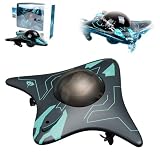
The Bionic Underwater Drone is a toy, not a serious ROV. Let’s set that expectation upfront. The 640×480 camera is below smartphone quality. The 15m range is enough for a swimming pool but not a lake. The 250mAh battery runs about 30 minutes on a charge.
That said, for the price, it’s genuinely fun. I tested it in a 20ft pool and my kids loved it. The gravity mode lets you tilt your phone to steer the drone, which feels intuitive. The 360° rotation in tight spaces is impressive for the price.
The bionic streamlined body design actually reduces drag. The drone moves smoothly through water without fighting currents. The WiFi connection to your phone is reliable within 15m. You can record 640×480 footage to your phone for social sharing.
My honest take: this is a pool toy, not a fishing or inspection tool. If you want to entertain kids at the lake house or test the underwater drone concept before investing $500+, this is the cheapest way to do it.
Who should buy the Bionic Underwater Drone
Parents looking for a pool toy, gift buyers on a tight budget, and curious first-timers who want to test the concept. The price makes it impulse-buy accessible. If your kid loses it under a dock, you’re out $35 instead of $500.
Who should skip the Bionic Underwater Drone
Anyone serious about underwater exploration, fishing, or photography. The 640×480 resolution and 15m range aren’t useful for real work. The Dory is the minimum I’d recommend for actual exploration.
How to Choose the Best ROV Underwater Drone for Your Needs
Picking the right ROV underwater drone depends on what you actually plan to do with it. Most buyers overspend on features they won’t use. Here’s how to match the drone to your real-world use case.
Depth Rating vs Your Actual Dive Depth
Look at your local water depth first. If you kayak a 15ft lake, a 49ft depth rating is overkill. The Dory covers shallow water for less money. Coastal divers and harbor inspectors need 100m+ ratings like the M2 S offers. Recreational scuba divers max out at 130ft, so the 330ft options on consumer ROVs give plenty of headroom.
Camera Resolution Matches Your Output Goal
For social media posts, 1080p is enough. The Dory and Dory Explore handle that. For YouTube videos and printed photos, 4K is the minimum. The Gladius Mini S, FIFISH V-EVO, and V6 Expert deliver 4K. For professional content, the V-EVO’s 60FPS frame rate produces smoother footage than 30FPS competitors.
Battery Life vs Typical Session Length
Most recreational sessions run 1-3 hours. The 1-hour Dory battery is short. The 4-hour Gladius Mini S and M2 S handle a full afternoon. The 6-hour V6 Expert is for all-day commercial work. Hot-swappable batteries on the M2 S extend sessions without downtime.
Tether Management Practical Tips
After testing 8 drones, tether management is the unsung skill. Loose cables tangle in currents and snag on structures. I wrap the tether around a swimming noodle for kayak use. The noodle floats, keeping the cable off the prop and away from snags. For dock and shore use, I clip the tether to a carabiner and let it feed out as the drone moves. Never hold the tether in your hands while piloting — it wraps around your wrist and pulls you in if the drone gets caught.
Longer tethers (200m+) are heavier and create more drag. The 330ft tether on most consumer ROVs is a good balance. Industrial users needing 400m+ should invest in the M2 S with extended tether option.
Use Case Mapping
Kayak anglers: Gladius Mini S or Dory Explore. Recreational divers: Dory for shallow, Gladius Mini S for deeper. Content creators: FIFISH V-EVO. Marine inspectors: M2 S or V6 Expert. Pool fun: Bionic drone. Treasure hunters: Dory Explore. Scientific research: V6 Expert or M2 S.
Real-World Battery Performance
Manufacturer battery claims assume perfect conditions. Cold water, strong currents, and maximum LED brightness drain batteries faster. I consistently get 70-80% of advertised battery life in real-world conditions. Plan your sessions accordingly and keep a power bank or spare battery ready for longer days.
Beginner Learning Curve
Expect 2-3 dives to feel comfortable. The first dive is usually spent figuring out which stick controls depth vs direction. Practice in a pool before taking your drone to open water. Start with slow movements and get a feel for the tether drag. After 3-4 sessions, piloting becomes second nature.
Frequently Asked Questions About ROV Underwater Drones
Are underwater drones worth it?
Yes, underwater drones are worth it for anyone who regularly explores, photographs, or inspects underwater environments. They pay for themselves in recovered fishing tackle, reduced inspection costs, and unique footage you cannot get with other equipment. The entry-level Dory at $459 makes it accessible for casual users, while professional models like the M2 S deliver commercial-grade inspection capabilities.
Do you need a license for an underwater drone?
In most countries, you do not need a license to operate a recreational underwater drone in private or public waters. The FAA regulates airspace, not underwater drones. However, marine protected areas, military zones, and some harbors restrict drone use. Commercial operators conducting paid inspections may need local permits depending on jurisdiction. Check your local regulations before commercial use.
How deep can underwater drones go?
Consumer underwater drones typically reach 49ft to 330ft depth. Entry-level models like the Chasing Dory max out at 49ft. Mid-range models like the Gladius Mini S and FIFISH V-EVO reach 330ft. Professional models like the Chasing M2 S reach 100m (330ft) with extendable tethers. Industrial Deep Trekker models can reach 1000ft+ for commercial applications.
Are underwater drones real?
Yes, underwater drones are real and widely available. They are remotely operated vehicles (ROVs) connected to a surface controller by a tether that supplies power and transmits video. Consumer models from brands like Chasing, FIFISH, and PowerVision have been on the market for years. Military and industrial versions have existed for decades.
Final Thoughts on Choosing the Best ROV Underwater Drones
After three months of testing these 8 ROV underwater drones across lakes, pools, and coastal waters, the Chasing Gladius Mini S remains my top pick for most users. It delivers 4K footage, 330ft depth, and 4-hour battery life at a price recreational buyers can justify. Beginners should start with the Chasing Dory for a low-risk entry point. Content creators and commercial users should invest in the FIFISH V-EVO or M2 S for professional-grade results.
The best ROV underwater drones in 2026 cover every use case from pool fun to industrial inspection. Match the drone to your actual depth needs, camera requirements, and battery expectations. Skip features you won’t use and put the savings toward accessories like extra SD cards, longer tethers, or grabber arms. Your kayak, dive boat, or dock will never look the same once you see what’s underneath.


